New models are here: Seedance 2.5, Gemini Omni Flash, Nano Banana Pro and more

Try Seedance 2.5
Anyscene AI

Image to Prompt Generator

Upload an image and get a prompt split into subject, setting, light, camera and style, then generate with it in one click.

Drop, paste or choose an image

JPG, PNG, WebP, GIF, AVIF or HEIC · up to 10 MB

Prompts saved inside the file are read right here, before anything is uploaded.

Try one

Detail

Prompt language

English
Get prompt1

Your prompt appears here, split into subject, setting, light, camera and style.

Your image goes to Google Gemini for this analysis only. We don't store it unless you choose Use as reference or Animate.

The short version

What Is Image to Prompt?

Image to prompt runs text to image backwards. You give it a picture, and it gives you the words an image model can draw it from.

Image to prompt is the reverse of text to image: an AI looks at a picture and writes the text prompt that would produce something like it, covering the subject, setting, light, camera and style.

A prompt in layers

Image to prompt returns subject, setting, light, camera, style and any words in the picture as separate lines. Edit one or switch it off, and the full prompt updates.

Four formats from one read

Natural language, keyword tags, a Midjourney prompt with its --ar and a video prompt with motion all come from the same 1-credit analysis.

Saved prompts, word for word

Files from AUTOMATIC1111, ComfyUI, NovelAI or InvokeAI often carry the prompt that made them. We read it in your browser before any AI guessing.

Generate in one click

Send the prompt to Seedream 5.0 Flash for 5 credits, use your picture as a reference, or turn it into a video.

Our test

Can a Prompt Recreate the Image? Two Real Tests

We took two pictures whose prompts we know, ran image to prompt on each, and drew new pictures from what came back. One run each, nothing picked.

A photo: the lighthouse
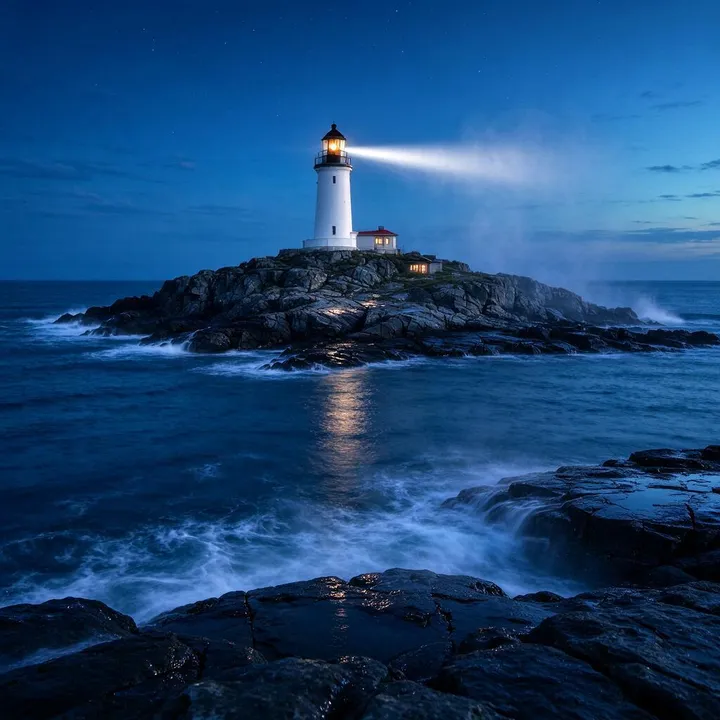
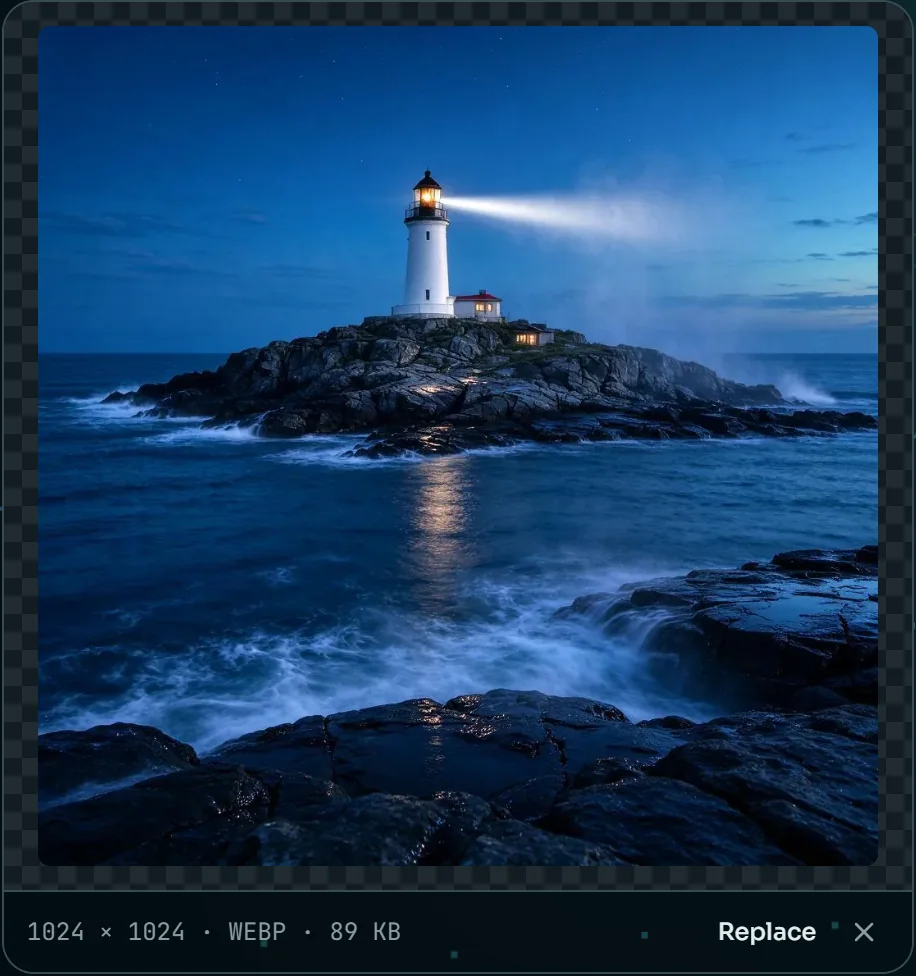
The original: a lighthouse on a rocky island at blue hour, its beam cutting through a light fog
Original, made on our text to image page
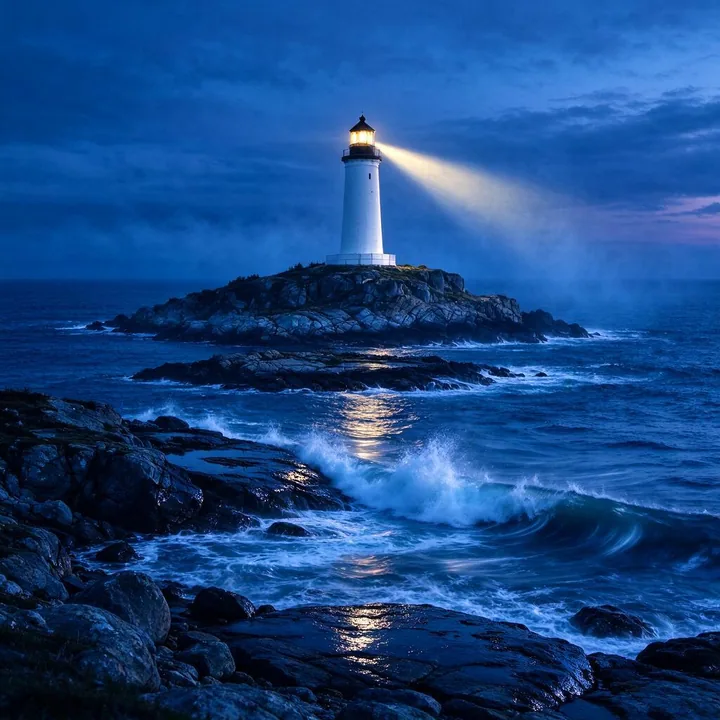
Drawn again from the extracted prompt: a white lighthouse on a rocky island at twilight, waves breaking on the rocks in front
Drawn again from the extracted prompt with Seedream 5.0 Flash

The prompt that made it · 45 words

A lighthouse on a rocky island, waves breaking against the rocks below, at blue hour, its beam cutting through a light fog, the first stars coming out, shot from a low angle with a wide 24mm lens, long exposure that smooths the water, cinematic colors

What image to prompt wrote · 82 words

A white lighthouse with a black roof and a glowing golden lantern room, on a rocky island surrounded by deep blue ocean water, with waves crashing against the shore at dusk, lit by the warm yellow beam of the lighthouse cutting through the mist and the cool blue ambient light of twilight, shot from a straight-on eye-level angle with a wide-angle lens, capturing the full island and foreground rocks, photograph with rich blue color grading, long exposure water effect, and sharp focus

  • Subject: the lighthouse, now with its colors and lantern room described
  • Setting: the rocky island and the waves breaking against it
  • Light: the beam through fog and the blue twilight; the first stars were missed
  • Camera: the wide lens and long exposure; the low angle came back as eye level

The new picture has the same island, beam and blue light. Its camera sits higher, as the extracted prompt said, so the rocks fill the foreground.
A painting: the watercolor fox

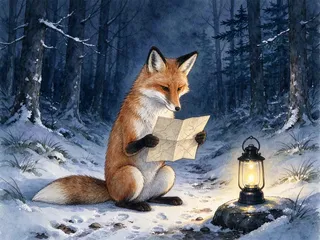
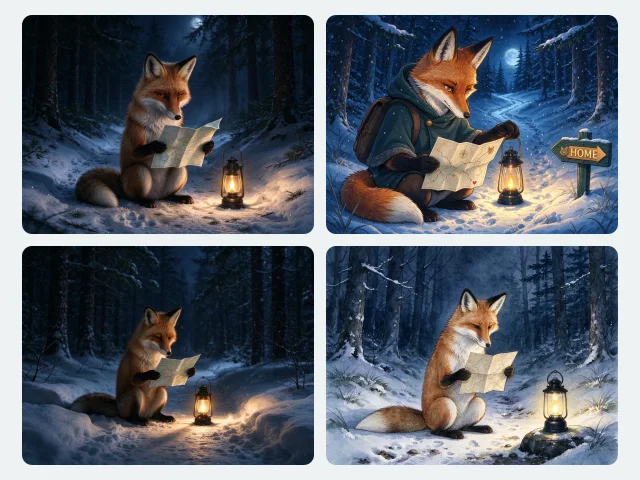
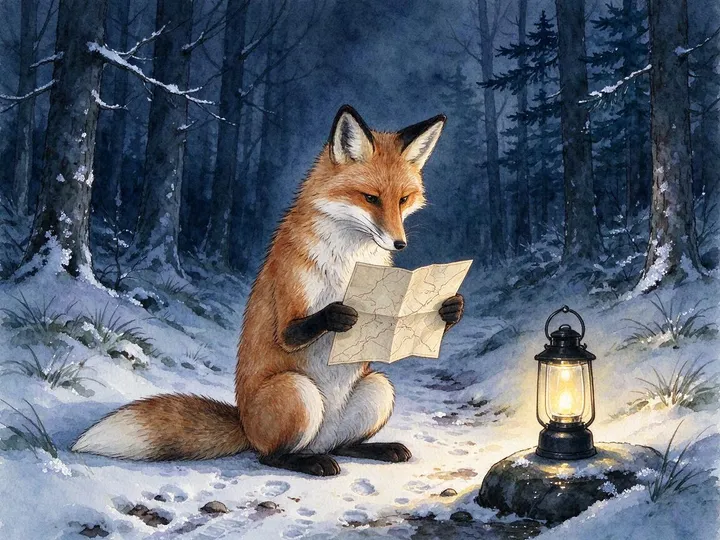
The original: a watercolor red fox reading a paper map by a small lantern on a snowy forest path at night
Original, made on our text to image page
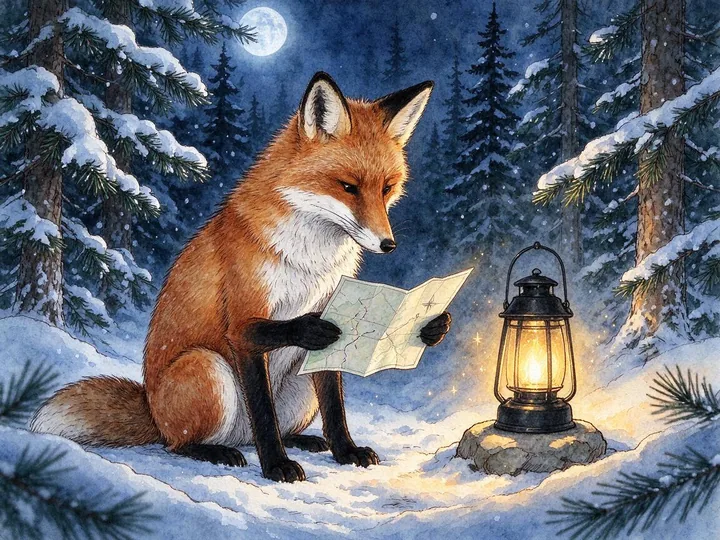
Drawn again from the extracted prompt: a watercolor fox reading a map beside a lantern on a stone, a full moon above the pines
Drawn again from the extracted prompt with Seedream 5.0 Flash

The prompt that made it · 24 words

A red fox sitting on a snowy forest path at night, reading a paper map by the light of a small lantern, Watercolor style

What image to prompt wrote · 80 words

A red fox with white chest fur and black paws, sitting upright and holding an open paper map, in a snowy pine forest at night, with a lit black metal lantern sitting on a stone beside it, warm golden light emanating from the lantern illuminating the fox and snow, contrasting with cool blue moonlight in the woods, eye-level medium shot focusing on the fox studying the map, detailed watercolor painting with soft washes, visible paper texture, and fine ink outlines

  • Subject: the red fox reading a map, plus its white chest and black paws
  • Setting: a snowy forest at night; the path became a pine forest
  • Light: the lantern glow, plus a moonlight the original never asked for
  • Style: watercolor, now with soft washes, paper texture and ink outlines

The extracted prompt read the blue shadows as moonlight, so the new painting has a moon. Everything else came back, down to the lantern on its stone.

In both tests, image to prompt brought back the subject, the scene and the style. What slipped were judgment calls, a camera angle and a light source, which is why every layer stays editable.

Run once on November 5, 2026: Gemini 3.5 Flash-Lite at Detailed in English, which took 7.0 and 5.1 seconds, then Seedream 5.0 Flash at its default settings. The marks are our reading of each prompt, layer by layer.

Saved in the file

Some Images Already Contain Their Prompt

Many AI image tools write the prompt into the file they save. When it is still there, image to prompt shows it to you word for word, read in your browser.

ToolWhere it saves the promptWhat we read
AUTOMATIC1111, ForgePNG text chunk “parameters”; EXIF UserComment in JPEG and WebPPrompt, negative prompt, steps, sampler, CFG scale, seed, size, model
FooocusPNG text chunk “parameters”, as text or JSONPrompt, negative prompt, model, seed, steps
ComfyUIPNG text chunk “prompt”, the node graph as JSONThe text wired to the sampler’s positive and negative inputs, checkpoint, seed, steps
NovelAIPNG text chunks “Description” and “Comment”Prompt, undesired content, steps, seed, sampler, scale
InvokeAIPNG text chunk “invokeai_metadata”, older “sd-metadata”Prompt, negative prompt, model, seed, steps
Found in this fileFrom file metadata
Prompt
a lighthouse on a rocky island, blue hour, (long exposure:1.2)
Negative prompt
blurry, lowres, watermark
Model · Seed · Steps
sd_xl_base_1.0 · 1234567 · 28
What image to prompt shows for a file saved by AUTOMATIC1111, here one of our test files.

Content Credentials

Pictures from apps such as Adobe Firefly and ChatGPT can carry C2PA Content Credentials. We flag them and name the app when we can; checking the signature is a job for the official verifier.

Verify at contentcredentials.org →

Why the prompt is often missing

Most social and chat apps strip this data, and so do screenshots and many editors when they save a copy. Then image to prompt writes a new prompt from the picture instead.

What a prompt is made of

Anatomy of an Image Prompt

Image to prompt splits what it sees into six layers, colored the same as on our text to image page. Each example is a phrase Gemini wrote in our test.

Subject

Who or what the picture is of: kind, color, clothing, pose and expression. It always comes first.

A white lighthouse with a black roof and a glowing golden lantern room

Setting

Where it is and what surrounds it: the place, the background, props, the season or the time of day.

on a rocky island surrounded by deep blue ocean water, with waves crashing against the shore at dusk

Light

Where the light comes from and how it feels: source, direction, color, weather and mood.

warm golden light emanating from the lantern illuminating the fox and snow, contrasting with cool blue moonlight in the woods

Camera

How the picture is framed: shot size, angle, lens and depth of field. For a painting, the viewpoint.

shot from a straight-on eye-level angle with a wide-angle lens, capturing the full island and foreground rocks

Style

The medium and the finish: photo, watercolor, 3D render or anime, plus the color grading.

detailed watercolor painting with soft washes, visible paper texture, and fine ink outlines

Text

Words you can read in the picture, quoted exactly as written, with where they are and how they look.

Left out when a picture has no words, as in both of our tests.

  • Subject
  • Setting
  • Light
  • Camera
  • Style
  • Text

Build a prompt layer by layer on Text to Image →

Three steps

How to Get a Prompt from an Image in 3 Steps

Image to prompt takes three steps and, in our test, under ten seconds of waiting.

  1. The image to prompt tool with the lighthouse picture loaded, its size and format shown under it
    01

    Add your image

    Drop, paste or choose a picture up to 10 MB in the image to prompt box, or paste a link to one. If the file carries a saved prompt, it shows up straight away.

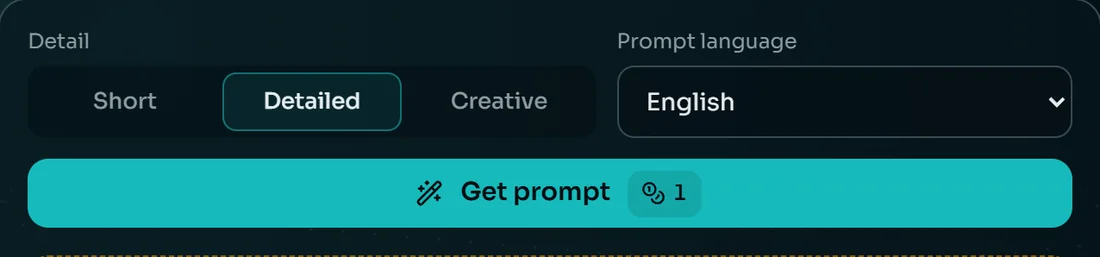
  2. Detail set to Detailed, the prompt language set to English and the Get prompt button showing its price
    02

    Choose the detail and the language

    Pick Short, Detailed or Creative and one of 18 languages, then press Get prompt. It costs 1 credit and returns every format at once.

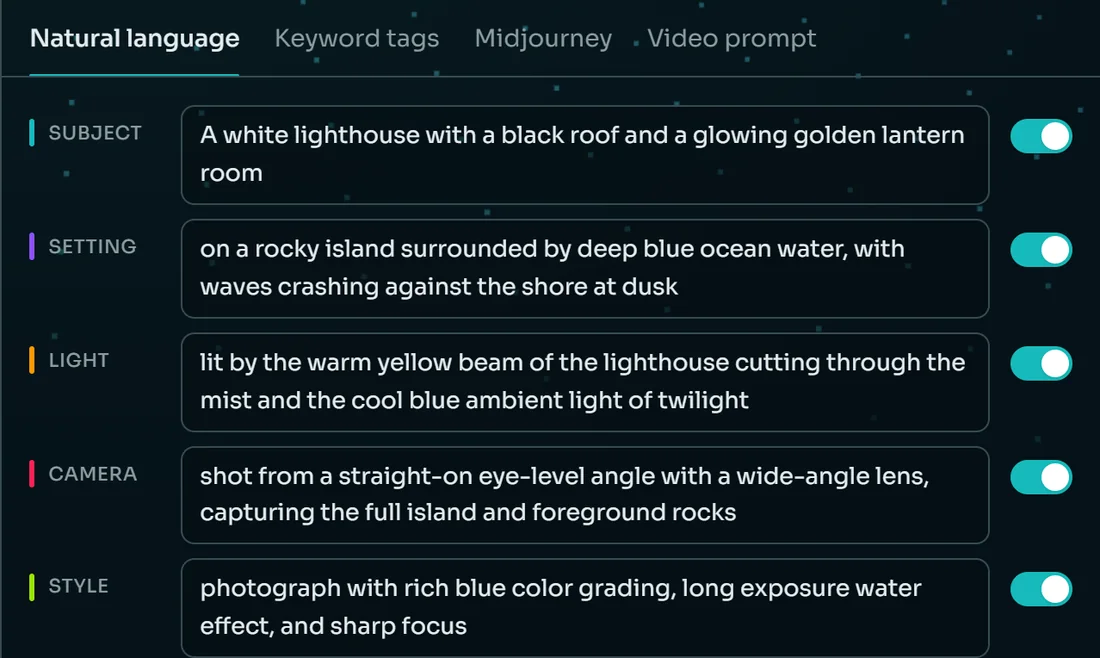
  3. The lighthouse prompt in five colored layers with on and off switches, the full prompt below and the generate buttons
    03

    Edit the layers and generate

    Rewrite any layer, switch layers off and copy the format you need, or send the prompt to Seedream 5.0 Flash in one click.

Try image to prompt on your picture

Four formats

Natural Language, Keyword Tags, Midjourney or a Video Prompt

One image to prompt analysis gives you all four, so switching between them costs nothing. These are the real outputs for the watercolor fox in our test.

The watercolor fox these four prompts were written from
One picture, one read, four ways to write it.

Natural language

For Seedream, Nano Banana, GPT Image and Flux.

A red fox with white chest fur and black paws, sitting upright and holding an open paper map, in a snowy pine forest at night, with a lit black metal lantern sitting on a stone beside it, warm golden light emanating from the lantern illuminating the fox and snow, contrasting with cool blue moonlight in the woods, eye-level medium shot focusing on the fox studying the map, detailed watercolor painting with soft washes, visible paper texture, and fine ink outlines

Our image generators take it as it is.

Keyword tags

For Stable Diffusion and other tag-based models.

red fox, reading map, snowy forest, winter night, lantern light, watercolor illustration, animal fantasy, cozy atmosphere, pine trees, snow, stone, sitting fox, detailed painting, blue and gold

Paste it into AUTOMATIC1111, ComfyUI or any tag box.

Midjourney

The natural prompt with --ar, the shape of your picture.

A red fox with white chest fur and black paws, sitting upright and holding an open paper map, in a snowy pine forest at night, with a lit black metal lantern sitting on a stone beside it, warm golden light emanating from the lantern illuminating the fox and snow, contrasting with cool blue moonlight in the woods, eye-level medium shot focusing on the fox studying the map, detailed watercolor painting with soft washes, visible paper texture, and fine ink outlines --ar 4:3

The aspect ratio is worked out from your image.

Video prompt

The scene, then what moves and how the camera moves.

A red fox with white chest fur and black paws, sitting upright and holding an open paper map, in a snowy pine forest at night, with a lit black metal lantern sitting on a stone beside it, warm golden light emanating from the lantern illuminating the fox and snow, contrasting with cool blue moonlight in the woods, eye-level medium shot focusing on the fox studying the map, detailed watercolor painting with soft washes, visible paper texture, and fine ink outlines. The lantern flame flickers and casts soft moving light across the snow and the fox holding the map. Slow subtle zoom in on the fox.

Use it on Image to Video with your picture as the first frame.

Then what

What to Do with the Prompt

A prompt is only useful once something is made from it. Each of these opens with your image to prompt result already filled in.

Generate a new picture

Seedream 5.0 Flash on Text to Image, 5 credits a picture, at the shape closest to your image.

Text to Image →

Use your picture as a reference

Image to Image keeps your picture's layout and changes what the prompt says. Your image is uploaded when you choose this.

Image to Image →

Make it move

Image to Video starts from your picture and follows the motion and camera move in the video prompt.

Image to Video →

Learn to write prompts

The prompt builder on Text to Image puts the same six layers together from scratch, one choice at a time.

Prompt builder →

Your picture

What Happens to Your Image

Image to prompt sends your picture to one place, for one reason, and we keep nothing.

  1. 01

    Read in your browser

    Before image to prompt uses any AI, saved prompts and Content Credentials are read on your device. Nothing is uploaded, and you don't need to sign in.

  2. 02

    Sent to Gemini, not stored

    Get prompt sends a smaller copy, at most 1,536 pixels on the long side, to Google's paid Gemini API. We don't save it or write it to our logs.

  3. 03

    Uploaded only if you ask

    Use as reference and Animate need your picture on our storage, so it is uploaded at that moment, like any picture you add to a generator.

“Google doesn't use your prompts (including associated system instructions, cached content, and files such as images, videos, or documents) or responses to improve our products.”
Gemini API Additional Terms of Service, Paid Services, effective March 23, 2026

The same terms say Google logs prompts and responses for a limited time, to detect policy violations, keep the service secure and meet legal requirements.

Image to Prompt FAQ

Only when the file still carries its saved prompt, and then we show it word for word. Otherwise image to prompt writes a new prompt that produces a similar picture, as our test above shows.


It recreates the subject, the scene and the style, not the exact pixels, because seeds and models differ. In our test both new pictures matched in content, with one camera angle and one light source read differently.


Natural language suits Seedream, Nano Banana, GPT Image and Flux, all on our generators. Keyword tags suit Stable Diffusion, the Midjourney format adds --ar, and the video prompt suits image to video models.


Yes, if the file hasn't been re-saved or sent through a chat app. It reads AUTOMATIC1111, Forge, Fooocus, ComfyUI, NovelAI and InvokeAI files in your browser, with no sign-in and no credits.


No. It describes how people look, what they wear and how they pose, but it never names anyone, famous or not, and it doesn't guess ethnicity or other sensitive traits.


No. It goes to Google's paid Gemini API for the analysis and we save nothing, and Google's terms say paid-service files aren't used to improve its products. It is uploaded only if you choose Use as reference or Animate.


JPG, PNG, WebP, GIF, AVIF and HEIC up to 10 MB, or a link to a JPG, PNG or WebP image. Big pictures are shrunk in your browser to 1,536 pixels on the long side before they're sent.


1 credit per image, and every format comes back from that one analysis. A failed analysis is refunded, and reading a prompt saved in the file is free and needs no account.


Turn Your Image into a Prompt

Add a picture, press Get prompt and edit the layers. It costs 1 credit, refunded if the analysis fails.