AI Background Remover
Cut the edited subject out in about three seconds.
 Anyscene AI
Upload a photo, say what to change, and get the edit back in under a minute. The rest of the picture stays as it was.
Try an example
Each example is one photo, one sentence and one run of the AI image editor on Nano Banana 2 Lite, the default model, at 6 credits. Nothing was retouched afterwards. Drag the slider to compare, or pick one in the row under the editor to try it yourself.


"Change his grey T-shirt to a light blue denim jacket over a white T-shirt." The jacket is new; his face, hair, smile and the brick wall are the ones from the original.
An AI image editor is a tool that changes a photo from a written instruction: you upload the picture, describe the change in plain words, and an image model redraws the photo with that change while keeping the rest as close to the original as it can. It is also called an AI photo editor, and there is no brush, layer or selection to make.
The model looks at everything at once: the people, the objects, the light and the surfaces. That is how it knows what "the counter" or "his T-shirt" means without you drawing around it.
Your instruction says what to change and what to leave alone. The clearer both halves are, the less the model has to guess.
An AI image editor does not paste the edit on top: the whole picture comes back redrawn with the change in it. Untouched areas come back very close to the original, but not pixel for pixel the same.
From upload to download takes four steps and less than a minute of waiting. The AI image editor runs in the browser, so there is nothing to install.
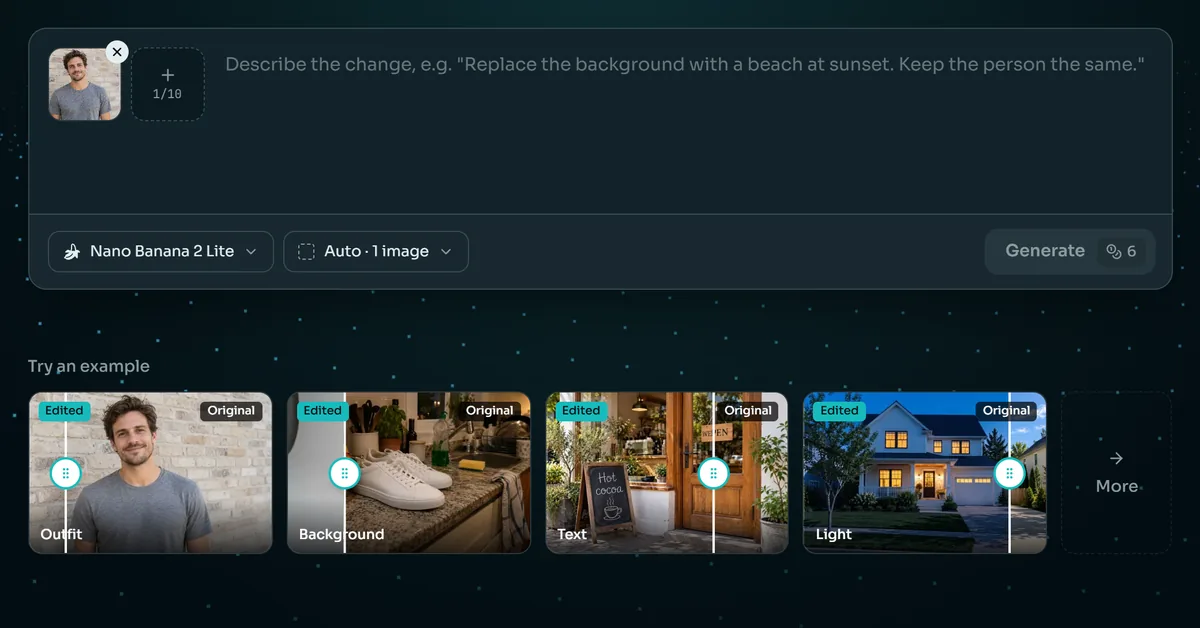
Click the photo slot of the AI image editor or drop a JPG, PNG or WebP into it. Use the largest copy you have: the model can only keep the detail that is there. The result keeps the photo's shape, so a landscape photo comes back landscape.
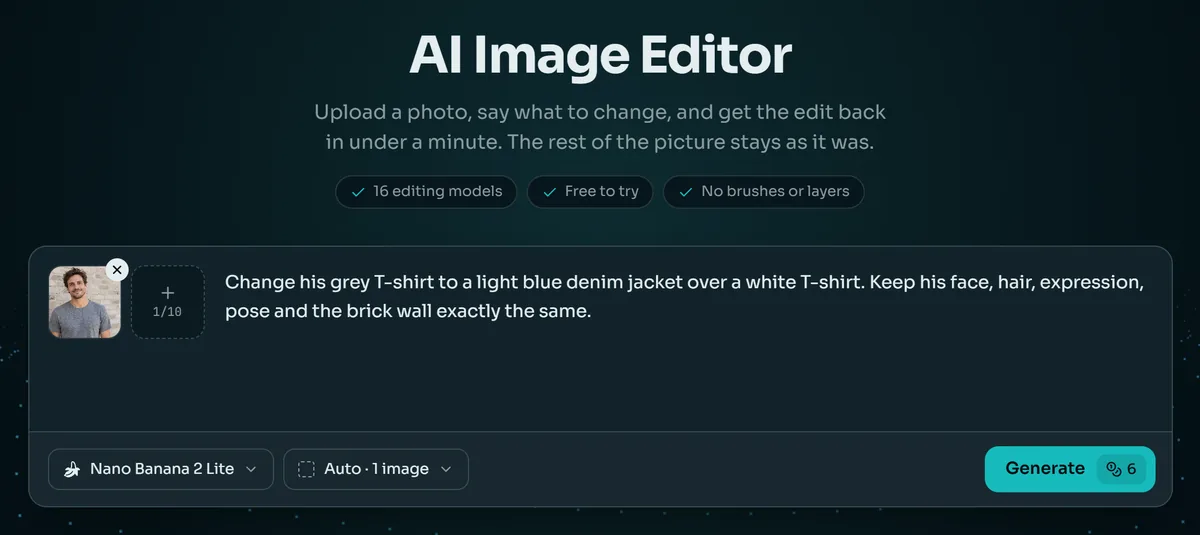
Type the change in a sentence or two, or tap one of the AI image editor's quick edits under the box and fill in the brackets. Name what should stay the same as well as what should change.
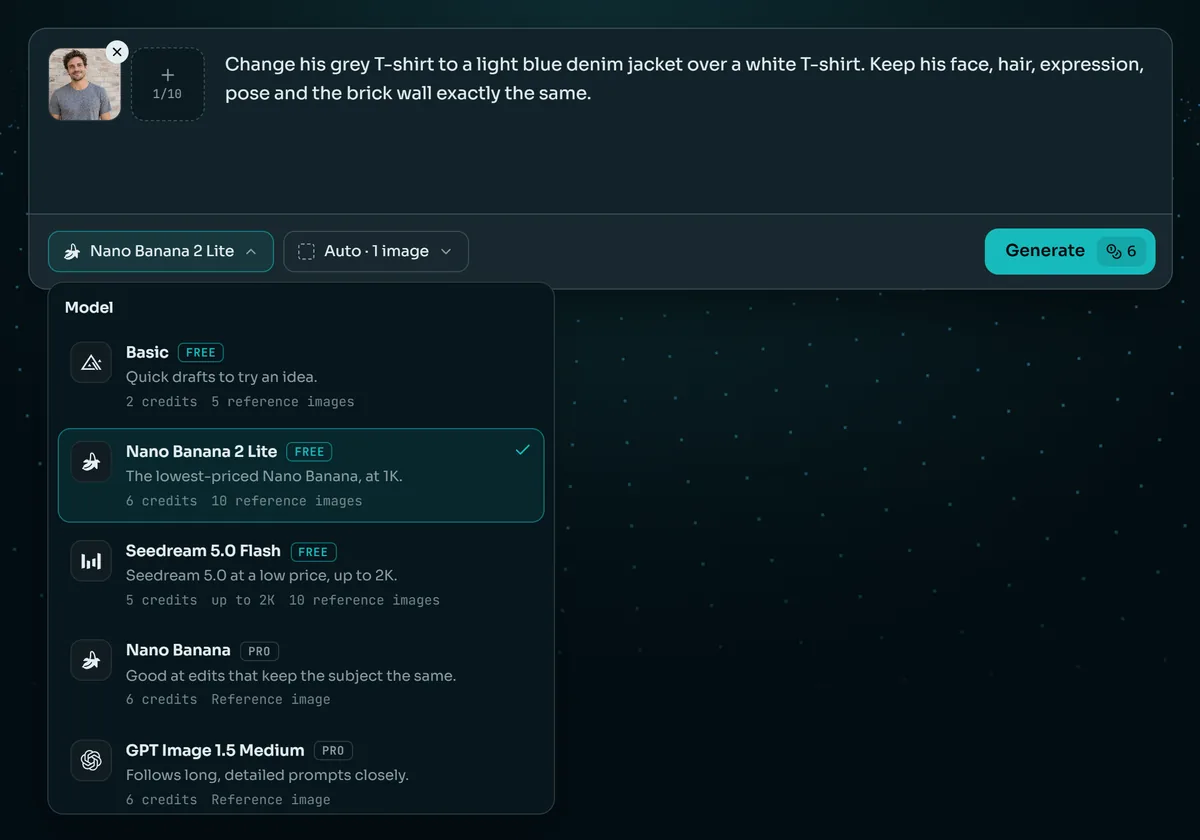
Nano Banana 2 Lite is the default, at 6 credits an edit. The price of the model you pick is on the button before you press it, and a failed edit gives its credits back.
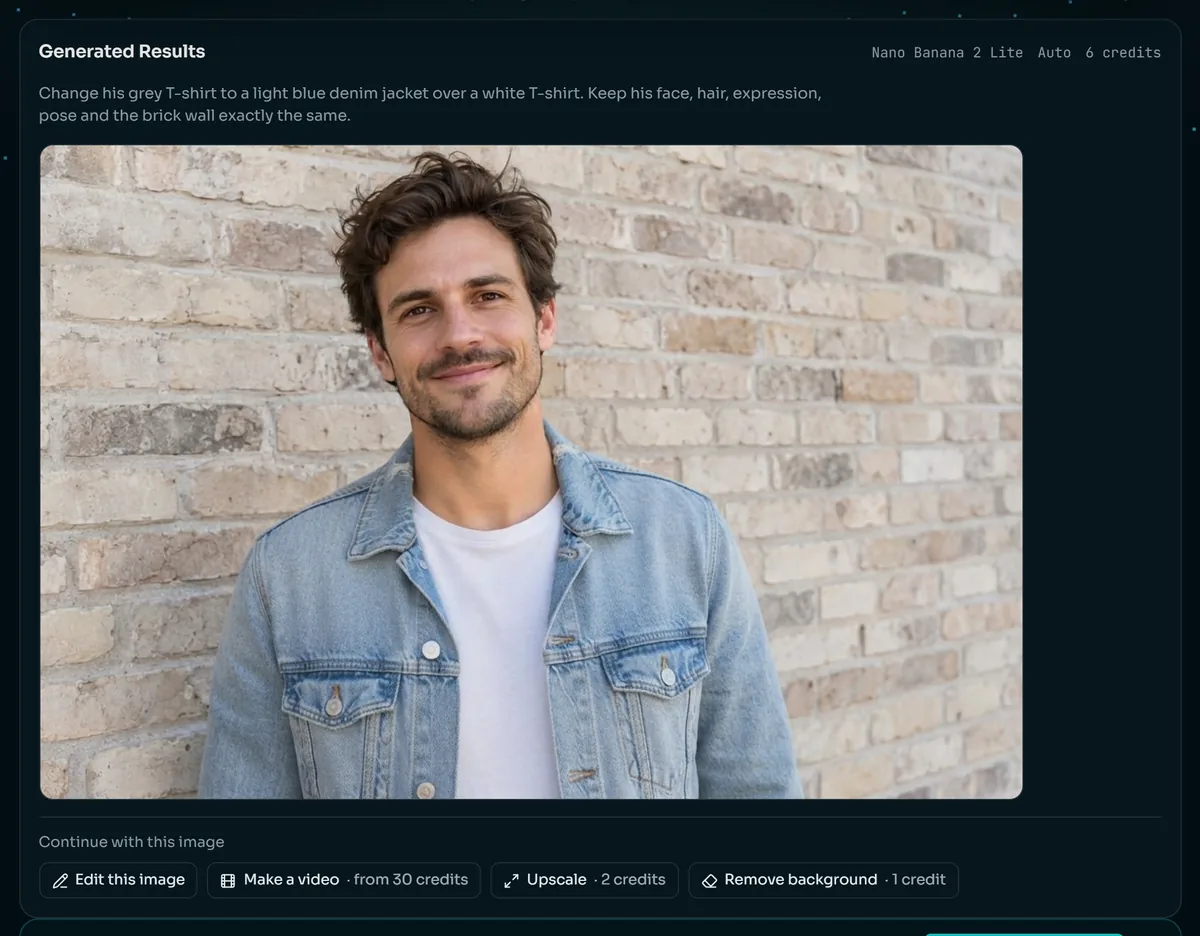
Open the result at full size and check faces, hands and lettering. Download it, edit it again with a new sentence, or send it on to the background remover, the upscaler or image to video.
These are the eight quick edits under the AI image editor's prompt box, written out in full. Copy one, change the words in brackets and keep the last sentence: it is what stops the rest of the photo from drifting.
"Replace the background with a clean light grey studio backdrop. Keep the subject exactly as it is." Good for product shots and profile photos.
"Remove the [trash bin] and fill the space to match its surroundings." Works best when the object is small and the area around it is simple.
"Add a [potted plant] to the [empty corner], lit like the rest of the photo." Say where it goes and how big it should be.
"Change the clothes to a [navy suit]. Keep the face, hair, pose and background the same." Name the fabric and color for a closer match.
"Turn this photo into a [watercolor painting], with the same subject and composition." The hardest edit for the default model; see the limits below.
"Change the text "[OPEN]" to "[WELCOME]" in the same lettering style." Put the exact words in quotes and keep them short.
"Change the light to [golden hour], with a warm low sun and long shadows." Time of day, weather and season all work the same way.
"Restore this old photo: remove the scratches, dust and creases, and colorize it naturally." The colors are the model's best guess, not a record.
16 models
The AI image editor offers 16 models that can edit a photo. You will not need most of them: start with the default, and switch when an edit asks for a bigger file, more photos at once or better lettering. Credits are per edit at the smallest size.
| Model | Credits per edit | Free account | Largest size | Photos at once | A good first choice for |
|---|---|---|---|---|---|
| Basic | 2 | Yes | 1K | 5 | Quick drafts while you work out the wording |
| Seedream 5.0 Flash | 5 | Yes | 2K | 10 | Fast edits when you want a 2K file |
| Nano Banana 2 Lite (default) | 6 | Yes | 1K | 10 | Everyday edits: every example on this page |
| Nano Banana 2 | 8–22 | No | 4K | 1 | The same kind of edit at up to 4K |
| Qwen Image 3.0 | 8 | No | 2K | 3 | Text in the picture, including Chinese |
| GPT Image 2.5 | 10–26 | No | 4K | 16 | Long instructions and lettering |
| Seedream 5.0 Pro | 11–22 | No | 2K | 10 | Detailed scenes at 2K |
| Nano Banana Pro | 29–38 | No | 4K | 8 | The hardest edits, when one result matters |
Every example on this page was made with Nano Banana 2 Lite. The last column describes what each model is built for, not a test we ran. Larger sizes cost more; the button shows the exact price before you start.
An edit prompt has three parts: what to change, what it should become, and what must stay as it is. The third part is the one people leave out, and it is the one that keeps an AI image editor from changing the face along with the shirt.
Ask for the background, check it, then ask for the light. Three changes in one sentence give the model three chances to drift.
For text on a sign or a label, put the new words in quotes and keep them short. Long sentences on small signs are where lettering breaks.
End with "Keep the face, hair and pose the same" or "Keep everything else the same." All seven of our examples end that way.
Several photos
Most models in the AI image editor take more than one photo at a time: up to 10 on Nano Banana 2 Lite and up to 16 on GPT Image 2.5. The extra photos are references the model can borrow from, such as a product to place in a scene or a jacket to put on a person.
The model sees the photos in the order you add them, so refer to them that way: "Put the bottle from the second photo on the table in the first photo. Keep the table and the light the same."
The first photo is the one being edited, and it sets the shape of the result. Add the references after it, and use only as many as the edit needs.
Every AI image editor redraws the photo to edit it, and that has a cost. These are the limits we ran into while making this page.
We asked Nano Banana 2 Lite to turn the dog photo into a watercolor painting. It kept the photo and added a torn paper edge. For a full change of style, switch to a larger model such as GPT Image 2.5 or Nano Banana Pro.
Because the whole photo is redrawn, a face the edit never touched can still shift a little. In our old-photo restoration the faces are recognizable but redrawn. Check faces at full size before you use the result.
Short words in quotes came out right in our test. Long sentences, small print and unusual fonts are where letters get swapped or invented.
A large photo comes back smaller on Nano Banana 2 Lite. For a bigger file, pick a 2K or 4K model, or send the result to the AI Image Upscaler afterwards.
Two ways to do it
Photoshop has generative tools too, but most edits there still mean selections, masks and practice, which is the work an AI photo editor skips. Here is how the two compare on the everyday edits shown on this page.
| AI image editor | Photoshop by hand | |
|---|---|---|
| How you ask for an edit | One sentence in plain words | Selections, masks, layers and adjustment tools |
| Time per edit | Under a minute, plus a look at the result | From minutes to an hour, depending on the edit |
| Skill needed | None | Training and practice |
| Control | What the sentence says; the details are the model's | Every pixel |
| Faces and fine text | Redrawn: check them at full size | Untouched unless you edit them |
| Cost | From 2 credits an edit; free to try | A Photoshop subscription and your time |
Photoshop wins when every pixel matters and there is time to spend. The AI image editor wins when the edit can be said in a sentence and the result is needed now.
An edited photo is often the first step rather than the last. Everything below runs on the same credits as the AI image editor, one tool after the other.
The AI Background Remover turns the edited photo into a transparent PNG or a pure white background in about three seconds.
The AI Image Upscaler makes it up to four times larger, up to 4,096 pixels on the long side, for print or a banner.
Image to video turns the edited photo into a short clip: steam rising, a jacket moving in the wind, lights coming on.
Every plan unlocks all 28 models and every tool on Anyscene, this one included. Yearly billing saves 20%, and a credit pack tops up any plan.
Yearly prices, shown per month. Monthly billing and credit packs are on the pricing page.
What people ask before using the AI image editor.
It is free to try. A new account gets 40 credits, and three models are open to free accounts: Basic at 2 credits an edit, Seedream 5.0 Flash at 5 and Nano Banana 2 Lite at 6. After that, edits run on a plan or a credit pack. The price is on the button before you start, and a failed edit gives its credits back.
An AI image editor, sometimes called an AI photo editor, changes a photo from a written instruction. You upload the photo, describe the change, and an image model redraws the picture with that change while keeping the rest as close to the original as it can.
Start with Nano Banana 2 Lite, the default: every example on this page was made with it. Switch to Nano Banana 2 or GPT Image 2.5 when you need a larger file, to GPT Image 2.5 or Qwen Image 3.0 for lettering, and to Nano Banana Pro when one result matters more than its 29 credits.
Yes. Say what to change and end with what must stay, such as "Keep the face, hair and background the same." The untouched parts come back very close to the original, though not pixel for pixel, because the whole photo is redrawn.
It tries not to, and in our outfit example the face is the original's. But the whole photo is redrawn, so a face can shift slightly, most of all in hard edits such as restoring a damaged old photo. Compare at full size before you use the result.
Yes. In our test, "OPEN" became "WELCOME" and "Fresh coffee" became "Hot cocoa", both spelled right. Put the new words in quotes and keep them short; long sentences and small print are where letters go wrong.
Yes, on most models: up to 10 photos on Nano Banana 2 Lite and up to 16 on GPT Image 2.5. The first photo is the one being edited and the others are references. Refer to them by their order, such as "the bottle from the second photo".
Yes. Everything you make on Anyscene can be used commercially, including in ads, product listings and social posts, as long as you have the rights to the photo you uploaded. Editing someone else's photo does not make it yours.
JPG, PNG and WebP photos up to 30 MB. The result keeps the photo's shape; its size depends on the model, about 1K on the default and up to 4K on models such as Nano Banana 2 and GPT Image 2.5. Results stay in your history for 30 days, so download the ones you want to keep.
Photoshop gives you control of every pixel and asks for skill and time. The AI image editor asks for one sentence and less than a minute, and decides the details itself. For an everyday edit the AI image editor is faster; for work where every pixel matters, Photoshop is still the tool.
Sign up, upload a photo and type what to change. A new account's 40 credits cover six edits on the default model.