 Anyscene AI
Flux 2 AI Image Generator
Switch between Flux 2 Pro and Flex for 1K or 2K output and image-to-image — the toggle above changes the model and the price together.
Two Flux 2 Tiers, and What Each One Actually Costs
Most pages about this model family name the tiers and leave you to guess. Here is what each one costs per image and what it can do, taken straight from the settings this generator exposes.

Flux 2 Pro — The Default
Eight credits at 1K, ten at 2K, with image-to-image and seven aspect ratios. The tier to start on: find the prompt at 1K, then render the frame you keep at 2K or start from a source photo.

Flux 2 Flex — The Specialist
Twenty credits at 1K, thirty-six at 2K. On Anyscene it exposes exactly the same controls as Pro — same seven ratios, same two resolutions, same image-to-image. What differs is the model behind them and the price. Worth running when Pro keeps missing the look you want, and not before.
Try the same prompt on more than one tier
Run it on Pro first. If the composition is right but the look is not, send that exact prompt to Flex. Credits are only spent on the tiers you actually run.
Comparing against other image models?
Nano Banana 2 and GPT Image 2 each have their own page, and the image generator hub puts every model side by side.
What Is Flux 2?
Flux 2 is a family of AI image models from Black Forest Labs that turn a text prompt, or a source image, into a new image. Anyscene offers two of them, Pro and Flex.

What You Can Actually Control
The settings this generator exposes. On Anyscene, Pro and Flex share every control; what changes between them is the model and the price.
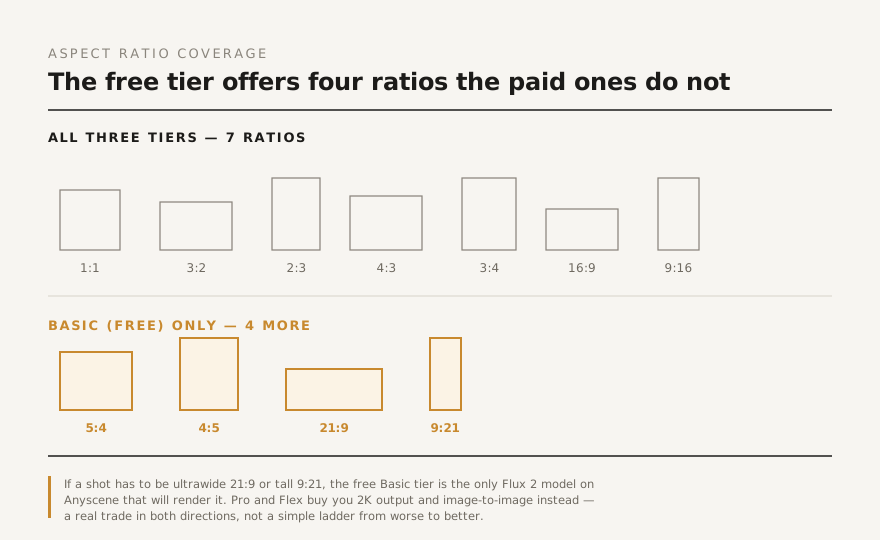
Seven Aspect Ratios on Both Tiers
Pro and Flex cover 1:1, 3:2, 2:3, 4:3, 3:4, 16:9 and 9:16 — square, landscape and portrait in the shapes most feeds and pages use. Ultrawide 21:9 is not offered, so plan wide banners at 16:9.
2K Output on Both Tiers
Doubling the resolution costs two extra credits on Pro and sixteen on Flex. Worth it for anything that will be printed, cropped into, or shown large; not worth it for a thumbnail or a first draft.
A Source Image, on Pro and Flex
Both tiers accept an uploaded image and generate from it. No prompt, however well written, substitutes for starting from the picture you already have.
How to Generate an Image with Flux 2
Three steps. The generator at the top of this page opens on Flux 2 Pro at 1K, the cheapest way to find a prompt.
Write the Prompt
Name the subject, the setting, and the treatment. "A brushed-steel kettle on a concrete counter, hard side light, shallow depth of field" gives the model far more to work with than "a nice kettle" — whatever you leave unsaid gets filled in with whatever was most common in training.
Pick the Tier and the Shape
Start on Pro at 1K while you find the prompt. Choose the aspect ratio before you generate rather than cropping afterwards.
Render the Winner at 2K
Once a prompt produces the composition you want, re-run that exact prompt at 2K, or on Flex if Pro's look is not right. You have then spent 8 credits per experiment and 10 on the one render that matters.
What People Make with Flux 2
Where each tier tends to land in real work.

Blog and Article Images
Pro at 1K covers this outright. Standard 16:9 or 3:2, one prompt, no licensing to negotiate, and the subject matches the article instead of approximating it.
Product Concepts
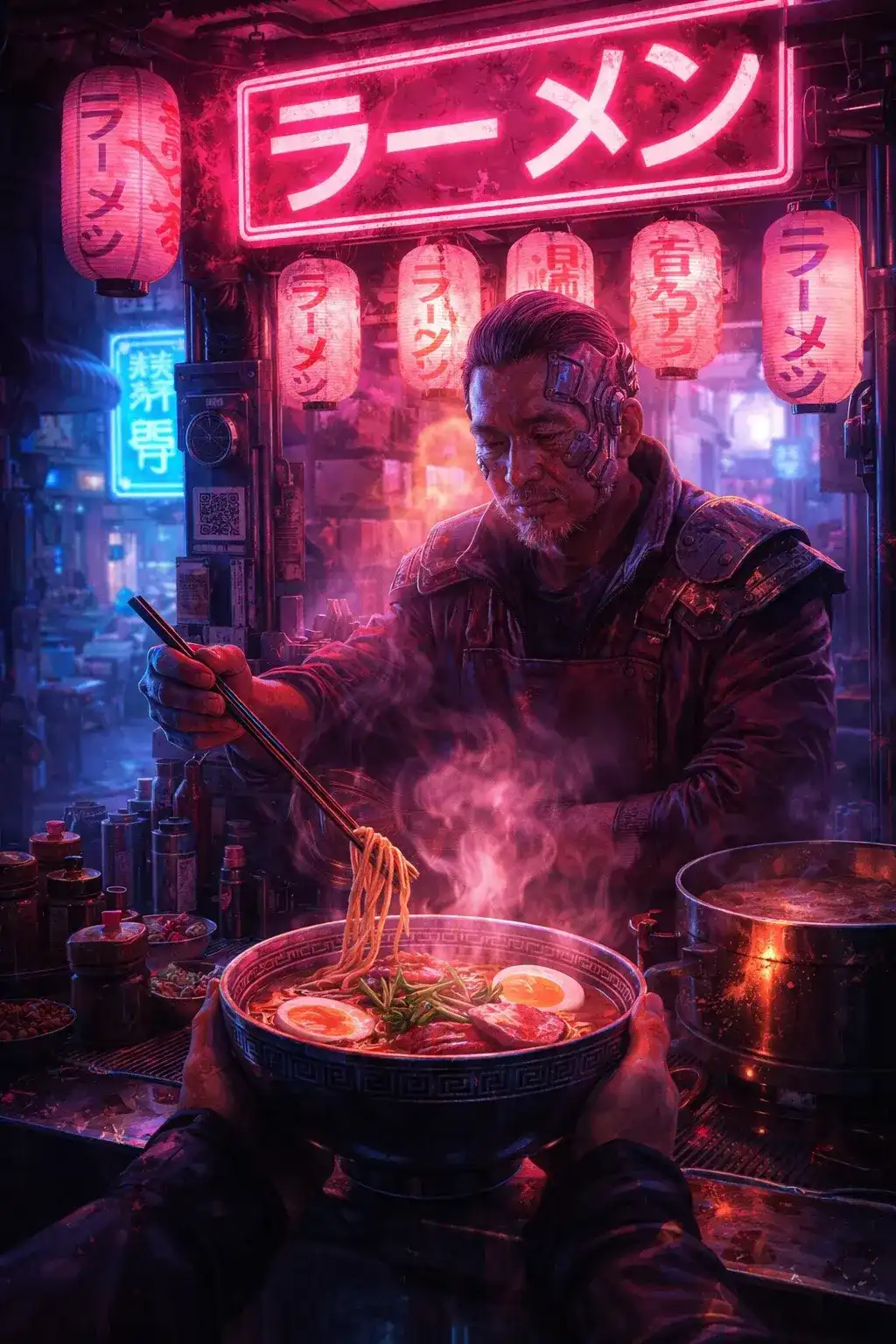
Test five finishes before anyone builds one. Pro's image-to-image is what makes this practical — start from an existing product shot and vary it, rather than describing the same object from scratch each time.

Social Posts
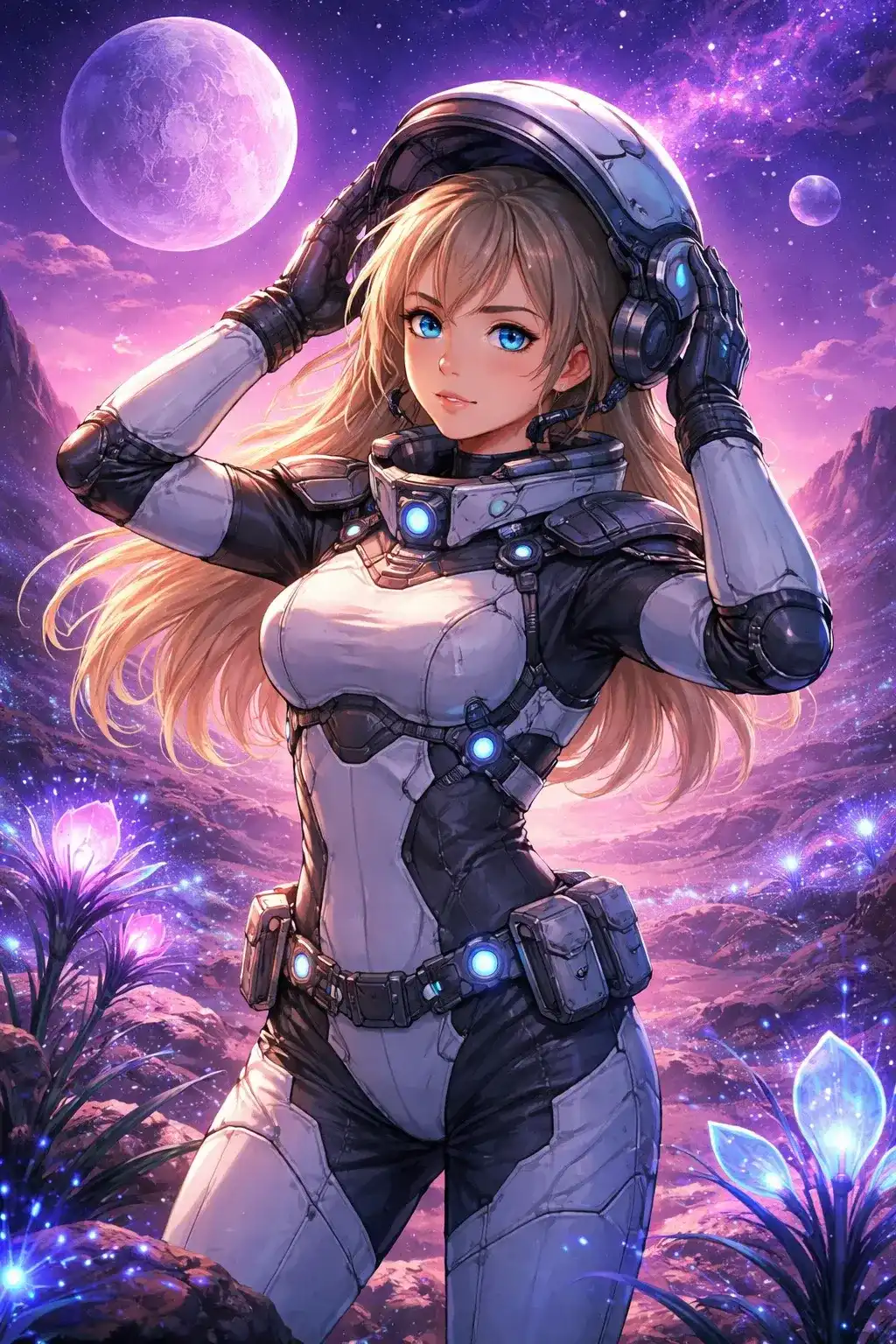
3:4 and 9:16 cover most feeds, and both tiers offer them. Same prompt, different seeds, keep the two best.
Wide Banners and Headers
16:9 at 2K gives a banner enough width to crop into a slimmer header without losing the subject. Compose with empty space at the sides and the crop stays safe.
Concept and Mood Work
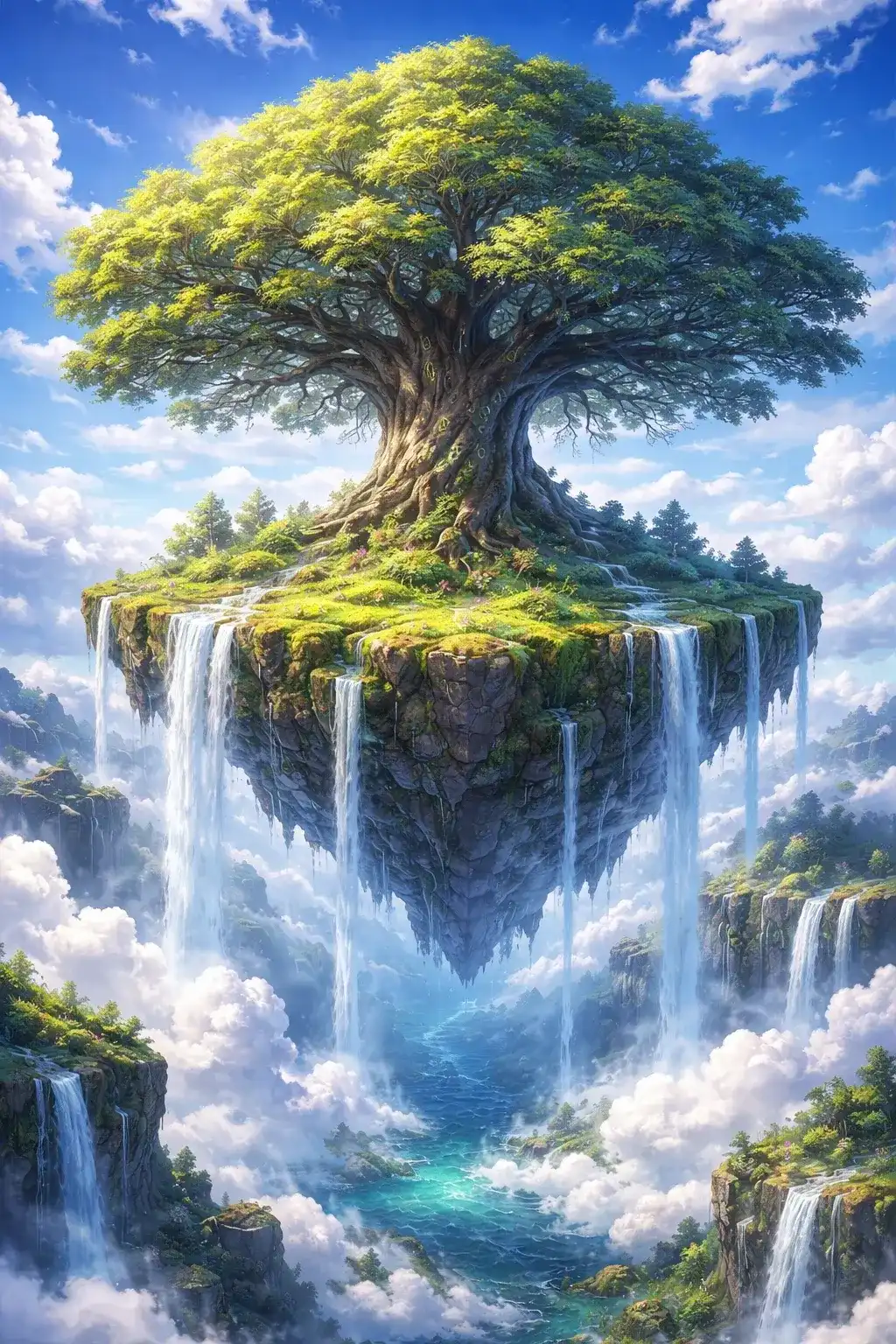
Explore a direction at 1K on Pro, then commit the two or three frames worth keeping to 2K. This is the workflow the price spread is built for.

Restyling Existing Photos
Upload the original, describe the treatment, and let Pro or Flex work from the picture rather than from your description of it.
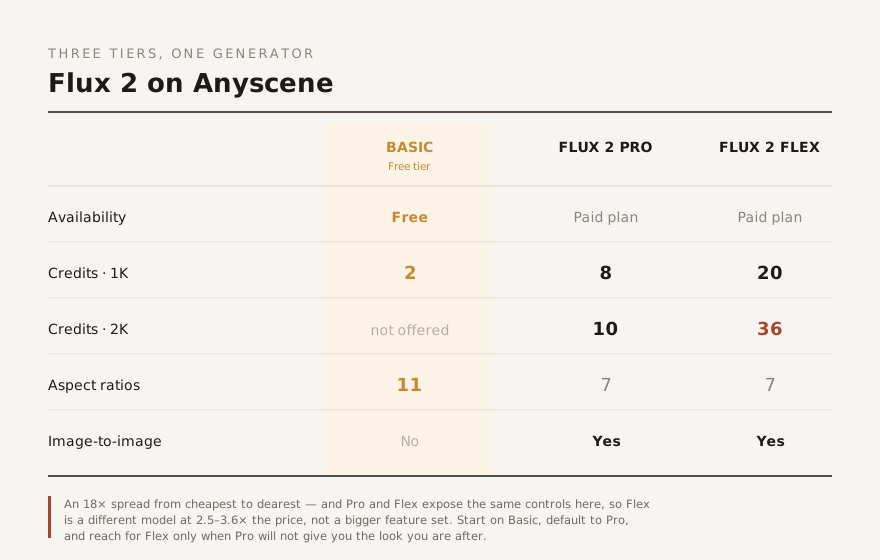
Which Flux 2 Tier Should You Use?
The spread from cheapest to dearest is four-and-a-half-fold — 8 credits against 36. That gap only makes sense if you know which side of it you belong on.
Explore at 1K
Prompt exploration means many generations, and most of them get discarded. At 8 credits each on Pro at 1K, exploring costs a fraction of exploring at 2K or on Flex, and the composition you are hunting for does not depend on the resolution that renders it.
Default to Pro for Anything You Ship
2K output and image-to-image are the two things that matter most, and Pro has both at 8 to 10 credits. For most published work this is the right tier, and there is no reason to go further up.
Reach for Flex Only When Pro Misses
Flex costs 2.5 times Pro at 1K and 3.6 times at 2K, and on this platform it offers no additional controls in return — the same ratios, the same resolutions, the same image-to-image. It is a different model, not a bigger one. Try it when Pro will not give you the look you are after, not by default.
Three Habits That Improve Flux 2 Output
General prompt advice applies here too. These three are specific to how this model family is priced and shaped.
Explore Cheap, Render Once
Every experiment on Flux 2 Pro at 1K costs 8 credits; the same experiment on Flux 2 Flex at 2K costs 36. Find the prompt where it is cheap and spend the credits on the frame you are keeping. Prompt quality does not depend on the tier you tested it at.
Choose the Ratio Before You Generate
A 16:9 render cropped to 3:4 loses whatever was at the edges, and the model composed for the frame it was given. Pick the shape first: both tiers offer the same seven.
Change One Thing at a Time
Swap the lighting or the lens, not both. Tracking which word moved the image is the skill that makes every later prompt faster, and it is much cheaper to learn at 8 credits a try than at 36.
What Flux 2 Costs
Flux 2 Pro is 8 credits at 1K and 10 at 2K. Flux 2 Flex is 20 at 1K and 36 at 2K. Neither watermarks its output, and both run on the same plans and credit packs as every other generator on Anyscene.
Yearly prices, shown per month. Monthly billing and credit packs are on the pricing page.
Flux 2 — Frequently Asked Questions
The questions that come up most often about the tiers, the limits and the cost.
No. Flux 2 Pro and Flex run on paid plans and credit packs: 8 to 10 credits an image on Pro, 20 to 36 on Flex. Neither adds a watermark.
On Anyscene they expose exactly the same controls — the same seven aspect ratios, the same 1K and 2K options, and image-to-image on both. The difference is the underlying model and the price: Pro costs 8 to 10 credits, Flex costs 20 to 36. Pro is the sensible default; Flex is worth trying when Pro will not produce the look you want.
8 credits at 1K or 10 at 2K on Flux 2 Pro. 20 at 1K or 36 at 2K on Flex. That is a four-and-a-half-fold spread between the cheapest and dearest single image, which is why it is worth choosing the tier deliberately. Full credit pricing is on the pricing page.
Default to Pro and treat Flex as a specialist. Iterate on Pro at 1K and render only the winning prompt at 2K; that costs a fraction of running every attempt at 2K or on Flex.
Yes, both Flux 2 Pro and Flux 2 Flex do — upload a source image and the model generates from it rather than from a blank canvas.
Both tiers cover seven: 1:1, 3:2, 2:3, 4:3, 3:4, 16:9 and 9:16. Ultrawide 21:9 is not offered, so use 16:9 for wide banners.
It handles short strings far better than older models, but no image model is reliable with long text. Keep it to a few words, put the wording in quotes inside your prompt, and check the result rather than assuming. For typography-heavy work, GPT Image 2 is worth comparing against.
That depends on your plan rather than on the model — see the pricing page for what each plan permits. No Flux 2 tier on Anyscene watermarks its output.
Other Image Models on Anyscene
Flux 2 is one of seventeen image models available under the same subscription.


Generate Your First Flux 2 Image
The generator opens on Flux 2 Pro at 1K. Find the prompt there, then render the one you want to keep at 2K.