Short-form narrative content
A 30-second story needs six to ten shots that share a world. Build the board first, then generate — the sequence holds together because it was planned as a sequence.
 Anyscene AI
Paste a script. Our AI storyboard generator returns a structured shot list with editable prompts, generates an image for every shot, then turns confirmed shots into video — in one place.
A video fails in pre-production, not in the edit. By the time you notice that shot four contradicts shot one, you have already paid for both. That was true when the cost was a crew day. It is still true now that the cost is generation credits — the bill just arrives faster. A storyboard generator moves that decision to the cheapest point in the process.
Here is the pattern we see most often. Someone generates eight shots from eight separate prompts, then discovers the character's jacket changes colour three times. The fix is not one regeneration — it is re-establishing a reference, then regenerating everything downstream of the drift. Three shots of rework costs more than the twenty minutes planning the board would have taken, which is the whole case for a storyboard generator.
Single-prompt tools are built around one output: you write a prompt, you get a clip, you are done. Narrative content does not work that way. Six shots that each look good but do not belong to the same world is not a video — it is six clips.
Character appearance, lighting, lens language and screen direction all have to survive from shot to shot, and none of them survive by accident. An AI storyboard generator that carries a reference forward between shots is solving continuity, not just drawing frames. That is the capability worth comparing tools on.
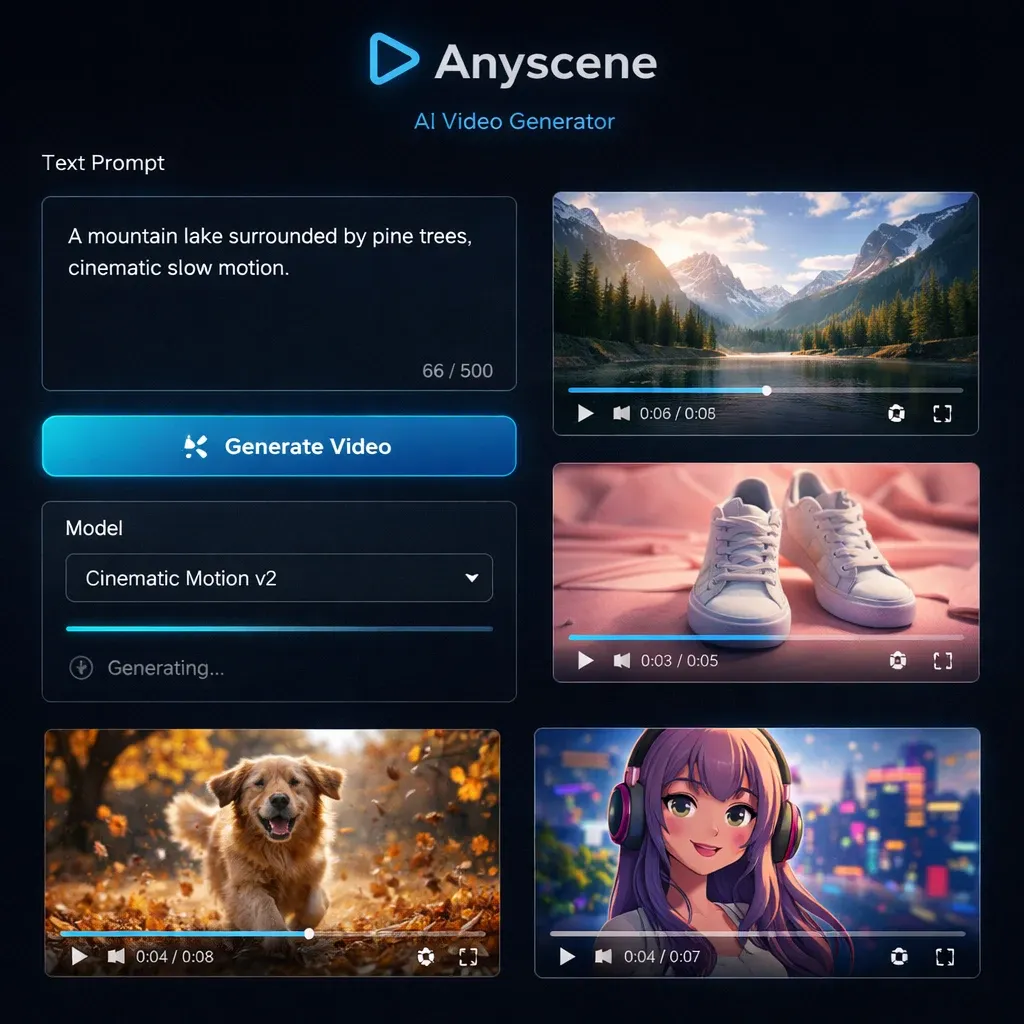
An AI storyboard generator turns a written script into a numbered sequence of shots, each with its own framing, camera notes and image prompt — then generates a visual for every shot so the whole sequence can be reviewed before production. That definition is deliberately narrow, because the category has been stretched to cover tools that only do one half of it. Some AI storyboard generators break down a script but never render anything. Others render pretty frames with no shot logic underneath. A complete AI storyboard tool does both, and lets you correct either one. For every shot you get a number, a shot size, a camera move, a duration estimate, a subject and action line, and an editable image prompt. What it does not do is replace your editor: Anyscene produces assets, and you assemble them in CapCut, Premiere or DaVinci Resolve.
Five steps through the AI storyboard generator, each requiring an explicit action from you. There is no one-click button, and that is a design decision rather than a missing feature.
Drop in a screenplay, an ad script, a voiceover script, or a plain list of beats — formatting is not strict. The breakdown improves when action lines are concrete: "She hesitates at the door" gives any AI storyboard tool more to work with than "intro scene".
Choose a visual style, an aspect ratio, and which models handle images and video. Model choice matters more than most settings — Veo 3.1 and Kling 2.6 have genuinely different strengths in motion and prompt adherence, and you can change the choice per shot later.
The script comes back as a numbered shot list with every field editable, including the generated prompt. This is the step most storyboard generators hide. Merge two shots, split a long one, reorder, or rewrite a prompt entirely before spending anything — editing text is free, regenerating frames is not.
Generate frames one at a time or in a batch, then review them and regenerate anything that misses. Confirmation is explicit and required: nothing proceeds to video until you have said a frame is right, which is what stops a bad frame from becoming an expensive bad clip.
Confirmed frames become the first frame of their video shot. Because the frame is locked before the clip is generated, motion is the only variable left, which makes failures cheap to diagnose. Then download everything and cut it together in your editor.
Five things people use a storyboard generator for, and what changes in each.
A 30-second story needs six to ten shots that share a world. Build the board first, then generate — the sequence holds together because it was planned as a sequence.
Ad boards have structure obligations film boards do not: a hook frame, a proof frame, a CTA frame. Start from the six-frame ad template and the structure is applied for you.
Turn a script you have already written into shots, generate flat clean frames, and keep the voiceover as the spine. Consistency mode keeps a recurring presenter stable across the sequence.
Break lyrics into beats and assign a shot per line, leaning on speed mode where visual variety matters more than continuity. This is the one case where drift between shots is a feature.
Sometimes the board is the deliverable. Generate frames, export, and get approval before anyone commits budget to production.
An honest comparison of four AI storyboard generators. Each of these tools is better than us at something, and it is worth knowing which one to reach for.
Boords
Anyscene
LTX Studio
Anyscene
Katalist
Anyscene
The difference between a usable board and a wasted one is mostly in how the shots are written. These rules apply to any AI storyboard tool, and hold across AI storyboard generators generally — not just ours.
One shot is one continuous camera take. If your line contains "then", it is probably two shots.
"Medium shot, waist up" outperforms "shot of her". Shot size is the highest-impact token you can add to a prompt.
Two actions in one prompt produces a frame that shows neither clearly. Split it.
Upload or generate one reference image before the sequence. Every later shot inherits from it, which is how you avoid the changing-jacket problem.
Keep every camera on one side of the line between your two subjects, or characters swap sides between cuts and the sequence reads as broken.
"Dolly in" is a camera move. "Zoom" is a lens change. Writing both makes models double-apply the effect.
Do not generate transitions, text overlays or music inside the board. Generate clean shots and add those in your editor, where you can change them for free.
The AI storyboard generator analyses a script for free. Generating images and video spends credits, priced per shot, so a six-shot board costs six shots' worth. New accounts start with free credits and there is no subscription.
What people ask before their first board.
Creating a project and analysing a script is free. Generating images and video spends credits, priced per shot, so a six-shot board costs six shots' worth. New accounts start with free credits, and there is no subscription.
Yes, because a storyboard is multi-shot state that has to persist between sessions. No credit card is required. If you want a no-signup test of output quality first, try the single-shot image generator.
Both stop at or near the board. Anyscene carries confirmed frames through to generated video in the same project, and exposes every prompt for editing. Katalist is faster to a first board; LTX Studio is stronger on cinematic previz.
Treat it as a competent first draft, not a final board. The AI storyboard generator reliably identifies shot boundaries and proposes sensible framing, and it regularly needs one or two shots merged or re-framed. That is exactly why every prompt is left editable.
Yes — upload a character reference and use consistency mode, which feeds each confirmed shot forward as a reference for the next. It holds well across a typical short sequence and degrades on long ones, so re-anchor the reference if you go past roughly a dozen shots.
The storyboard generator offers two modes. Consistency mode generates sequentially, passing each confirmed shot forward, which is slower and much better at holding a character together. Speed mode generates every shot in parallel from text alone — faster and cheaper, with visible drift. Pick consistency when a person or product recurs, speed for montages of unrelated imagery.
Download the images and clips and assemble them in CapCut, Premiere or DaVinci Resolve. This AI storyboard generator is an asset factory, not an editor — you keep full control of the cut.
For dialogue and human motion, start with Veo 3.1. For stylised movement and camera dynamics, try Kling 2.6. Seedance 2.0 is the cheapest per shot and holds up well for volume work. You can switch per shot, so test two models on shot one before committing the sequence.
The AI storyboard generator breaks it down for free — you decide what is worth generating.