 Anyscene AI
AI Character Generator
Describe a character or upload a photo. Get a portrait and a turnaround sheet you can reuse in story videos, outfit try-ons and animation.
Style
Base it on photos (optional)
Up to 10 photos of the same person, used for the likeness. Only photos of yourself or of someone who agreed.
Portrait
The one you pick becomes the cover: the reference every story video, music video and ad uses.
Each picture is one Seedream 5.0 Flash generation at 5 credits, charged when it is made. Upload only photos you have the right to use.
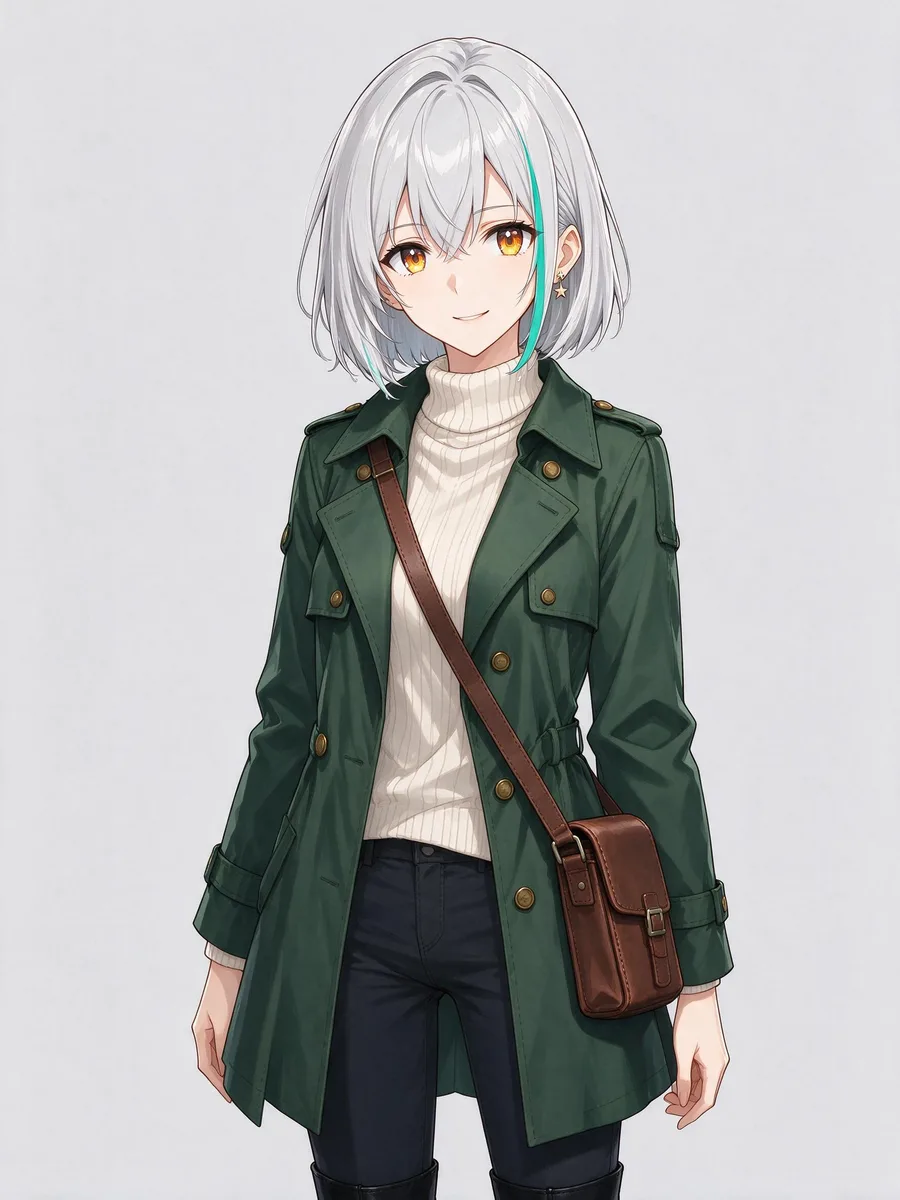
Hoshi
Anime
Hoshi, a 19-year-old courier from a rainy harbour city. Short silver bob with one teal streak on the left side, amber eyes, a small star-shaped earring in her left ear. Dark green trench coat with brass buttons over a cream turtleneck, a brown leather satchel worn across the body, black ankle boots.
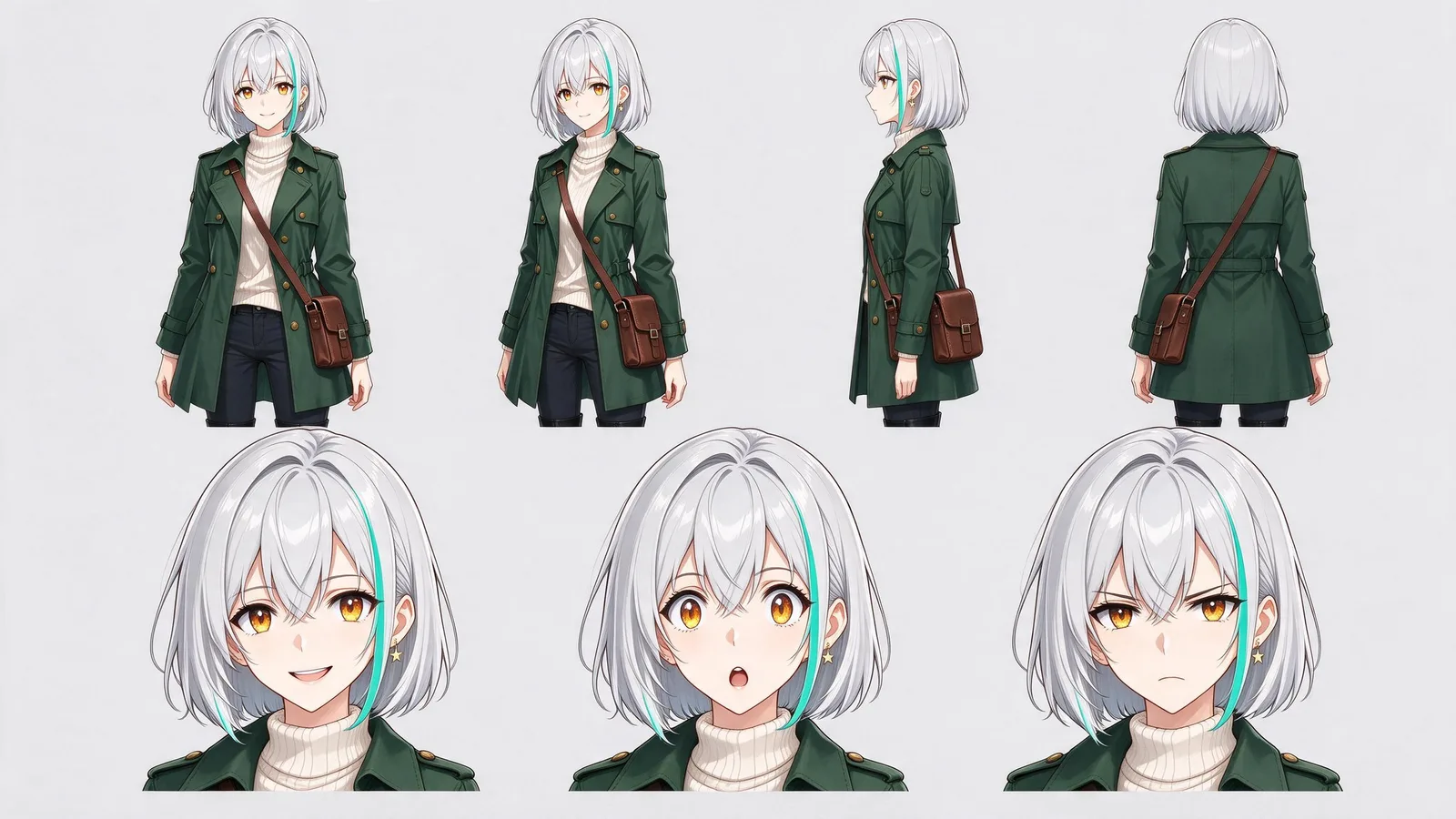
Turnaround sheet
Definition
What Is an AI Character Generator?
An AI character generator designs how a character looks — a portrait plus a turnaround sheet of front, side and back views — so the same character can be drawn again in new scenes.
This AI character generator makes the look of a character for pictures and video. It does not make chat characters.
A portrait, then sheets
Up to 4 portraits to choose the cover from, then turnaround, expression, pose and outfit sheets drawn from it.
From words or a photo
Describe the character in up to 500 characters, add up to 10 reference photos, or both.
Saved to your Assets
The cover and the sheets are kept for good in Assets, together with the style you chose.
Picked in six tools
Story videos, the image and video generators, and the clothes, headshot and hairstyle tools all take a saved character.
Example
One Character, Four Steps
We made Hoshi with this AI character generator, then put her in a story shot and a 5-second clip. Each step ran once; nothing was picked or redone.
01Portrait
5 creditsLook
Hoshi, a 19-year-old courier from a rainy harbour city. Short silver bob with one teal streak on the left side, amber eyes, a small star-shaped earring in her left ear. Dark green trench coat with brass buttons over a cream turtleneck, a brown leather satchel worn across the body, black ankle boots.
02Turnaround sheet
5 credits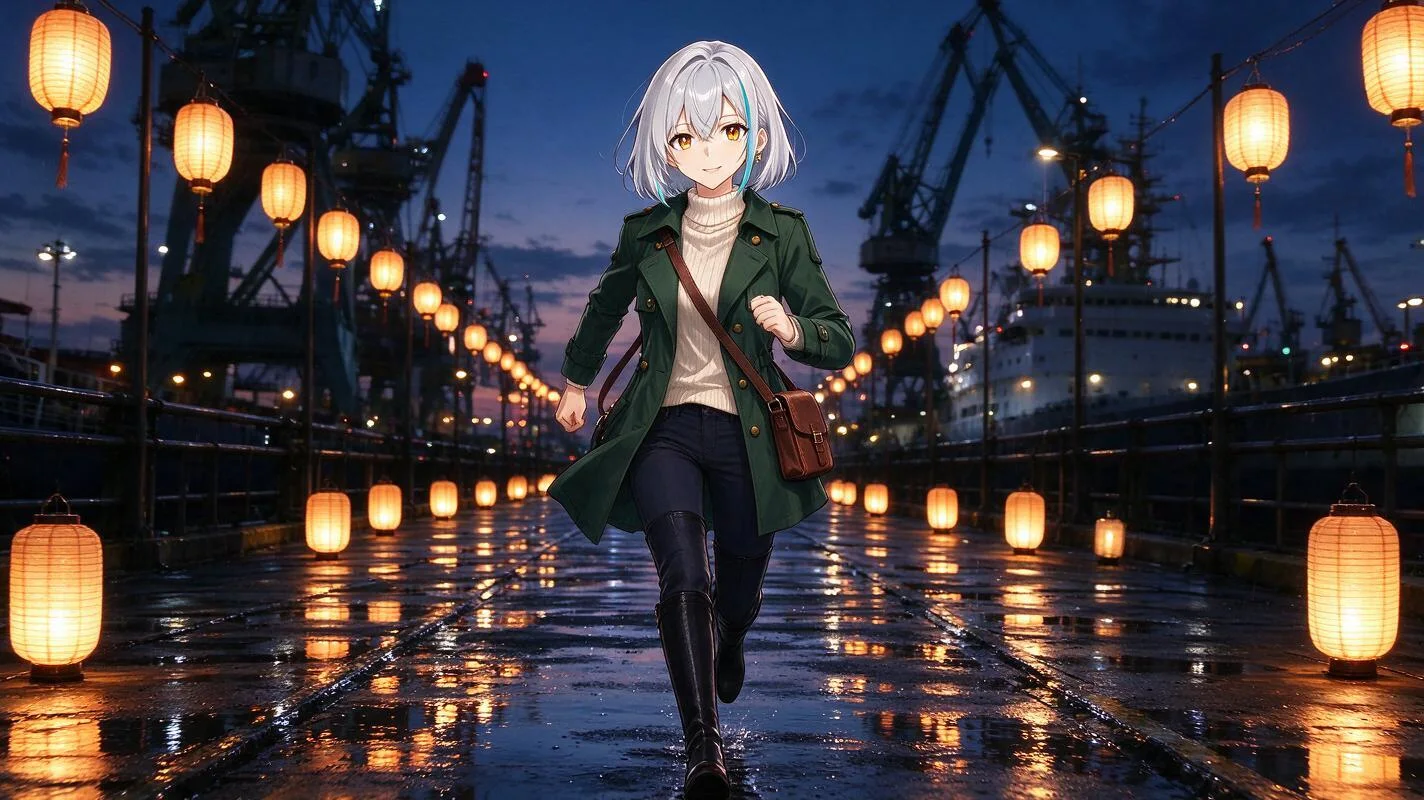
03Story shot
5 creditsScene
Hoshi runs along a rain-soaked harbour pier at dusk, her satchel bouncing at her hip, paper lanterns glowing and reflecting in the puddles, cargo cranes and a moored ship behind her. Medium-wide shot, anime film still.
045-second clip
40 creditsMotion
Hoshi runs toward the camera along the wet pier, her coat tails and hair swaying with each step, rain falling and lantern reflections rippling in the puddles. The camera tracks back slowly, keeping her in frame.
55 credits for all four steps, on 2026-11-09.
Character sheet
What’s on a Character Sheet
A character sheet shows one character from every side, so each new picture has something to match. Here is what each view is for later.
- Front
- Close-ups and dialogue, where the face carries the scene.
- Three-quarter
- Most story shots: walking, talking, turning to someone.
- Side profile
- Characters crossing the frame, and two people facing each other.
- Back
- Shots that follow a character, and the end of a scene.
- Expressions
- Reaction shots, so a smile or a frown still looks like them.
4 kinds of character sheet
Turnaround
Four full-body views and three close-ups, as above.
Expressions
Eight faces in a grid, from laughing to determined.
Poses
Six full-body poses: standing, walking, running, sitting, waving, arms crossed.
Outfits
The same character in casual, formal and outdoor clothes.
Each character sheet is its own 5-credit generation, and all of them download together as a PDF.
Consistency
What Stays the Same — and What Drifts
No AI character generator keeps every detail. This is what changed for Hoshi across the sheet, the story shot and the clip.
| Sheet | Story shot | Clip | |
|---|---|---|---|
| Face and amber eyes | Kept | Kept | Kept |
| Silver bob | Kept | Kept | Kept |
| Teal streak | Changed Moved from her right side to her left | Kept On the left, like the sheet | Kept On the left, like the sheet |
| Star earring | Kept Clear in the close-ups | Changed Too small to make out | Changed Only seen up close |
| Coat, sweater and satchel | Kept | Kept | Kept |
| Boots | Kept Knee-high, as in the portrait | Kept Knee-high | Kept Knee-high |
The look asked for ankle boots; the portrait drew knee-high ones, and every later picture followed the portrait.
How to keep more of a character
Check the sheet before you use it
Later pictures follow the sheet, not your words. If a detail flipped or vanished, redo that sheet first.
Give small details a size
“A large gold star earring” survives a wide shot; “a small earring” often doesn’t.
Fix the portrait, not the scene
When the portrait differs from the look you wrote, redo the portrait. Every sheet and shot copies it.
Animate from a picture
The clip kept Hoshi because it started from her story shot. A clip from words alone has no face to keep.
Your characters
Where You Can Use Your Character
A saved character is picked from Assets in six places. Here is what each one takes from it.
AI Story Video Generator
Bind the character to a name in the script; every shot they are in takes the portrait and turnaround sheet as references.
Make a story video →AI Image Generator
Type @ and the character’s name; the cover goes along as the reference image on models that take one.
Open the image generator →AI Video Generator
@ the character in text to video: Seedance models take the cover as a reference, other models read the look only.
Open the video generator →AI Clothes Changer
“Use a saved character” puts the cover in the photo slot, then try any outfit on them.
Try outfits →AI Headshot Generator
Up to four of the character’s portraits fill the photo slots for a studio headshot.
Make a headshot →AI Hairstyle Changer
Try a new cut or colour on the character without touching the saved original.
Try hairstyles →How it works
How to Create a Character in 3 Steps
From a few lines of description to a character you can use anywhere on Anyscene.
- 1
Describe or upload
Give the character a name and a look, pick one of 4 styles, and add reference photos if you have them.
- 2
Pick the cover
Make 1 to 4 portraits at 5 credits each, and click the one that becomes the cover.
- 3
Add sheets and save
Choose the character sheets you want, then save. The character appears in Assets at once.
From a photo
Create a Character from a Photo
Add up to 10 photos and the AI character generator draws the person in the style you pick, using the photos as references.
- 1Add 1 to 10 clear photos of the same person.
- 2Pick a style, and add a few words for anything the photos don’t show.
- 3Make portraits, choose the cover, and add a character sheet.
What carries over
- The main features of the face
- Hair colour and length
- Clothes, when you describe them
What changes
- The drawing style, to the one you pick
- Fine skin and hair detail
- The background, to plain light grey
Upload only photos you have the right to use. Characters of well-known real people can’t be made or saved.
Styles
Four Character Styles
The style decides how every picture of the character is drawn, so pick it before the portraits.
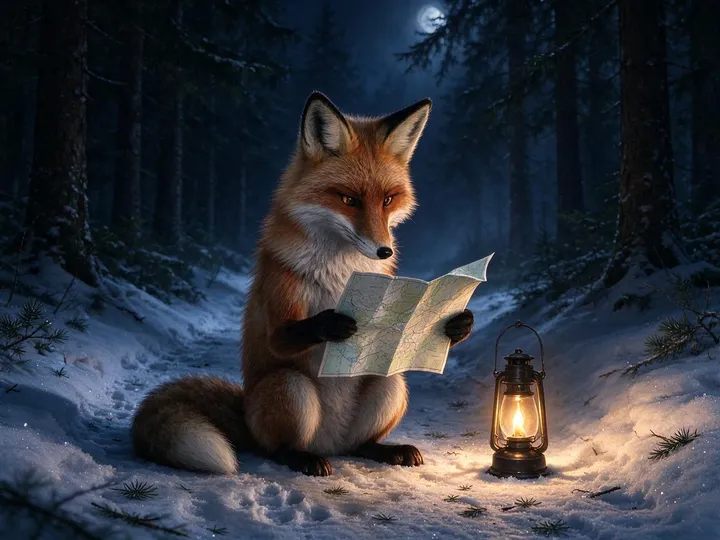
Realistic
Story videos and live-action scenes
Name a lens and the light: “soft window light, 50mm”.
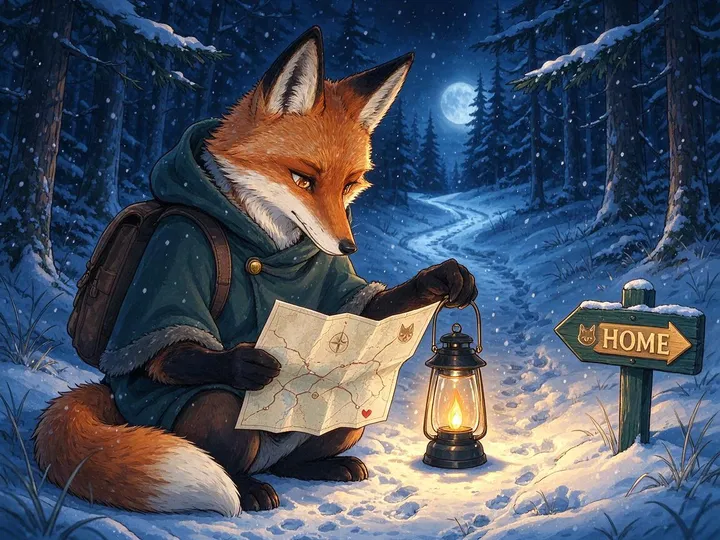
Anime
Original anime characters (OCs) and comics
Hair colour, eye colour and one signature item carry an anime character.
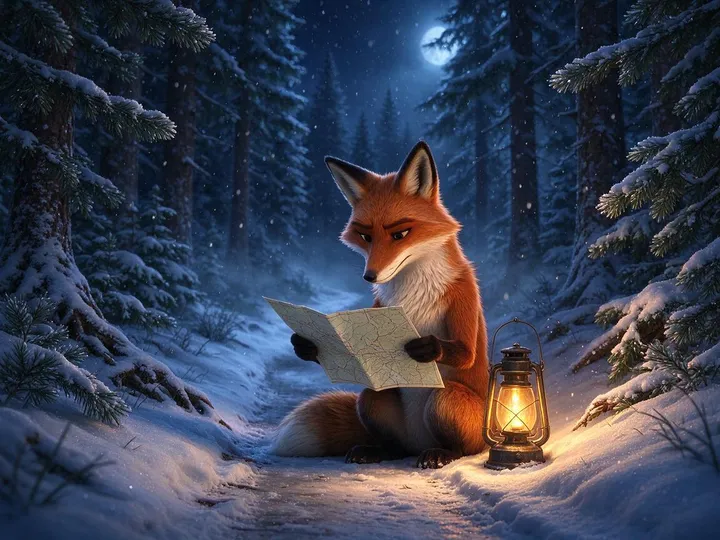
3D
Mascots and characters for animation
Describe the material: “soft clay”, “glossy vinyl toy”.
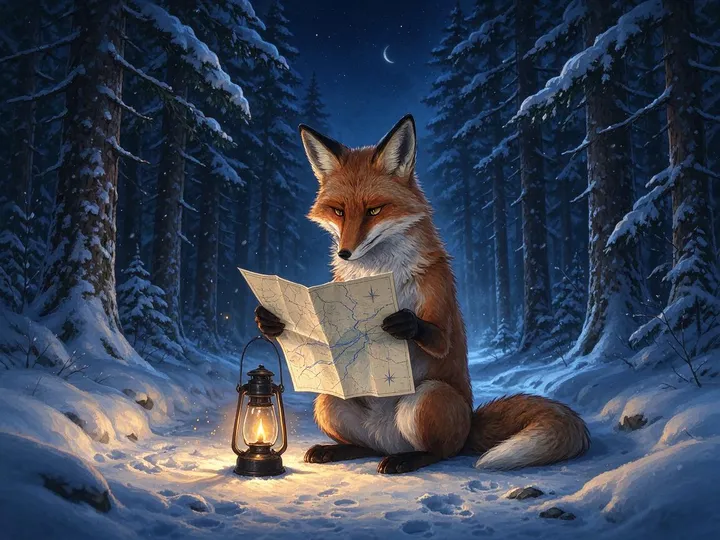
Illustration
Picture books and posters
Say how it is drawn: “ink lines, flat colour”.
The pictures show one fox prompt drawn in each style on our text to image page.
Pricing
What a Character Costs
You pay per picture, when it is made. Saving, editing and the PDF cost no credits.
Portrait
5credits
Each; up to 4 at a time
Character sheet
5credits
Each of the 4 kinds
A character with a turnaround sheet
10credits
One portrait plus one sheet
Story shot with the character
5credits
On Seedream 5.0 Flash, in a story video
5-second clip
40credits
Kling 2.6 at 1080p
Every account can make characters with Seedream 5.0 Flash. A picture that fails is refunded.
AI Character Generator FAQ
Costs, photos, consistency and where characters are kept.
No. This AI character generator designs how a character looks — a portrait and character sheets — for pictures and video. It does not make characters you talk to.
A portrait is 5 credits and each character sheet is 5, so a character with a turnaround sheet is 10 credits. Saving costs nothing, and you can redo a single picture without redoing the rest.
Yes. Add up to 10 photos you have the right to use; the drawing style changes to the one you pick, while the main features of the face carry over. Well-known real people can’t be made.
The face, hair and outfit stay; small or one-sided details can move or vanish. Our example table shows what changed for Hoshi, and how to keep more.
Yes: draw the scene with the character as a reference first, then animate that picture. In a story video this happens shot by shot when you bind the character.
A character turnaround sheet shows the character from the front, three-quarter, side and back at the same scale, with close-ups of expressions. It is what later pictures match.
In Assets. You can keep up to 50 saved items there (characters, products and brands together), each with up to 8 pictures, and rename or delete them.
Use follows our terms of service and your plan. Don’t make characters from other people’s likeness or from characters someone else owns.
Pick Anime and describe hair colour, eye colour, the outfit and one signature item. Those are what readers recognise, and what the character sheet keeps.
Create Your First Character
Describe a look, pick a style, and get a portrait and a character sheet you can use again and again.