 Anyscene AI
AI Story Video Generator
Paste a story or script. Each scene becomes a shot with narration, then one video with your music and captions.
0 / 30,000 characters
Template
Next, you choose the models and see what each shot costs. Nothing is generated until you start it.
One real film
One Script, Four Shots, One Film
The film above, taken apart. The AI split the script into four shots and wrote the line said over each; those lines became the captions.
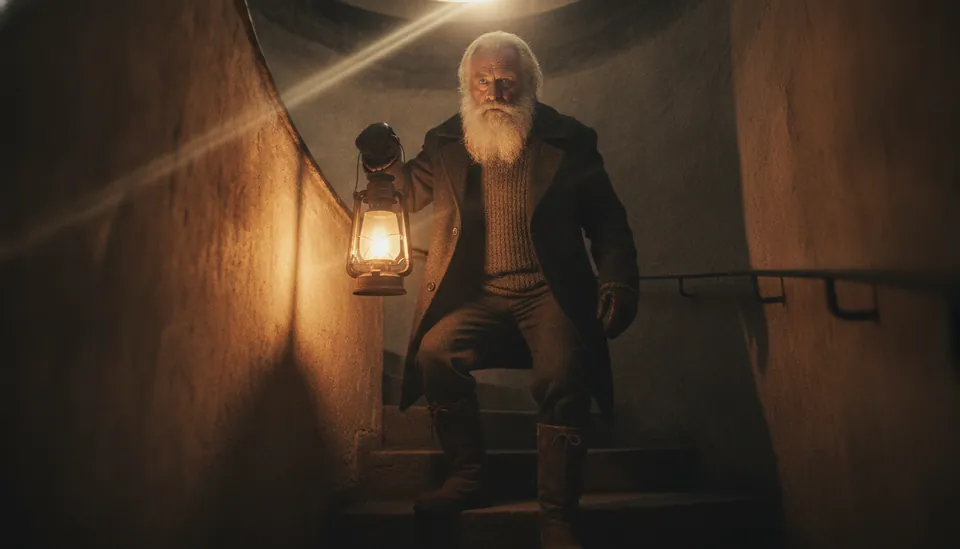
Shot 1
“As dusk falls, the faithful keeper climbs the ancient stone steps once more.”
Scene: At dusk, an old lighthouse keeper with a white beard and a dark wool coat carries an oil lantern up the spiral stairs of a stone lighthouse.
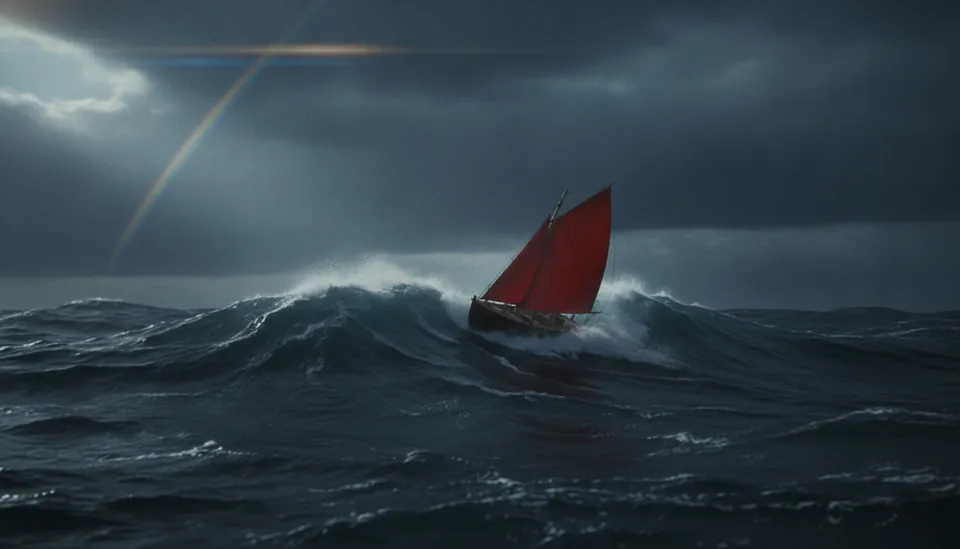
Shot 2
“Far out at sea, a lonely vessel battles the fury of the gathering storm.”
Scene: Out at sea, a small wooden boat with a red sail struggles through rising waves under a stormy sky.
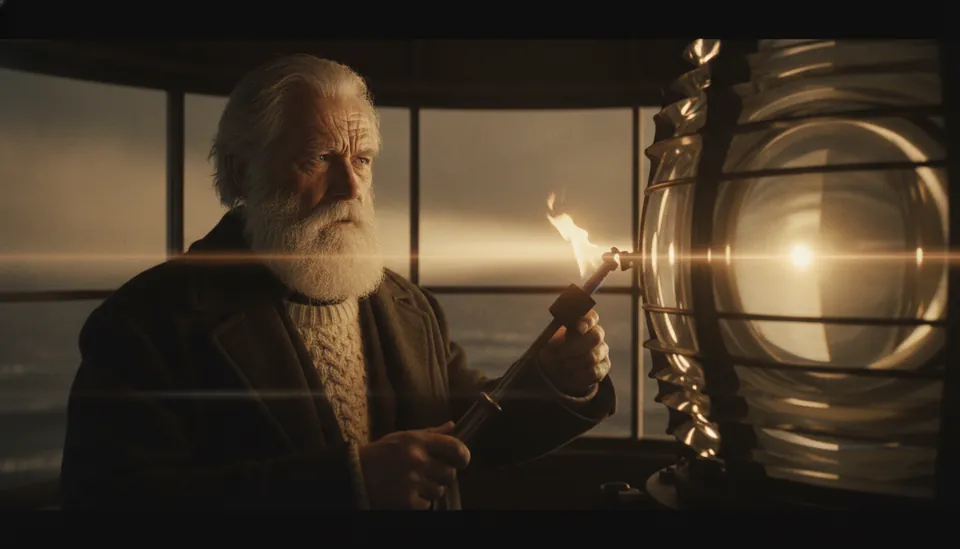
Shot 3
“He ignites the great beacon, cutting through the encroaching darkness.”
Scene: At the top of the tower, the keeper lights the great lamp, and its beam sweeps across the black water.
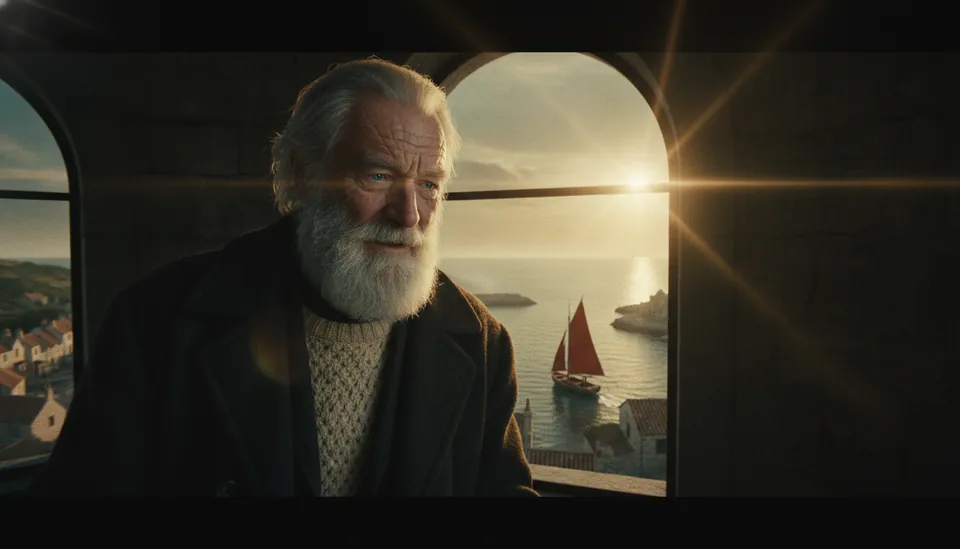
Shot 4
“Guided by the steady light, the weary traveler finds safety in the quiet harbor.”
Scene: The red sail turns toward the light and glides safely into the calm harbor as the keeper watches from the window.
4
shots, one per numbered scene
24.7 s
film, with an end card
24
credits: four Nano Banana pictures
0
credits to export the film
The script, as it was pasted
Harbor Lights

1. At dusk, an old lighthouse keeper with a white beard and a dark wool coat carries an oil lantern up the spiral stairs of a stone lighthouse.
2. Out at sea, a small wooden boat with a red sail struggles through rising waves under a stormy sky.
3. At the top of the tower, the keeper lights the great lamp, and its beam sweeps across the black water.
4. The red sail turns toward the light and glides safely into the calm harbor as the keeper watches from the window.
Shot 1 was the reference for shots 2 to 4, which keeps the keeper and the red sail the same. The music is Golden Hour Drive, a song made with the AI Music Generator.
Definition
What Is an AI Story Video Generator?
An AI story video generator turns a written story into a video. It splits the script into shots, writes what is said over each one, makes a picture or a clip for every shot, and joins them with music and captions.
Shots, not one long prompt
A story needs many scenes. Each shot gets its own picture, length and line of narration, and you can change any of them.
A price on every shot
You see what each picture and clip will cost before anything is made. The total is what you are charged.
One file at the end
The shots, the captions and your song come out as one MP4, ready to post or share.
How it works
How to Make a Story Video
Four steps, from the script to the finished file.
- 1
Paste your script
A story, a script or a numbered list of scenes, up to 5,000 words (30,000 characters). Pick a template, a style and the models.
- 2
Check the shots
The AI splits the script into shots and writes each one's narration, in the script's language. Edit any line, change a shot's length or add a shot.
- 3
Make pictures or clips
Each shot shows its price before you start. Make pictures only, or turn them into video clips.
- 4
Export the film
Choose a song, captions and transitions, preview it, then export an MP4. The export runs in your browser and costs no credits.
Analysing a script costs no credits. Accounts without a plan can analyse 3 scripts a day.
Pricing
Pictures That Move, or Video Clips
Exporting the film costs nothing. You pay for the pictures, the clips and the voiced lines, at the price shown before anything is made.
Picture story
Each shot is a picture with a slow camera move. The quickest and lowest-cost way to tell the story.
- Basic picture
- 2 credits
- Nano Banana or GPT Image 1.5 Medium
- 6 credits
- Film export
- 0 credits
8 shots with Basic
16 credits
Best for explainers, bedtime stories and first drafts. Basic works on every account.
Video clips
Each picture is turned into a moving clip, so the waves, the light and the people really move.
- Seedance 2.0 Mini, 480p
- 6 credits a second
- Seedance 2.0 Mini, 720p, 4 s
- 52 credits
- Kling 2.6, 1080p, 5 s
- 40 credits
8 shots: Basic pictures + 4 s clips at 480p
208 credits
Best for ads, trailers and scenes with action. Video clips need a paid plan.
These are the prices the generator charges today. Each shot shows its own price before anything is made. A voiced line costs 1 credit with Gemini 3.8 Flash TTS (every account) and 2 credits with ElevenLabs Flash 2.5 (paid plans).
The film
Everything the Finished Video Needs
Under the shots, one panel turns them into a single MP4.
Your song underneath
One of the songs you made on Anyscene plays under the whole film, at the volume you set.
Captions from the narration
Each shot's line shows while that shot is on screen. Choose a bar or an outline, or turn captions off.
Fade or cut
Fade softly from shot to shot, or cut straight to the next one.
An end card
Close on a title and a second line of your own.
720p or 1080p
The film keeps the shape you chose for the project, such as 16:9 or 9:16.
Saved and shareable
The film is made in your browser and saved to your History, where you can download it or share a link.
Which tool
Story Video, Text to Video or Lyric Video?
Three ways to get a video on Anyscene, for three different starting points.
| Story video | Text to video | Lyric video | |
|---|---|---|---|
| You start with | A story or script | One prompt | A song |
| You get | One film made of many shots | One clip | The song with its words on screen |
| Words on screen | The narration, shot by shot | The lyrics, timed to the singing | |
| Music | One of your songs | Whatever sound the model makes | The song itself |
| Best for | Stories, explainers, ads | A single scene or effect | Sharing a song |
Frequently Asked Questions
Pictures, clips and voiced lines cost credits: a Basic picture is 2, a Nano Banana picture 6, a 4-second Seedance 2.0 Mini clip at 480p 24, a line voiced with Gemini 1 credit. Analysing the script and exporting the film cost nothing. The film on this page cost 24 credits.
Pictures are enough for a complete film: each one gets a slow camera move, and the captions and music carry the story. Add clips where you want real motion, shot by shot.
The film plays one of the songs you made on Anyscene, with the AI Music Generator or Lyrics to Song. Make an instrumental there if you want music without singing under the narration.
Yes. Each shot's line is voiced on its own, by the narrator or by the character who says it: Gemini 3.8 Flash TTS on every account (1 credit a line), or ElevenLabs voices on paid plans. Each shot lasts as long as its line, and the music drops while it is spoken.
Bind each character to a saved one from Assets: its portrait goes along as the reference in every shot it is in. Without that, the Consistency mode uses the first picture as the reference, as in the example above; if one shot drifts, make that shot again.
Write in your own language. The narration, and so the captions, come back in the language of the script.
A script can be up to 5,000 words (30,000 characters). The Video ad template always makes 6 shots; with the others, the AI decides from the script, and a numbered list of scenes gives one shot per scene.
The film is made in your browser, so use the latest Chrome or Edge on a computer and keep the tab open until it is saved. Preview works the same way.
Make Your Story Video
Paste a script, check what each shot costs, and export the film with no credits for the export.