AI Image Upscaler
Make the cleaned photo up to four times larger.
 Anyscene AI
Erase a stamp, a logo or a caption from a photo you own, and get it back at 2K in about 20 seconds.
Drop a photo here, or click to upload
PNG · JPG · WEBP · HEIC — up to 10 MB
We put each watermark on the photo ourselves, so we know exactly what was underneath, then ran it through the AI watermark remover once, with no retouching afterwards. Drag the slider to compare.


The orange date sat on the cobblestones beside the man's hand. It is gone, and the stones carry on underneath it.
Why it matters
Most watermarks were put there for a good reason at the time. Years later the reason is gone and the mark is still there, sitting in the one copy of the photo you have. An AI watermark remover is for that moment: the picture is yours, the mark is in the way, and redrawing the corner by hand would take longer than the photo is worth.
Film point-and-shoots and early digital cameras burned the date into the corner in bright orange. It was useful in 1998; on a print for your wall it is the first thing anyone sees.
You renamed the shop, changed the logo or sold the brand, and every product photo still carries the old mark. Reshooting the whole catalogue costs days; cleaning the photos takes minutes.
The original file lived on a phone that died or a drive that failed, and all that survived is the preview you sent with your name across it. The AI watermark remover gives you a clean version back.
Photographers send watermarked proofs and deliver clean finals. When the clean file went missing, removing your own signature is faster than finding the archive.
An AI watermark remover is a tool that finds text, logos or stamps laid over a photo and repaints the pixels underneath them, using the rest of the image as its reference, so the photo looks as if the mark was never there. Ours works in three steps.
The model reads the whole photo and separates what belongs to the scene from what was laid on top: a copyright line, a logo, a date in the corner, a signature, or a pattern repeated across the frame. You do not paint a mask or draw a box.
Each marked area is filled in from what surrounds it: the brick continues, the sky keeps its gradient, the grass keeps its blades. A semi-transparent watermark is the harder case, because the model has to tell the scene apart from the tint laid over it.
The repaired areas take on the grain, light and sharpness of the photo around them, so the patch does not show as a smooth smudge. To do this the model redraws the whole photo, so the rest comes back close to the original rather than pixel for pixel the same.
There is nothing to set up and no brush to learn. Removing a watermark with the AI watermark remover takes four steps, and the last one is optional.
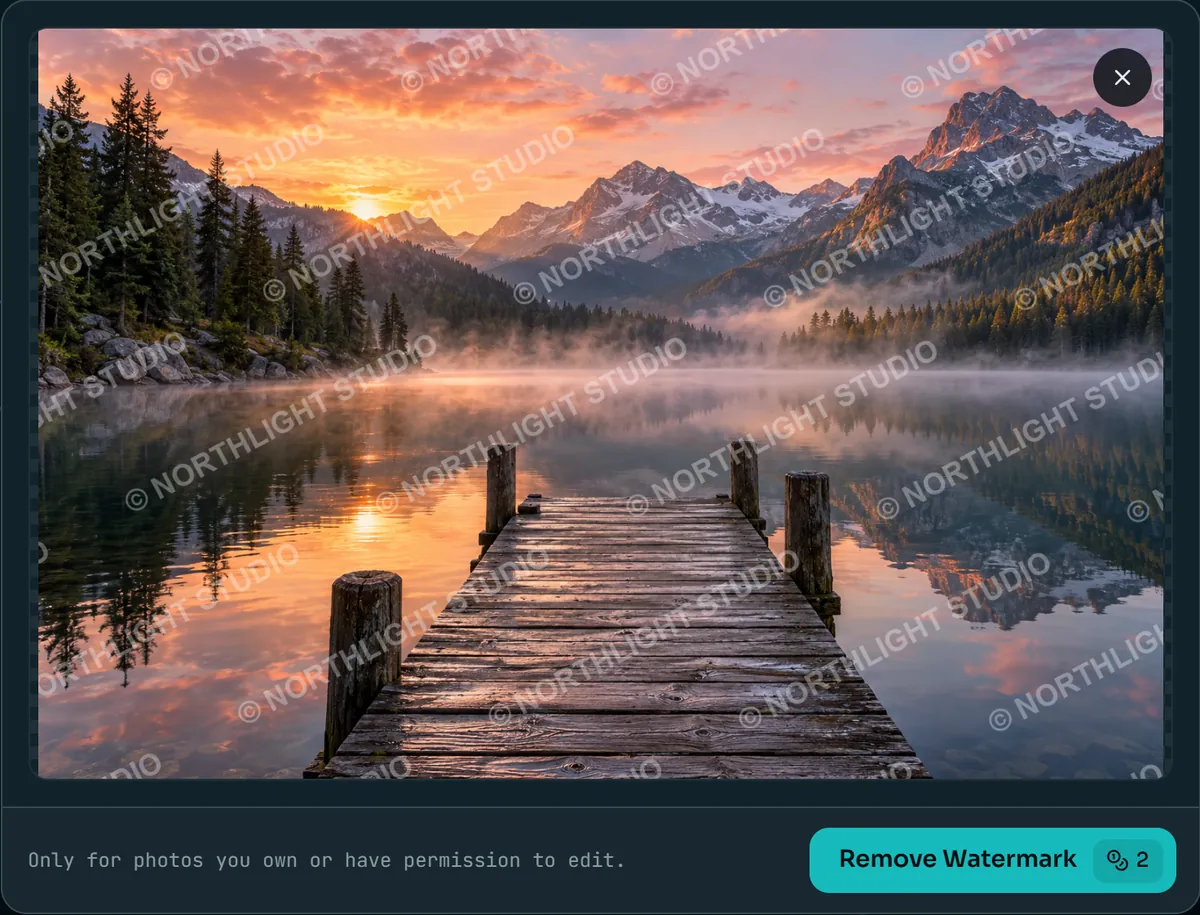
Drag a JPG, PNG, WebP or HEIC file of up to 10 MB into the upload area, or click to choose one. Use the largest copy you have: the more detail around the watermark, the more the AI watermark remover has to rebuild from.
Press Remove Watermark. The price, 2 credits, is on the button before you press it, and the result arrives in about 20 seconds. There is nothing to choose: the AI watermark remover looks for every kind of mark at once.
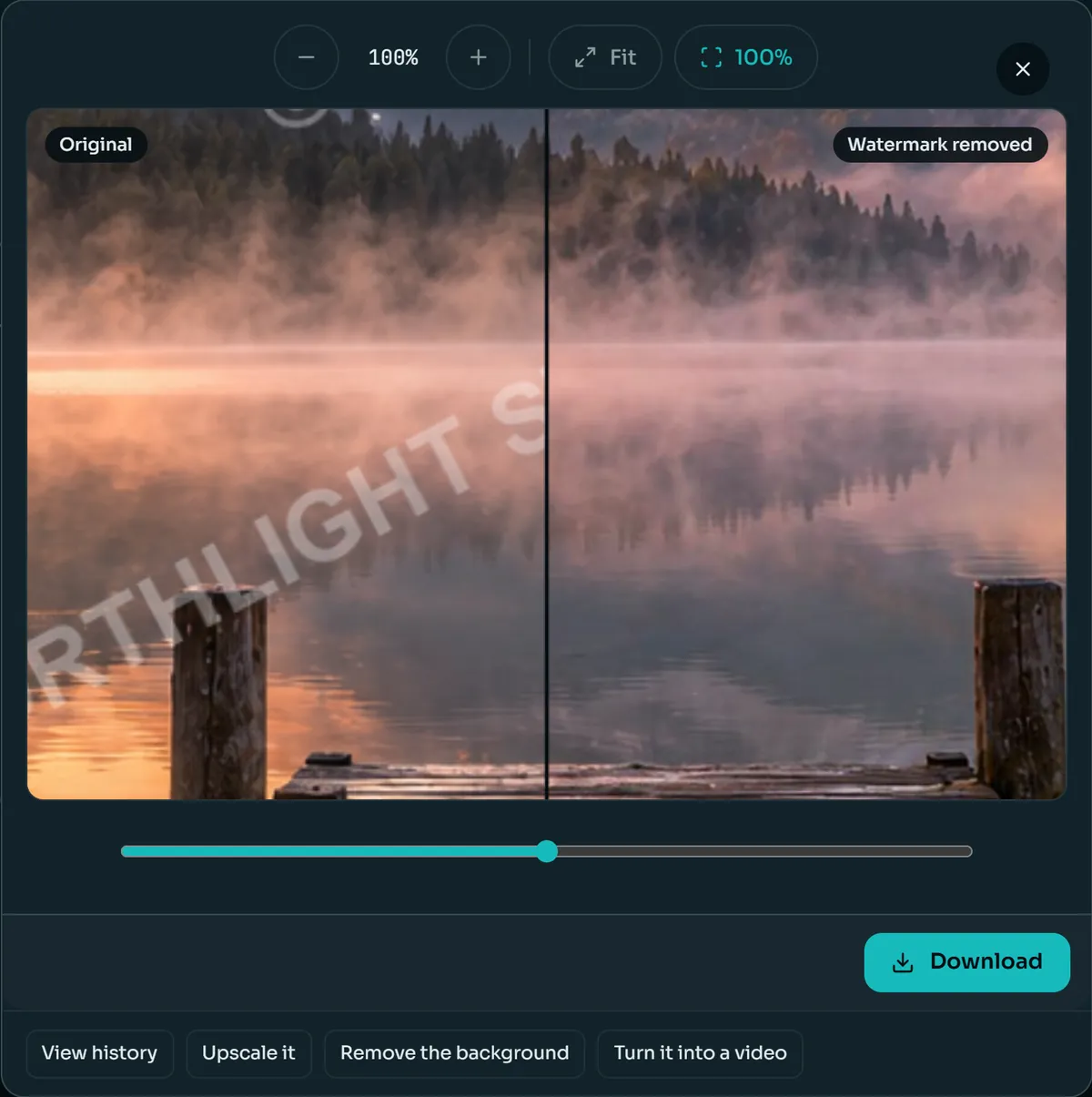
Drag the slider across the photo and zoom to 100% on the place the watermark was. Look at edges and fine texture there: lettering on a sign, strands of hair, ripples on water.
Download the clean photo, or send it straight on: to the AI Image Upscaler for a larger file, to the Background Remover for a cut-out, or to the video generator to make it move.
Not all watermarks are equal. A date in a corner covers a sliver of the photo; a tiled pattern covers all of it. The more of the photo a mark covers, the more the AI watermark remover has to invent rather than continue.
A copyright line or a web address in a corner. Small, usually on sky, wall or table, and the easiest case: the area around it says exactly what belongs there.
A brand mark in a corner or along an edge. Solid logos come out cleanly; a logo over a busy pattern, such as fabric or foliage, is harder to continue convincingly.
The orange digits of a film camera. Small and bright, often over pavement or grass, which makes them easy to find and, as long as nothing important sits under them, easy to cover.
A photographer's script name, often semi-transparent and wider than it looks. The thin strokes cross more of the scene than a logo of the same size.
One large, semi-transparent word over the subject. The AI watermark remover has to rebuild part of the main subject itself, which is where differences from the original show first.
The same text repeated diagonally over the whole frame. There is no clean area left to copy from, so this is the hardest case for any AI watermark remover, including ours.
Every tool in this category promises a perfect result. These are the cases where ours, like the rest, can leave something behind.
When a watermark crosses an eye, a mouth or the lettering on a sign, the AI watermark remover has to guess what was there. It guesses well, but a guess is not the original. And because the whole photo is redrawn, check faces at 100% even where the mark did not touch them.
A repeated pattern over foliage, water or crowds can leave a faint ghost of the lettering where the texture is busiest. Running the cleaned photo through a second time often clears it.
A shop sign, a printed T-shirt or a street name is not a watermark, and the AI watermark remover may treat it like one. If the result loses words that belonged to the photo, keep the original.
A thumbnail saved over and over has little real detail left around the mark. The watermark goes, but what replaces it can look soft. Start from the largest copy you have.
Three ways to do it
An AI watermark remover is not the only way to get a mark off a photo. Here is how it compares with retouching by hand and with simply cropping the mark out.
| AI watermark remover | Photoshop by hand | Cropping | |
|---|---|---|---|
| Time per photo | About 20 seconds, plus a minute to check the result | From five minutes to an hour, depending on the mark | Seconds |
| Skill needed | None | Content-Aware Fill, clone and healing brushes, and practice | None |
| A mark in a corner | Removed, photo keeps its full frame | Removed, full control over every pixel | Removed, along with that strip of the photo |
| A mark across the middle | Rebuilt; check the subject closely | Possible with skill and time | Not possible without losing the subject |
| A tiled watermark | The hardest case; may leave faint traces | Hours of work on a single photo | Not possible |
| Cost | 2 credits a photo | A Photoshop subscription and your time | Free |
Photoshop wins when one photo matters enough to spend an hour on it. Cropping wins when the mark sits on an edge you can lose. The AI watermark remover wins on everything in between.
Responsible use
In the United States, removing a copyright notice or a photographer's name from a photo you do not own can break 17 U.S.C. § 1202, separately from copying the photo itself.
A watermark usually means someone owns the picture and wants credit or payment for it. The AI watermark remover is built for your own photos and for images you have permission to change, not for taking someone else's work.
Photos you took, products you sell, images you bought a full licence for, and your own proofs. If you are unsure whether a licence covers editing, ask the person who sold it to you.
Stock-agency previews, other photographers' portfolios, or any image you plan to pass off as your own. In most countries that is a copyright problem, and it is not what this tool is for.
A clean photo is often the start of the job rather than the end of it. Everything below runs on the same credits as the AI watermark remover, one tool after the other.
Send the cleaned photo to the AI Image Upscaler for up to four times the resolution, up to 4,096 pixels on the long side, for a print or a large banner.
For a marketplace listing, the Background Remover turns the cleaned product shot into a transparent PNG or a pure white background in about three seconds.
Image to video turns the photo into a short clip: the tram rolls, the steam rises, the water ripples. Useful for social posts and product pages.
Every plan unlocks all 28 models and every tool on Anyscene, this one included. Yearly billing saves 20%, and a credit pack tops up any plan.
Yearly prices, shown per month. Monthly billing and credit packs are on the pricing page.
What people ask before using the AI watermark remover.
No. It costs 2 credits a photo and needs a paid plan or a credit pack, because every photo runs on a full image model rather than a simple filter. The price is shown on the button before you start, and a failed run gives the credits back.
Yes, to remove a watermark: credits belong to an account, and your results are saved in its history. You can read this page and look at the examples without signing in.
It is legal on photos you own, on images you have a licence to edit, and where the owner has said yes. Removing a watermark from someone else's photo to use it without permission can infringe copyright, and in the United States removing a copyright notice can also break 17 U.S.C. § 1202.
The cleaned photo comes back at about 2K: a 3:2 photo returns at 2,496 × 1,664 pixels, so a small photo gets bigger and a very large one comes back at that size. Because the AI watermark remover redraws the whole photo instead of patching one spot, faces, small text and fine texture can come back slightly different from the original. Compare at 100% before you use it.
Yes. In our test, a copyright line repeated diagonally over an entire landscape came off in a single pass. It is still the hardest case: where the marks cross detailed texture, look for a faint light patch at 100%, and run the cleaned photo through again if you see one.
Yes. In our test a white logo on a wooden table and an orange film-camera date on cobblestones both came off in one pass, with the wood grain and the stones carried on underneath. Logos over busy patterns, such as fabric or foliage, are harder to continue convincingly.
No. The AI watermark remover works on still images only: JPG, PNG, WebP and HEIC files up to 10 MB. It does not process video files, and it is not a tool for removing the labels that mark a video or a text as AI-generated.
Check the result at 100% where the mark was, then download it or keep going: the AI Image Upscaler makes it larger, the Background Remover cuts the subject out, and image to video turns it into a short clip. All three use the same credits.
Sign in, upload a photo you own and see the result for yourself. 2 credits a photo, on any plan or credit pack.