 Anyscene AI
Text to Image AI
Write what you want to see and get it back as a picture. Every text to image model shares one prompt box, and the price is on the button before you press it.
Try an example
One prompt, six styles
One Text to Image Prompt in Six Styles
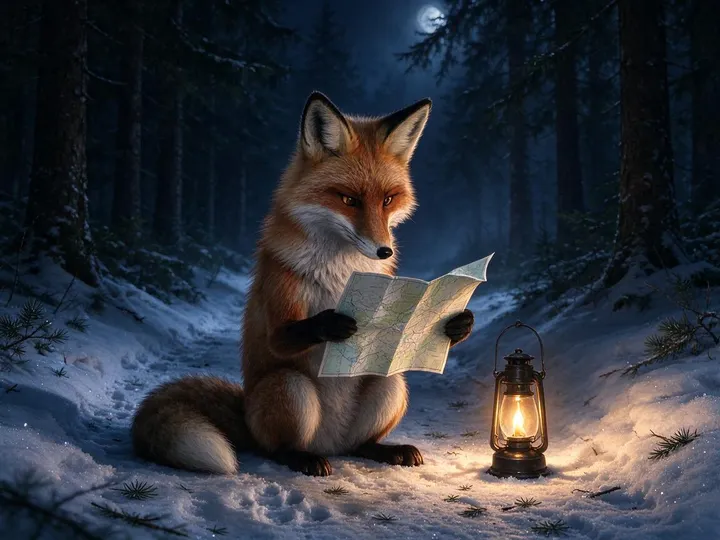
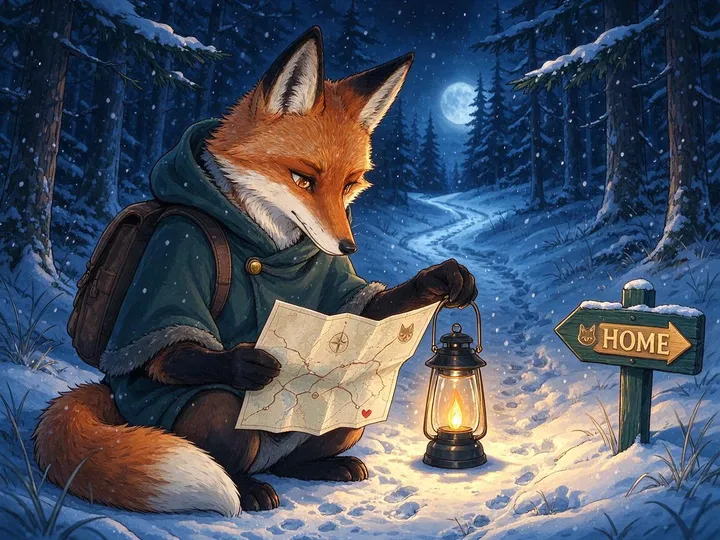
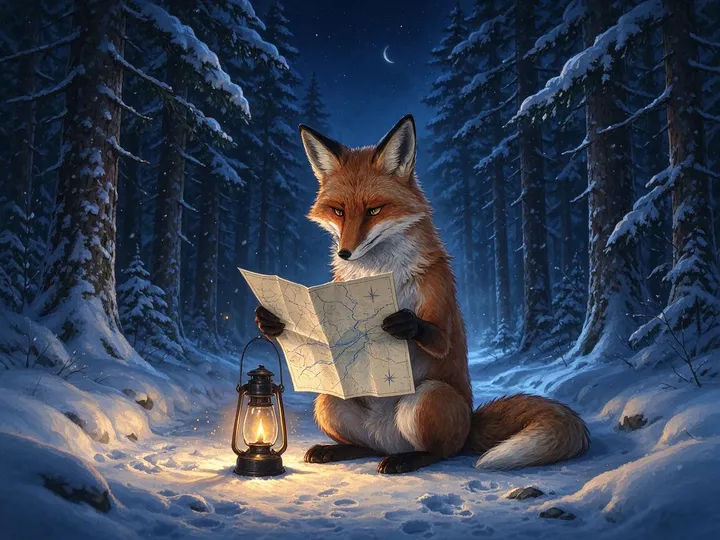
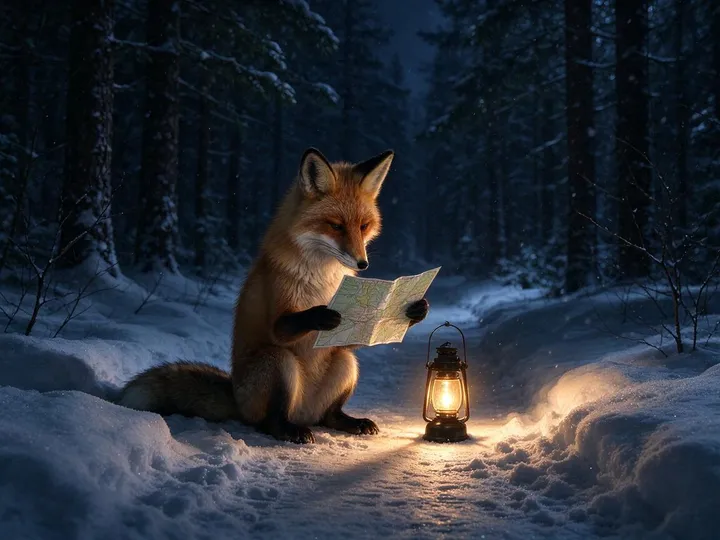
The style menu in the generator adds one phrase to the end of your prompt. We sent the same fox prompt through all six styles on Seedream 5.0 Flash, the default text to image model here, to see how far that phrase moves the picture.
The prompt, as sent
A red fox sitting on a snowy forest path at night, reading a paper map by the light of a small lantern, [style] style
- Subject
- Setting
- Light
- Style
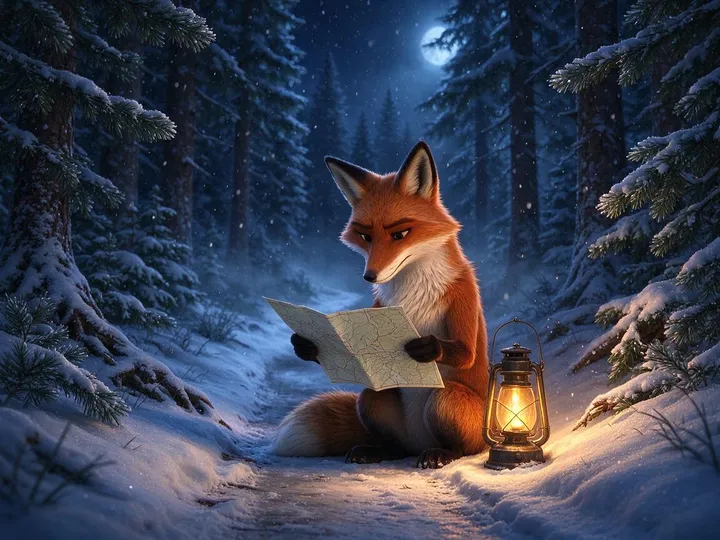
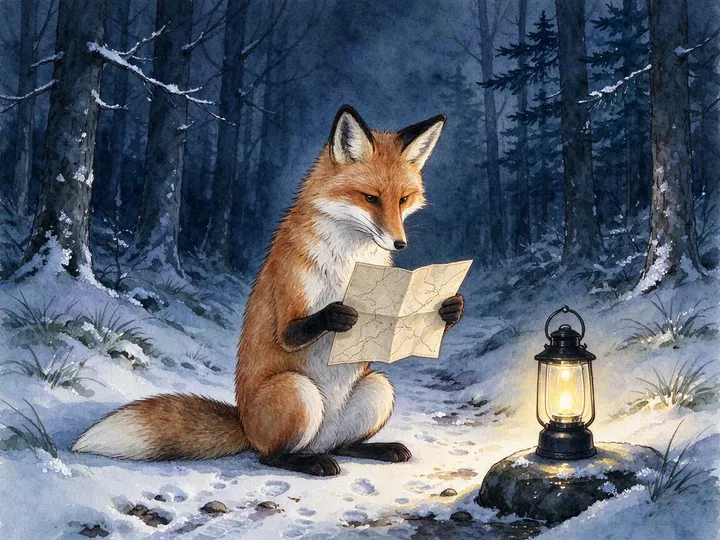
What changed, and what didn't
- Anime moved the picture furthest. The fox got a hooded coat, a backpack and a signpost that reads HOME, none of which the prompt asked for.
- Watercolor softened the edges and lightened the snow, but kept the same layout.
- Digital Art, Cinematic and 3D Model came out close to Photorealistic. On this model a style word is a nudge, not an instruction.
- When a style doesn't take, describe the medium instead: "a 3D render with soft clay materials and studio lighting" says more than "3D Model style".
Six text to image runs on 23 October 2026, one per style, nothing re-rolled or retouched. Each took 14 to 25 seconds.
The short version
What Is Text to Image AI?
AI text to image is the part of generative AI that draws: you describe a picture in words and a model makes it.
Text to image AI is software that turns a written description, called a prompt, into a new picture. A model trained on millions of captioned images reads the prompt and generates pixels that match it: a photo, an illustration or a poster with words on it, in the shape you choose.
Your prompt
A lighthouse on a rocky island, waves breaking against the rocks below, at blue hour, its beam cutting through a light fog, the first stars coming out, shot from a low angle with a wide 24mm lens, long exposure that smooths the water, cinematic colors
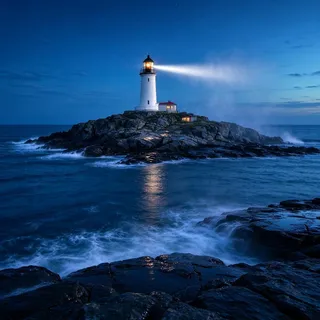
A simplified drawing of how diffusion works, not frames from a real run. The picture is our lighthouse from step 4 below.
Models that clear away noise
Most text to image models, Flux, Seedream and Qwen Image among them, are diffusion or flow models: they start from noise and refine it in steps, steered by your prompt. Newer ones put a language model in front, so the prompt is read with more understanding of the world.
"The model couples the Mistral-3 24B parameter vision-language model with a rectified flow transformer."
Black Forest Labs, FLUX.2 announcementModels built into a chatbot
OpenAI's GPT Image line began as the image generation built into GPT-4o, the model behind ChatGPT, rather than a separate image model. OpenAI says it can follow detailed instructions, including putting text into images reliably.
"…because it is embedded natively, deep in the architecture of our omnimodal GPT‑4o model, 4o image generation can use everything it knows…"
OpenAI, 4o image generation system cardWant the long version, with fixes for strange hands and garbled words? Read our text to image guide →
Four steps, one prompt
Watch a Text to Image Prompt Get Specific
A short prompt leaves every choice to the model. Each step below adds one kind of detail to the same lighthouse prompt. The new words are marked and the earlier ones greyed out.
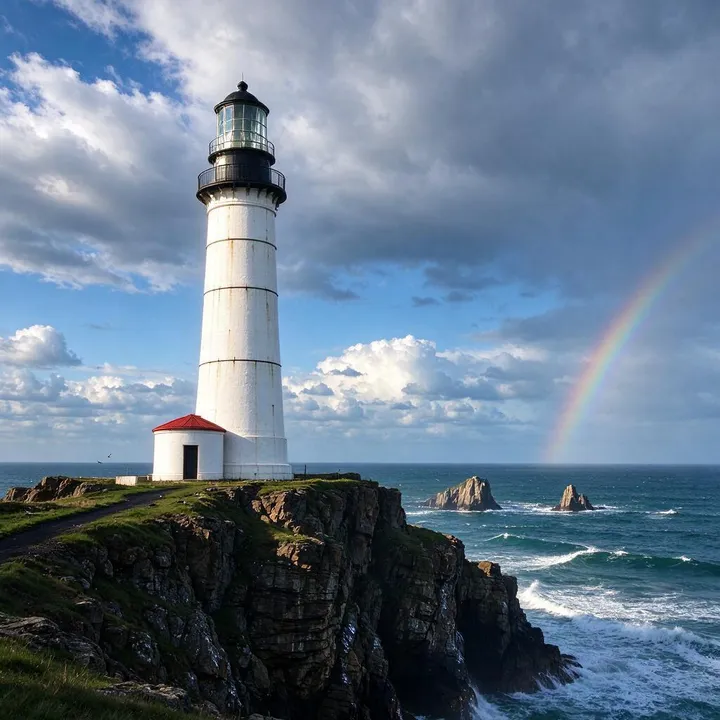 1 / 4
1 / 41. Just the subject
A lighthouse
Two words gave a sunny clifftop with a rainbow. The model filled in everything else with the most ordinary picture of a lighthouse.
 2 / 4
2 / 42. Add the setting
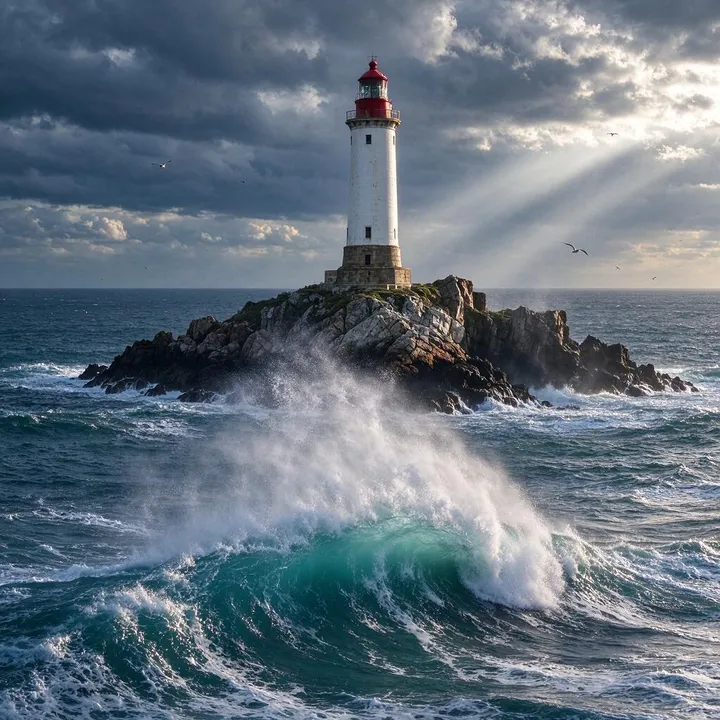
A lighthouse on a rocky island, waves breaking against the rocks below
Naming the place moved the lighthouse onto a rock in open sea and brought in the breaking wave.
 3 / 4
3 / 43. Add the light and time
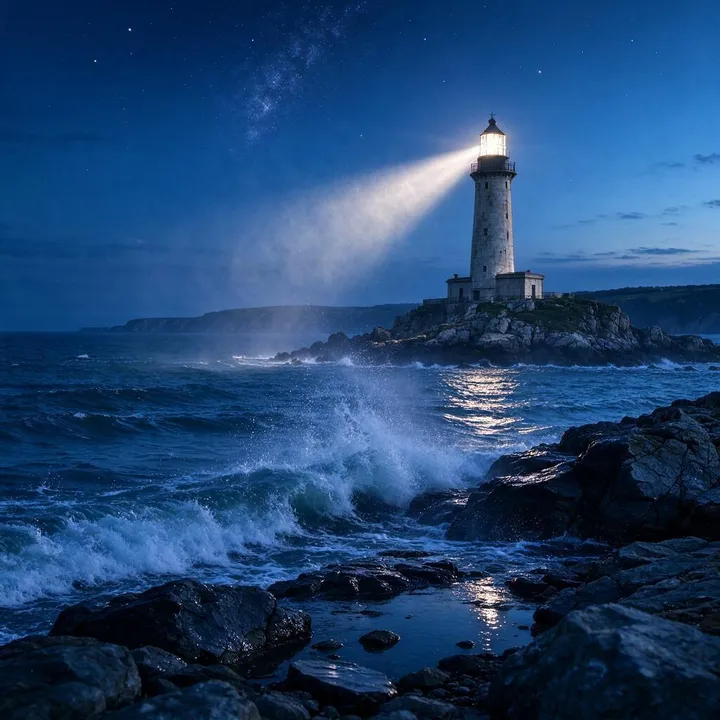
A lighthouse on a rocky island, waves breaking against the rocks below, at blue hour, its beam cutting through a light fog, the first stars coming out
Blue hour, fog and stars changed the whole mood. In our run this step changed the picture most.
 4 / 4
4 / 44. Add the camera
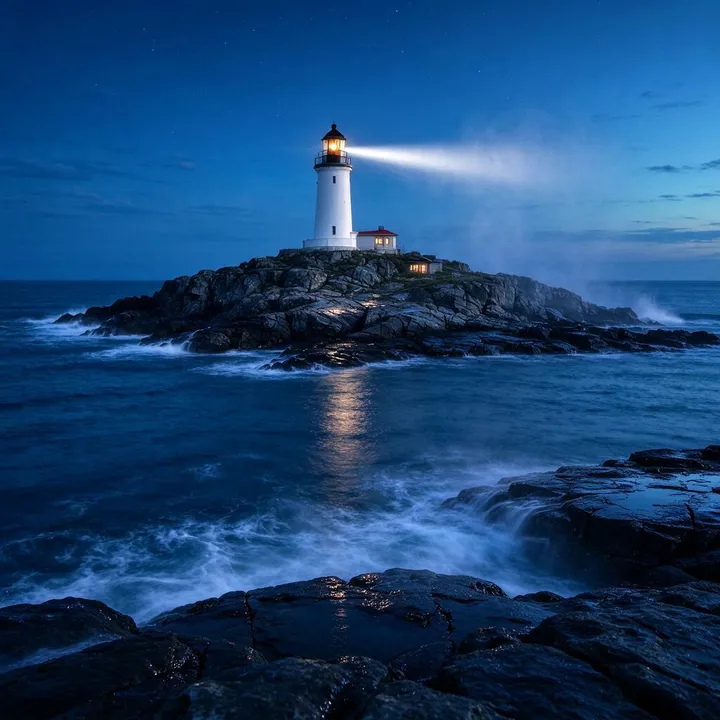
A lighthouse on a rocky island, waves breaking against the rocks below, at blue hour, its beam cutting through a light fog, the first stars coming out, shot from a low angle with a wide 24mm lens, long exposure that smooths the water, cinematic colors
The long exposure smoothed the water, but the low 24 mm angle barely shows. Camera words were the ones this model followed least.
Seedream 5.0 Flash at 1:1, one text to image run per step on 23 October 2026, 14 to 19 seconds each.
Prompt builder
Build a Text to Image Prompt
Not sure what to write? This text to image prompt generator needs a subject and a phrase from each group, and the prompt builds itself. Send it to the generator at the top of the page, or copy it.
Your prompt
A ceramic coffee mug, on a wooden table by a window, soft morning light
- Subject
- Setting
- Light
- Camera
- Style
- Words
- Put the subject first, so nothing in front of it is taken for the main thing.
- One setting, one light, one style: two styles pull against each other.
- Name what you would see, not how it should feel. "Fog and a low sun" works better than "moody".
- Words to draw go in quotes, and the fewer the better.
Words in the picture
How to Get Text Spelled Right in an AI Image
Signs, labels and poster titles are where text to image AI used to fail. Current models can get short text right, as the four results below show, when the prompt is written for it.
01
Put the exact words in quotes
Quotes tell a text to image model these are letters to draw, not ideas to show: a sign reading "Books & Tea", not a sign about books and tea.
02
Say where the words go
On a hand-painted sign, on the label, at the top of the poster. Words without a place end up floating or in the wrong spot.
03
Describe the lettering
Hand-lettered, bold letters, an elegant serif. A named style gives the model something to match and keeps the letters even.
04
Keep it short, check every word
Each quoted line below is six words or fewer. Models also add words nobody asked for: Seedream 5.0 Pro gave our coffee infographic a subtitle and captions.
 1
1 2
2 3
3 4
41Nano Banana Pro16:9
A cozy bookshop storefront on a cobblestone street at dusk, a hand-painted sign reading "The Paper Lantern — Books & Tea", warm light spilling from the windows, a bicycle leaning against the wall
2GPT Image 2.52:3
A vintage travel poster for Kyoto: a five-storey pagoda among cherry blossoms at sunset, the title "KYOTO" in bold letters at the top and "Cherry Blossom Season" at the bottom, flat screen-print style
3Nano Banana Pro4:5
A kraft-paper coffee bag on a café counter, the label printed with "MORNING RITUAL — Single Origin, Ethiopia" in an elegant serif, soft morning light, shallow depth of field
4Qwen Image 3.03:4
A chalkboard café menu titled "Morning Menu" listing Espresso 3.00, Latte 4.50 and Croissant 3.50, hand-lettered, warm café light
Results from our model pages, one run each. Every quoted word came out as written, but check the spelling of yours before you publish.
Every model, priced
Which Text to Image Model to Pick
All 17 models take the same prompt. They differ in what they are best at, what they charge and how large a picture they return. The credits, sizes and plans below come from the price list the Generate button uses.
Swipe the table sideways to see every column.
| Model | Best for | Credits per image | Largest size | Available on |
|---|---|---|---|---|
| Basic | Quick drafts to try an idea | 2 credits | 1K | All accounts |
| Z-Image | Low-cost pictures from text alone | 2 credits | 1K | All accounts |
| Seedream 5.0 Flash | Everyday pictures at a low price; the default text to image model on this page | 5 credits | 2K | All accounts |
| GPT Image 1.5 | Long, detailed prompts followed closely | 6 credits | 1K | Any plan or credit pack |
| Nano Banana | Plain scenes, and edits that keep the subject the same | 6 credits | 1K | Any plan or credit pack |
| Nano Banana 2 Lite | Simple scenes and food shots at the lowest Nano Banana price | 6 credits | 1K | All accounts |
| Wan 2.7 Image | Everyday quality at a low price, with a Pro tier for more detail | 6–20 credits | 4K | Any plan or credit pack |
| Flux 2 | Photographic detail (Pro) and the finest typography (Flex) | 8–36 credits | 2K | Any plan or credit pack |
| GPT Image 2 | Clean text, layouts and UI mock-ups | 8–22 credits | 4K | Any plan or credit pack |
| Nano Banana 2 | Sharper detail than the first Nano Banana | 8–22 credits | 4K | Any plan or credit pack |
| Qwen Image 3.0 | Menus, signs and posters with text, at a mid price | 8 credits | 2K | Any plan or credit pack |
| GPT Image 2.5 | Posters and app screens with exact wording | 10–26 credits | 4K | Any plan or credit pack |
| Seedream 5 Lite | Large, detailed pictures up to 3K | 10–14 credits | 3K | Any plan or credit pack |
| Seedream 5.0 Pro | Portraits with natural skin, and infographics | 11–22 credits | 2K | Any plan or credit pack |
| Nano Banana Pro | The hardest prompts and small, exact text | 29–38 credits | 4K | Any plan or credit pack |
17 text to image models in all. A model you haven't tried? The examples on its page show what its own runs look like.
How to Turn Text into an Image in 3 Steps
From the first word to a downloaded picture, text to image takes three steps and, on the default model, less than half a minute of waiting.
Step 1: Write your prompt
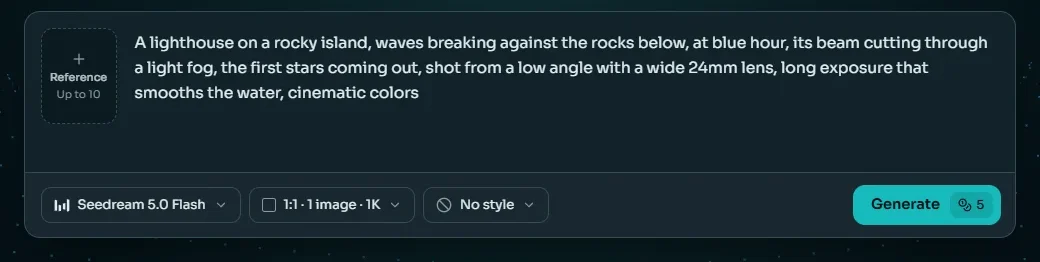
Type what the picture should show into the text to image prompt box at the top of this page: the subject first, then the setting, the light and a style. Stuck? Start from the prompt builder or from one of the examples under the box.
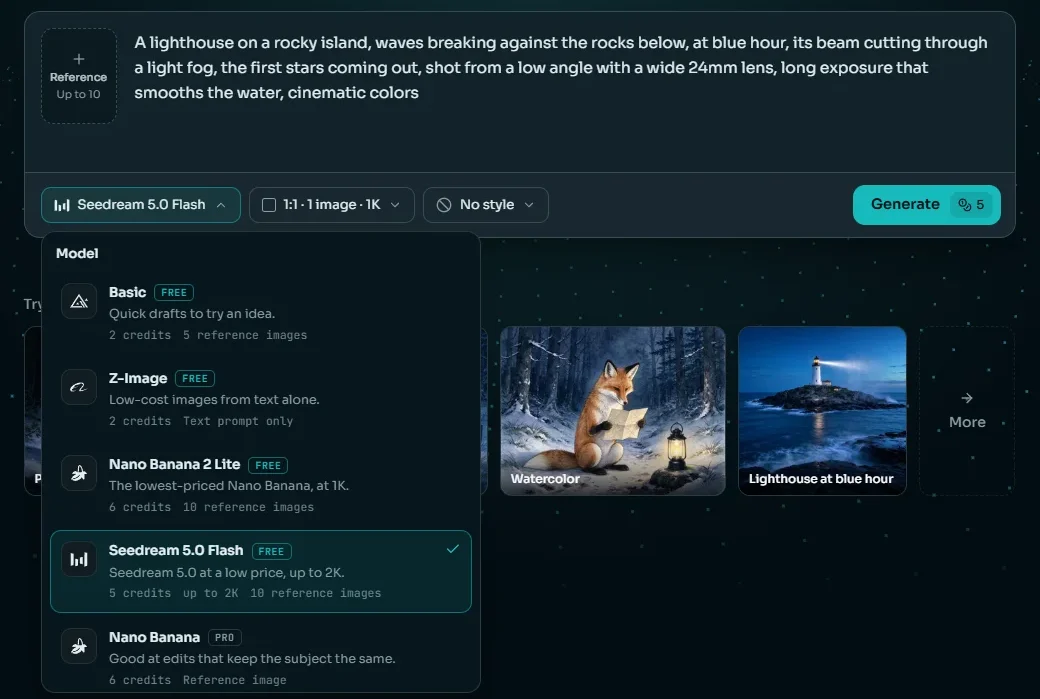
Step 2: Pick a model, a shape and a style
Seedream 5.0 Flash is selected to start. Switch models from the first chip, choose a shape such as 16:9 for a banner or 9:16 for a story, and add a style if you want one. The price on the Generate button updates as you go.
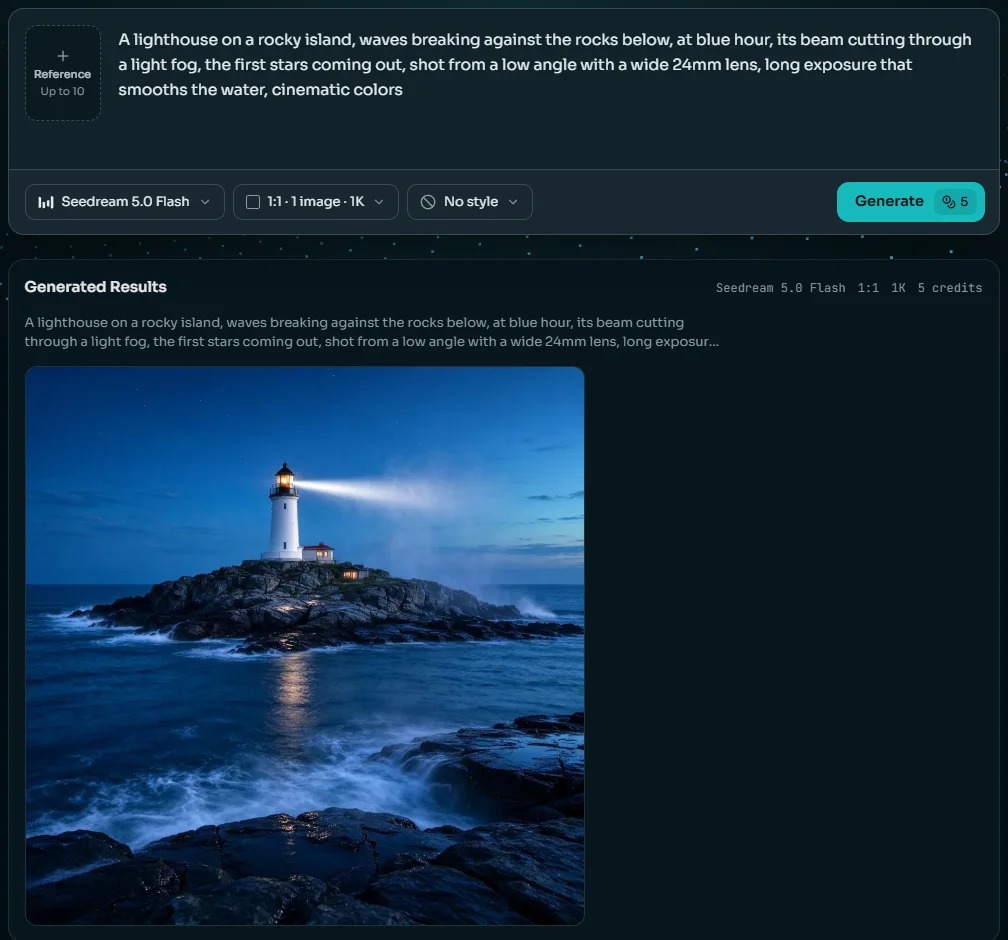
Step 3: Generate, compare, refine
Press Generate. The picture appears under the box with the prompt that made it. Change one part of the prompt and run it again, try another model on the same words, or take the result on to the editor, the upscaler or a video.
What people make
What People Make with Text to Image AI
Six real text to image results from our model pages, each with the tool that usually comes next.

Product shots
A clean studio picture for a store, an ad or a mood board, before the product is even photographed.

Food and drink
Menu pictures, recipe headers and delivery-app tiles, in the light and from the angle you describe.

Posters and quotes
Short words on a clean layout for social posts and prints. Change a word later in the editor.

Rooms and moods
Interiors for blogs, listings and concept boards. Widen a square one into a banner afterwards.

Wildlife and stock-style pictures
Nature pictures for articles and slides without searching stock sites. Upscale one before you print it.

Stills that move next
A picture that becomes the first frame of a short video for Reels or TikTok.
Three ways to make a picture
Text to Image, Image to Image or an AI Image Editor?
Text to image, image to image and editing all run on the same models. What you start from decides which one you want.
| Text to image | Image to image | AI image editor | |
|---|---|---|---|
| You start with | Words only | Words and one or more reference pictures | Your photo and one instruction |
| What stays the same | Nothing: every picture is new | The subject, look or layout of the reference | Everything you don't ask to change |
| Best for | New ideas, posters and scenes from scratch | A new picture in the style of another, or with its subject | Changing a real photo: background, outfit, text or light |
| The same character twice | Hard: describe it in detail every time | Easier, from the reference | It is the person in your photo |
| Where on Anyscene | This page | Add a reference in the same prompt box | The AI Image Editor page |
Put a picture in the reference slot and this page's text to image generator becomes image to image; the Generate button shows the new price.
Honest limits
Where Text to Image Still Slips
Every text to image model gets some things wrong. These are the six we see most, each with what to do about it.
Long text
A full sentence or a paragraph of small print still comes out garbled. Keep each quoted line short, or add the text afterwards in an editor.
Exact counts
"Seven birds" can come back as five or nine. Small numbers hold better; for more, count the result and run it again.
Hands and faces in a crowd
One person in the frame usually comes out well. Small faces and hands in a group are where shapes go wrong, so bring people closer or show fewer.
The same character twice
Words alone can't hold a face or a mascot from one picture to the next. Add the first picture as a reference, or edit it instead.
AI Image Editor →Left, right and behind
"A cat to the left of a dog" is followed less often than you'd hope. Say where things are in the frame, and move them in an editor if they land wrong.
Real people and brands
Prompts that name real people, logos or characters you don't own can be refused, and using such pictures can break someone's rights. Describe a look, not a name.
One Balance for Every Text to Image Model
A picture costs 2 to 38 credits depending on the model and size, 5 on the default. Plans begin at $15.9 a month billed yearly, and credit packs top up any plan.
Yearly prices, shown per month. Monthly billing and credit packs are on the pricing page.
Text to Image AI FAQ
Text to image AI turns a written description into a new picture. You type a prompt, a model trained on captioned images generates a picture that matches it, and you can download it, edit it or turn it into a video.
Most models are diffusion or flow models: they start from random noise and remove it step by step, steered by your prompt. Some newer ones, such as OpenAI's GPT Image line, are built into a language model, which helps with long instructions and with words in the picture.
There is no single best one. Start with Seedream 5.0 Flash, the default, for everyday pictures at 5 credits. Use Nano Banana Pro or GPT Image 2.5 when the picture has words in it, Seedream 5.0 Pro for portraits, and Basic or Z-Image at 2 credits to test an idea.
From 2 credits on Basic and Z-Image to 38 on Nano Banana Pro at 4K; the default model costs 5. The price is on the Generate button before you press it, and a picture that fails gives its credits back. A new account starts with 40 credits, which run the four models open to free accounts: Basic, Z-Image, Seedream 5.0 Flash and Nano Banana 2 Lite.
Yes. Everything you make on Anyscene can be used commercially, including in ads, product listings and social posts. Don't prompt for real people, logos or characters you have no rights to: the picture doesn't give you those rights.
Put the exact words in quotes, say where they go, describe the lettering and keep each line short. On our model pages, Nano Banana Pro, GPT Image 2.5 and Qwen Image 3.0 spelled every quoted word right. Check each word at full size before you publish.
Yes. Most of the models read prompts in Chinese, Japanese, Korean, Spanish, French, German and Portuguese as well as English. If a model misreads one, try the same prompt in English. Words you want drawn in the picture are safest in quotes, exactly as they should appear.
Text to image starts from words only, so every picture is new. Image to image adds a reference picture, and the result keeps that picture's subject, style or layout. Add a reference in the same prompt box to switch.
It depends on the model: about 1K on Basic and Z-Image, up to 2K on Seedream 5.0 Flash, and up to 4K on Nano Banana 2, Nano Banana Pro, GPT Image 2, GPT Image 2.5 and Wan 2.7 Image Pro. Results stay in your history for 30 days, so download the ones you want to keep.
Related AI Image Tools
Same credits, the next thing you may want to do with a picture.
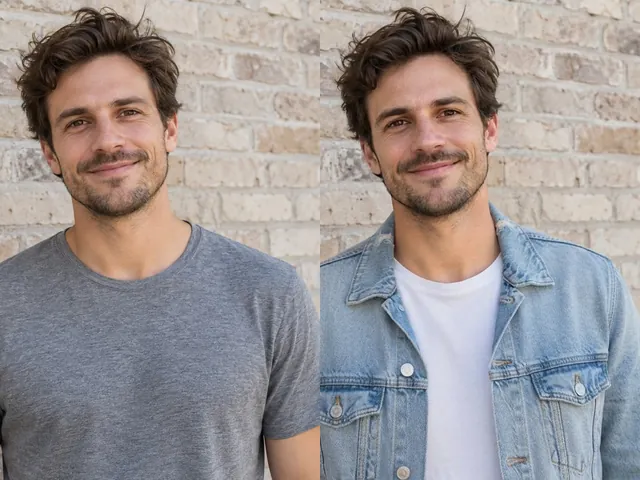
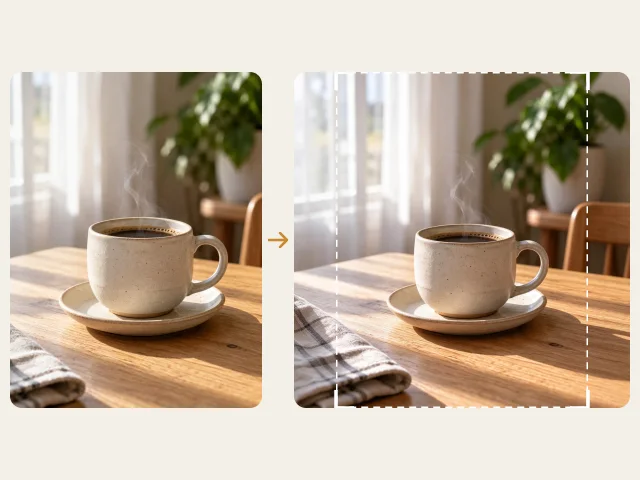
Your Next Picture Starts with a Sentence
Sign in, write a prompt and pick one of 17 text to image models. The default makes a picture for 5 credits, and failed pictures are refunded.