 Anyscene AI
AI Clothes Changer
Put a new outfit on your own photo. Pick a look, upload the clothes, or describe them.
 AfterSTYLE PREVIEWBusiness Blazer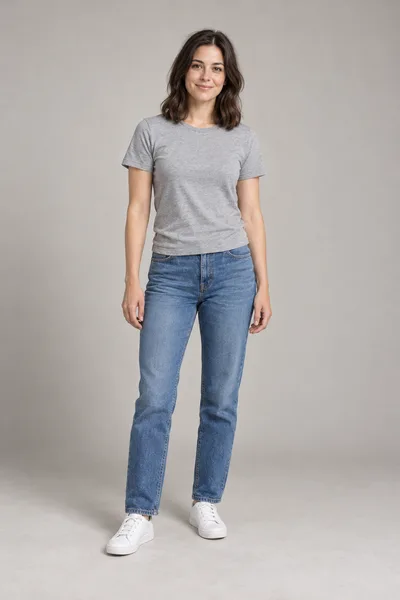
Before
Drop a full-body photo here, or click to upload
PNG · JPG · WEBP · HEIC — up to 10 MB
Outfit
Your photos are used only to make your result and are never used for training.
Style previews
One Photo, Twelve Outfits
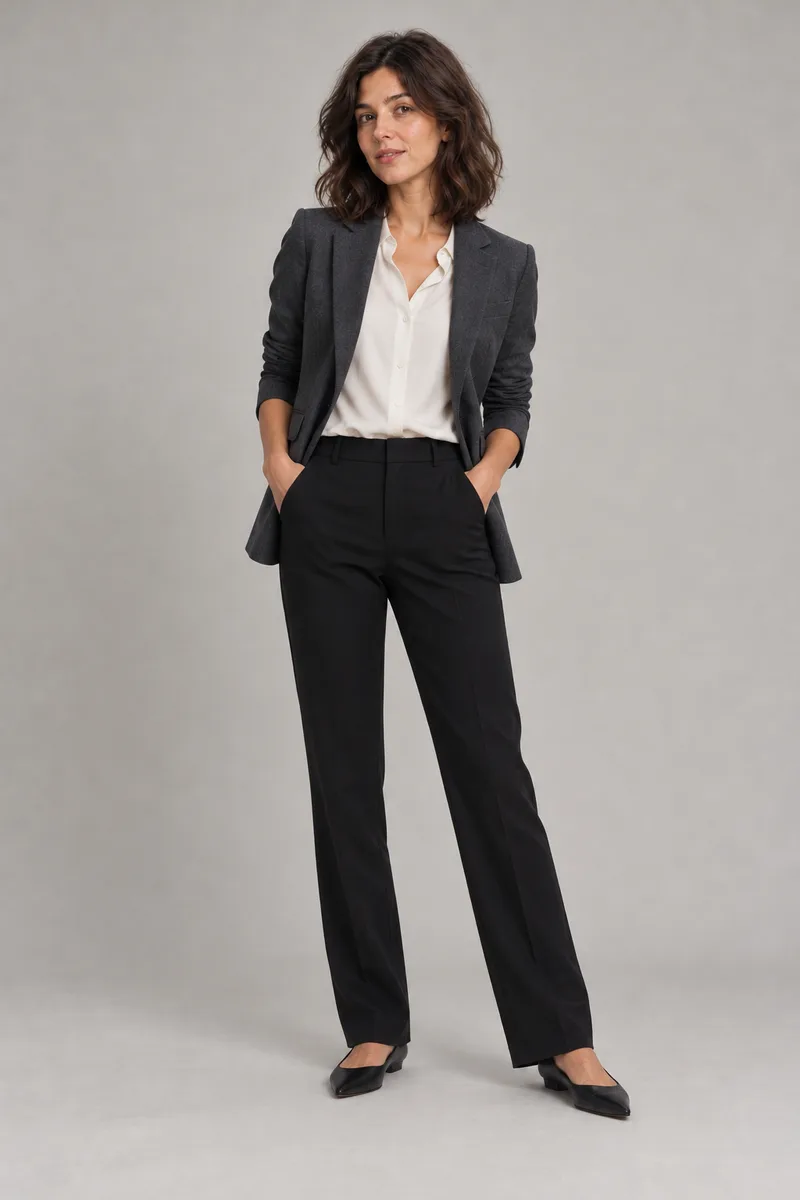
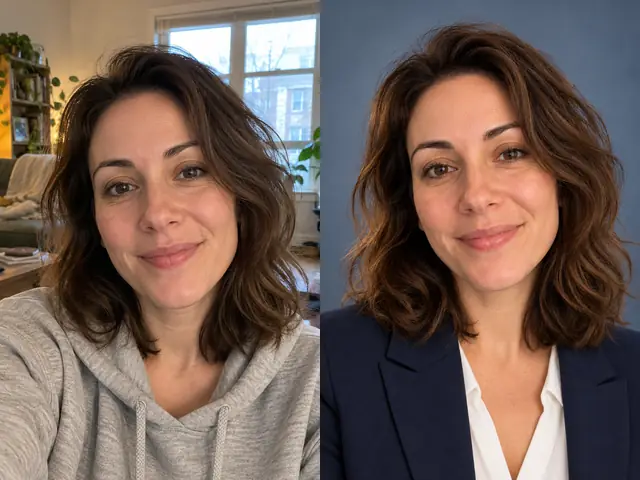
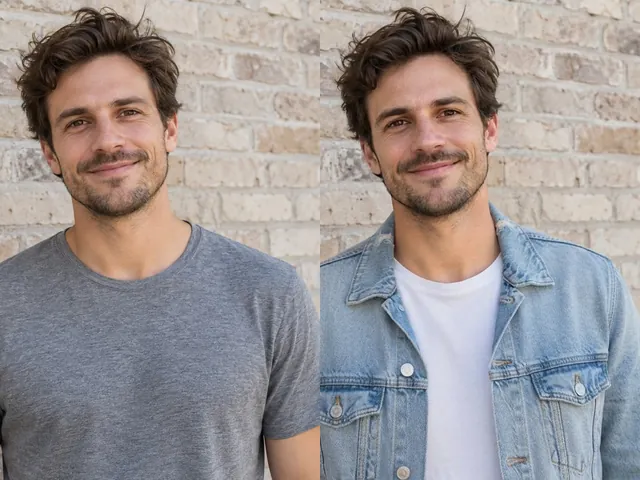
The same two people in the same studio light. Only the clothes change: six looks for women and six for men, each one a preset in the AI clothes changer above.
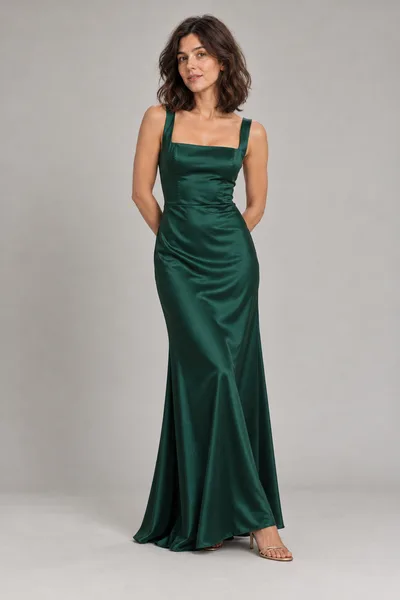
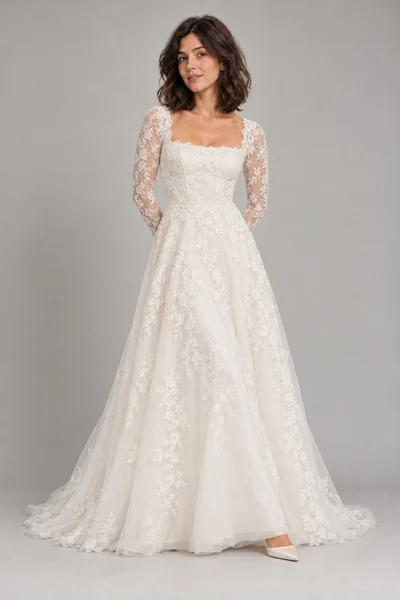
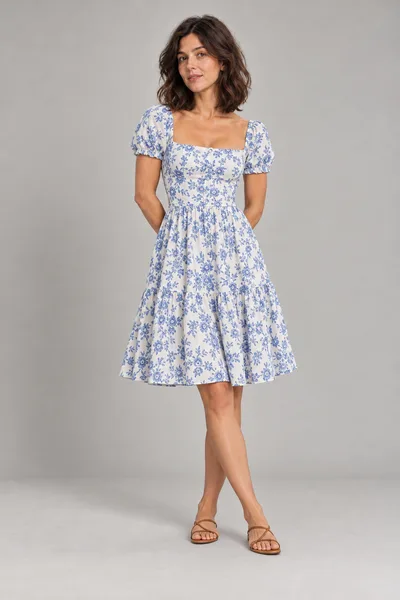
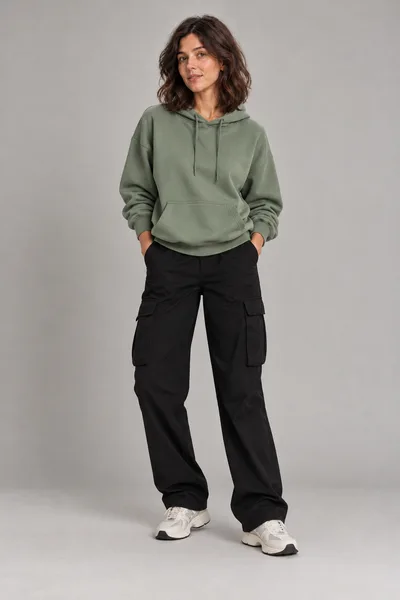
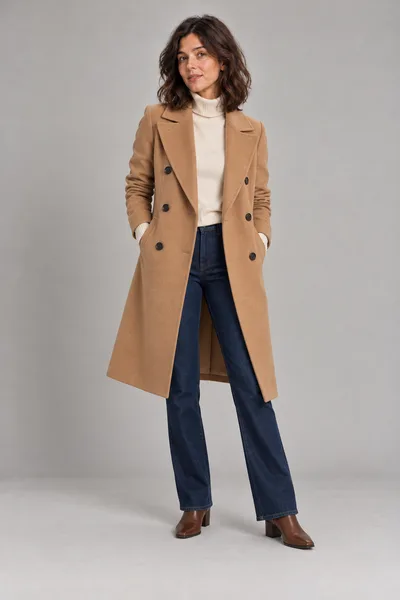
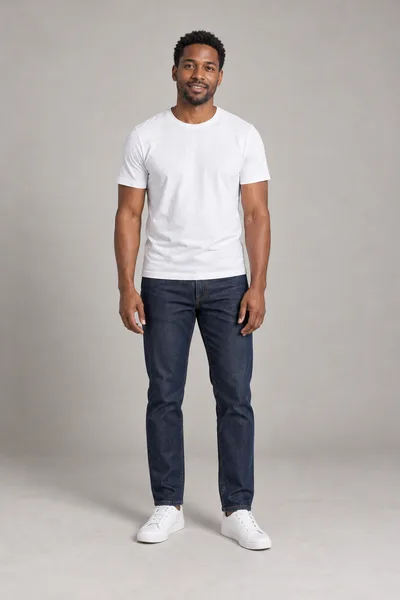
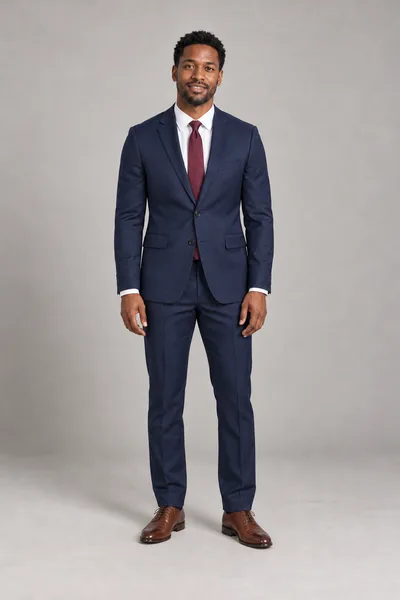
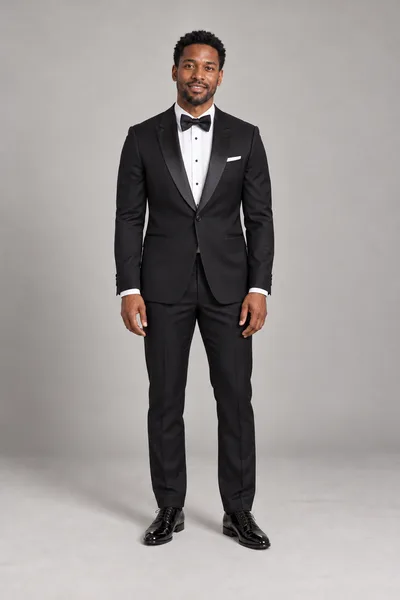
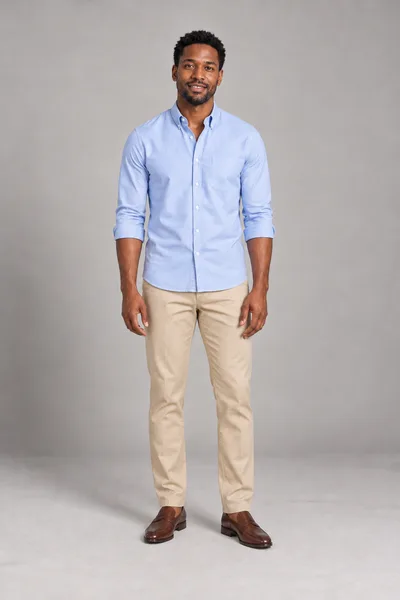
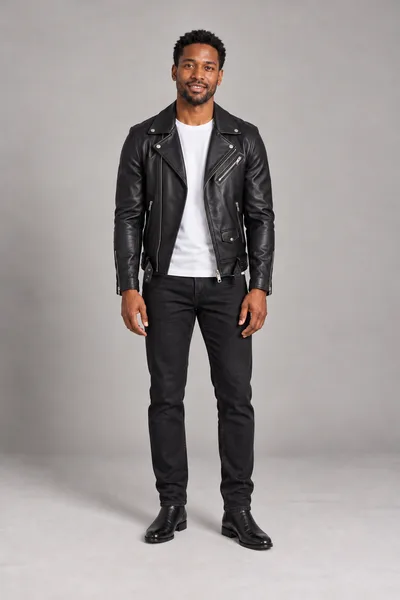
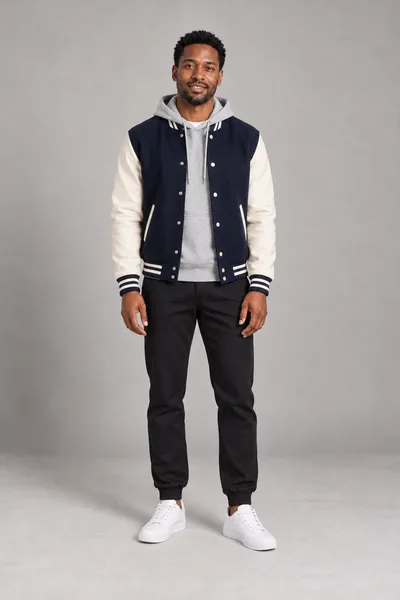
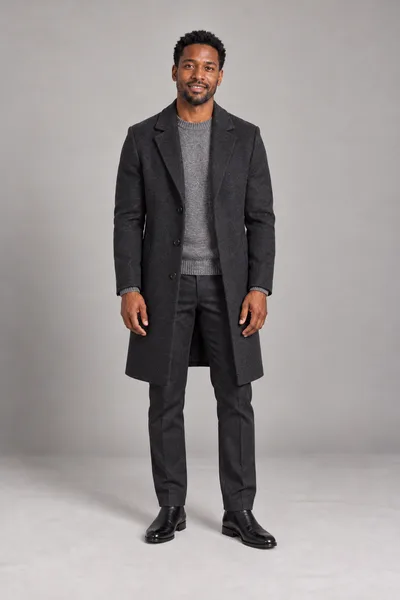
Click any outfit to load it into the tool, then add your own photo.
Three ways in
Three Ways to Change Clothes in a Photo
Start from what you have: nothing yet, a garment, or a picture in your head. All three cost the same 2 credits, and all three keep the person as they are.
01
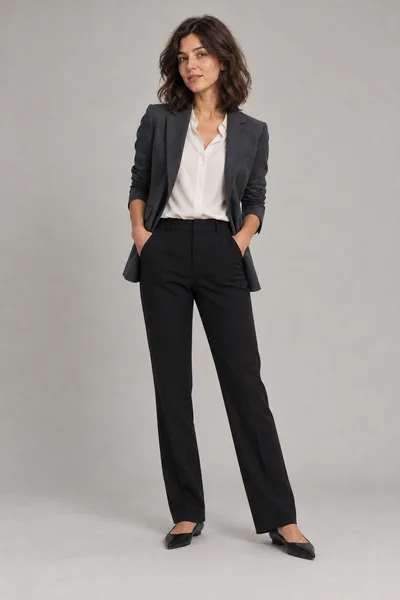
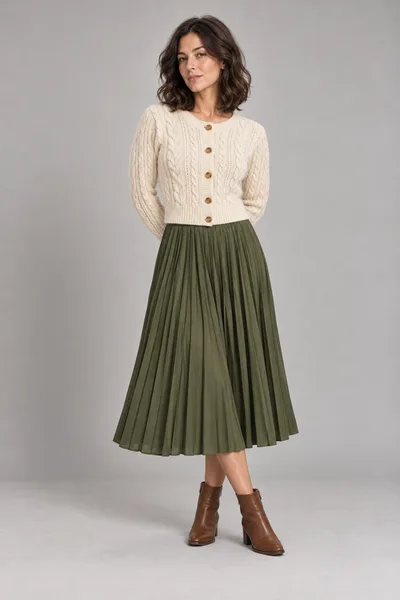
Pick an outfit
Twelve outfits written out in detail, from a navy suit to a summer dress. Start here when you want to see a look before you own any of it.
Good for workwear and event ideas
02
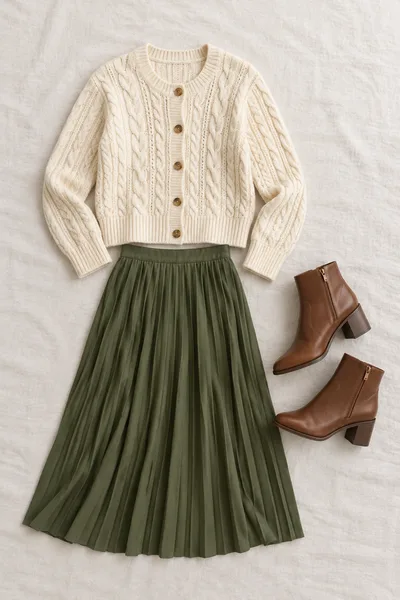
Upload the clothes
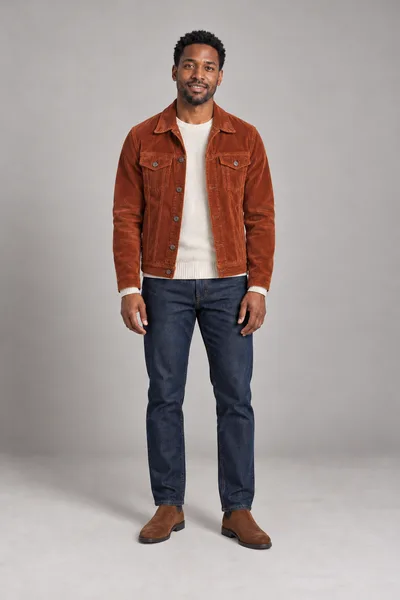
Add a photo of one garment or a whole outfit, and the AI clothes changer dresses the person in it, matching its color, fabric and pattern. This is virtual try-on with a picture you already have.
Good for trying on before you buy
“a rust-orange corduroy jacket over a cream knit sweater, dark straight jeans and brown suede boots.”
03
Describe it
Write the outfit in one sentence: the colors, the fabric, the shoes. Use it when the look exists in your head and not yet in a shop.
Good for costumes and one-off ideas
Definition
What Is an AI Clothes Changer?
An AI clothes changer is an image editor that replaces the outfit in a photo while keeping the person, their pose and the background the same.
It is not a sticker or a filter laid over the photo. The model redraws the clothes as fabric that folds, hangs and catches the light where the person stands. Virtual try-on is the same idea with a real garment as the reference; people also call it an AI clothes swap or an AI dress changer.
What changes
- The clothes, from collar to hem
- The shoes
- Color, fabric and pattern
- How the garment hangs and folds on the body
What stays
- Face and identity
- Hair and skin tone
- Body shape, pose and hands
- Background, framing and light
These two lists are the instruction our AI clothes changer sends with every photo, so they are also the standard to judge a result by.
How to Change Clothes in a Photo in 3 Steps
Upload, choose, compare. The AI clothes changer runs in your browser, so there is nothing to install and no editing skill needed.
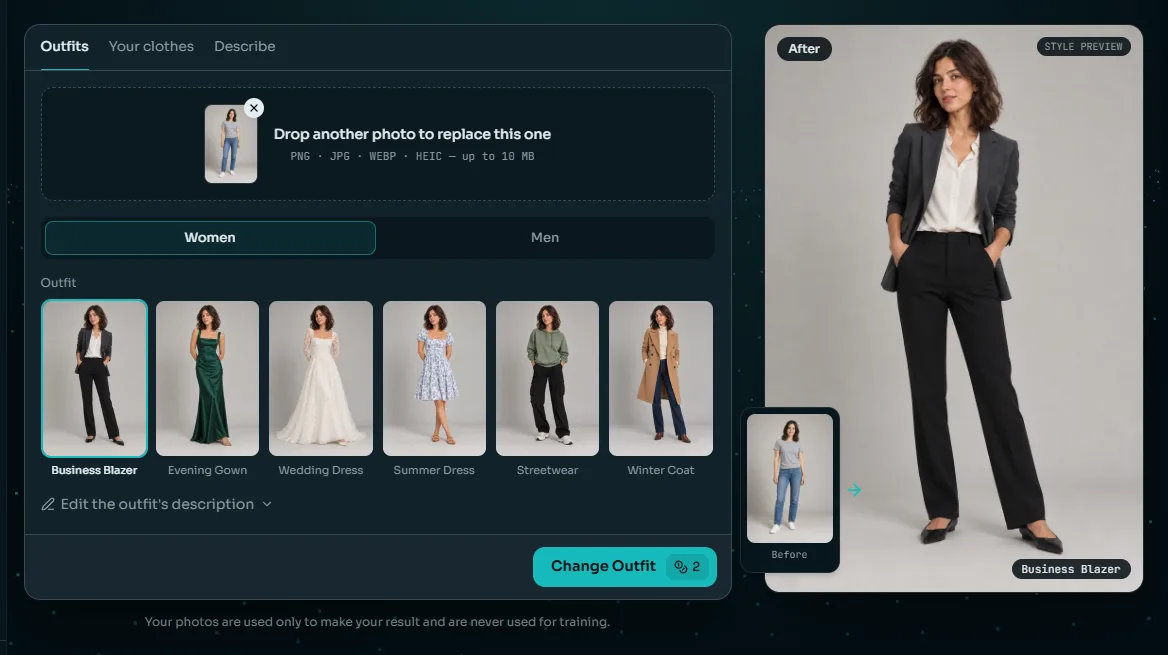
Step 1: Upload a full-body photo
Use a clear photo of one person with the outfit and shoes in view and even light. JPG, PNG, WebP or HEIC files up to 10 MB work. A half-body photo works too, but the lower half is then guessed.
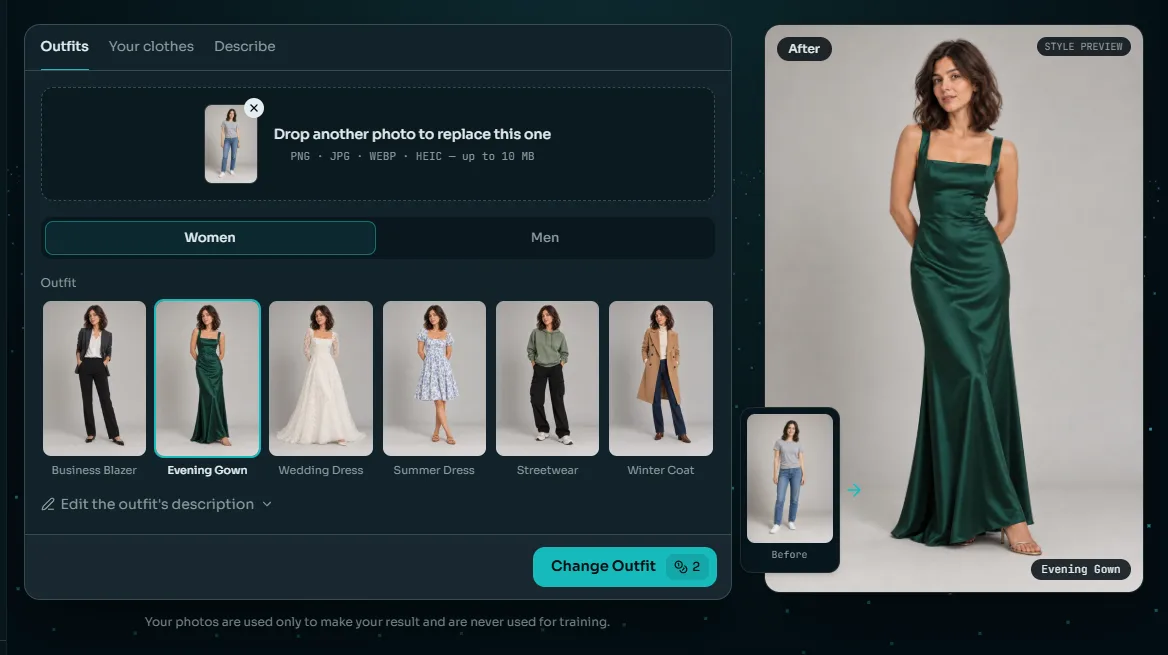
Step 2: Choose the clothes
Pick one of the twelve outfits, switch to Your clothes and add a photo of the garment, or switch to Describe and write the outfit in a sentence. The price, 2 credits, is on the button before you press it.
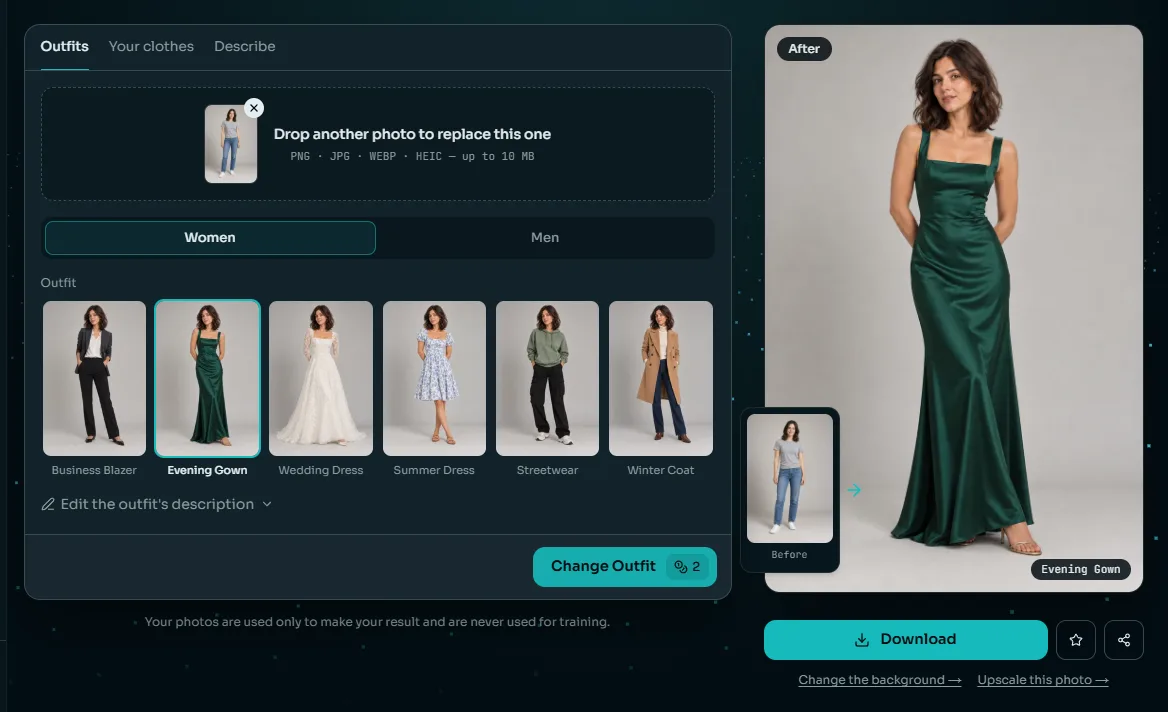
Step 3: Compare, then download
The new outfit appears beside your original photo. Check the face and hands at full size, then download it, try another outfit on the same photo, or carry on to a new background.
Before you upload
Which Photos Work Best with an AI Clothes Changer
A result is only as good as the photos that go in. Two of them matter: the photo of the person, and in Your clothes mode, the photo of the garment.
Your photo
Full body, even light
Head to shoes in view, facing the camera.
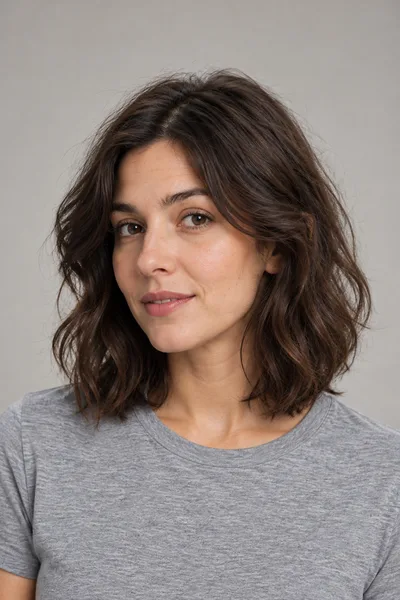
Cropped at the shoulders
Most of the outfit is missing, so there is little to change.
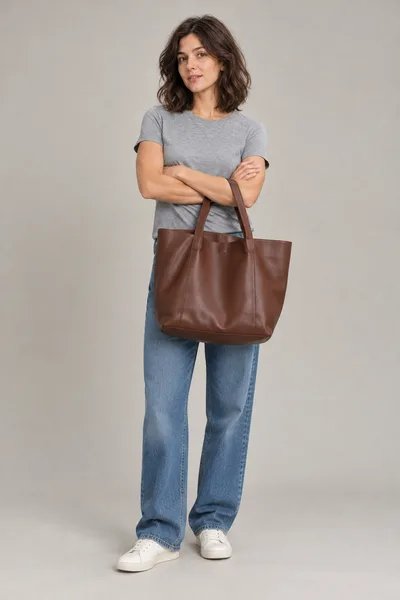
Arms and a bag in the way
Hidden clothes get guessed, and the bag may change with them.
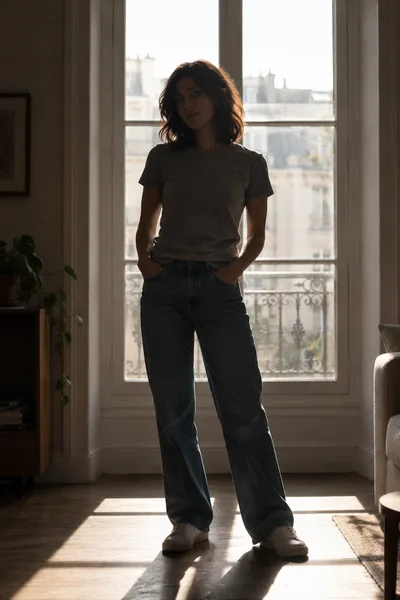
Backlit and dark
Detail lost in shadow comes back soft and blurred.
The clothes
Flat lay
Each piece laid flat, nothing overlapping.
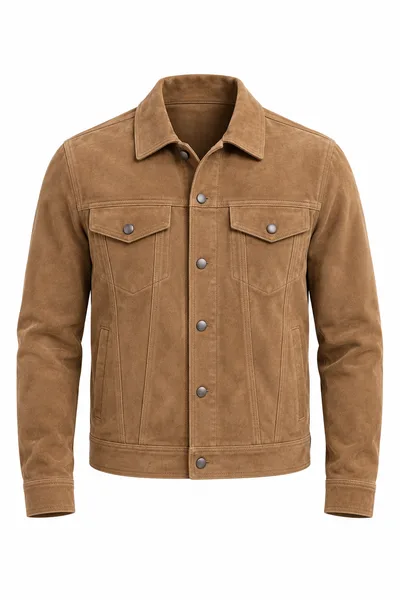
Product photo
On a white background or an invisible mannequin.
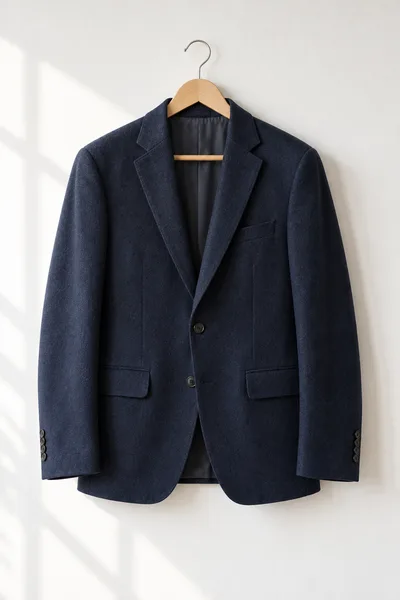
On a hanger
The whole garment in view, front side out.
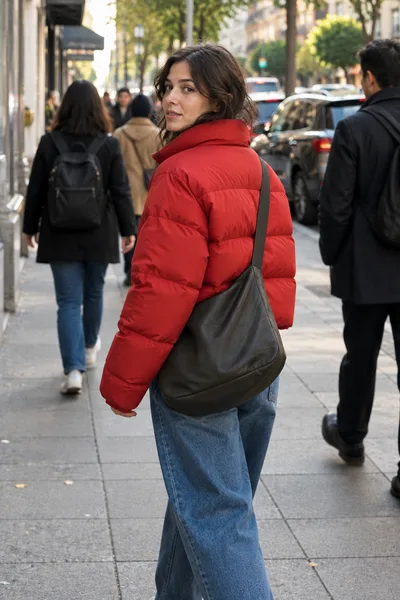
Worn on a busy street
Half hidden, and mixed up with other people's clothes.
Group photo? Crop it to one person first: the AI clothes changer dresses one person per photo.
Describe mode
How to Describe an Outfit the AI Can Follow
In Describe mode, the AI clothes changer only knows what your sentence says. Name every piece, give each a color and a fabric, and finish with the shoes.
One sentence, taken apart
a rust-orangecolorcorduroyfabricjacketgarmentover a cream knit sweater,layerdark straight jeansfitand brown suede bootsshoes
Too vague
“something autumnal and cozy”
The model has to guess every piece, so each try comes out different.
Clear
“a rust-orange corduroy jacket over a cream knit sweater, dark straight jeans and brown suede boots”
Every piece, color and fabric is named, so the result matches what you pictured.
Name each piece
Top, bottom or dress, a jacket if there is one. Anything you leave out, the model invents.
Give each a color
"Navy" and "camel" are better than "dark" and "light".
Say the fabric and the fit
Wool or linen, slim or oversized: these change how the clothes hang.
Finish with the shoes
In a full-body photo the shoes are part of the outfit. Name them, or they change at random.
Use cases
What People Use an AI Clothes Changer For
Most uses of an AI clothes changer come down to one thing: seeing a look before spending money or a day on it.
19.3%
of online sales in the US were expected to be returned in 2025.
NRF and Happy Returns, 2025 Retail Returns Landscape, October 202516%
of online apparel returns are down to color, the second reason after size and fit (53%).
Coresight Research, survey of 100 US apparel brands and retailers, April 2023An AI preview helps with color and style. It can't tell you whether a size fits.
Try it on before you buy
Save the product photo from a shop and see it on yourself, in your own light, before you order. Virtual try-on for anything with a clear photo.
Dress for the photo you need
Put a blazer or a suit on a casual photo for a profile or a résumé, then turn it into a studio headshot.
Make a professional headshot →Plan an outfit for an event
Compare a gown, a suit and a cocktail look for a wedding, a gala or a graduation on the same photo.
Show a garment on a model
Sellers can dress a model photo in their own product to test a look. For a full listing set, use clothing product photos.
Clothing product photos →Vary the outfit across posts
One photo, several looks: change the outfit for a series of posts without changing the location or the pose.
Test a costume
Describe a Halloween or cosplay idea and see it on yourself before you buy fabric or rent anything.
Three ways to see clothes on you
AI Clothes Changer vs. Virtual Fitting Room vs. Photoshoot
Each one answers a different question. An AI clothes changer shows the look, a fitting room estimates the size, and a photoshoot shows the real thing.
| AI clothes changer | Virtual fitting room | Photoshoot | |
|---|---|---|---|
| What you see | The look: style, color, pattern | Size and fit, from your measurements | The real clothes on you |
| What you need | One photo | A store's app, often with measurements or a body scan | The clothes, a photographer and a place |
| Which clothes | Anything you can photograph or describe | Only that store's catalog | Only clothes you have |
| Time | Under a minute per outfit | A few minutes | Hours to days |
| Cost | 2 credits per photo | Usually part of the store | Clothes, studio and photographer fees |
Use the AI clothes changer to narrow down the look, then a size chart or a real fitting to settle the size.
Honest limits
Where an AI Clothes Changer Still Struggles
An AI clothes changer is a fast visual preview, not a tailor. Six things to know before you rely on a result.
Real size and fit
The outfit is drawn to fit the photo. It can't tell you whether a medium will fit you.
Small text and logos
Lettering and logos on a garment can come back redrawn or misspelled. Check them at full size.
Busy patterns
Fine checks, stripes and prints may be simplified. A plain, sharp photo of the garment helps.
Hands, bags and accessories
Anything held in front of the clothes may change along with them.
Group photos
With several people in the frame, the outfit can land on the wrong person. Crop to one.
Revealing edits
Requests for less clothing are refused before any credit is taken.
Responsible use
Use the AI Clothes Changer Responsibly
Clothes are personal, and so are photos of people. Three rules the tool is built around.
Your photo, or their consent
Use photos of yourself, or of people who have agreed to the edit.
Clothes in, clothes out
The AI clothes changer swaps one outfit for another. It does not undress anyone or make a photo more revealing, and it refuses requests that try.
Not for passport photos
Official ID photos must be unedited. The US State Department asks for the original photo and says not to change it with software, apps, filters or AI.
US passport photo requirementsAfter the Outfit: A New Background, a Video, a Sharper Photo
A new outfit from the AI clothes changer is often only the first step. Each of these tools takes the result as it is, on the same credit balance.
Change the background
Put the new look somewhere new with the AI image editor, in one sentence.
Make it move
Turn the photo into a runway walk or a short clip with AI video effects.
Upscale it
Sharpen the result up to 4× before you print or post it.
Plans for every model and tool
Every plan unlocks all 28 models and every tool on Anyscene, this one included. Yearly billing saves 20%, and a credit pack tops up any plan.
Yearly prices, shown per month. Monthly billing and credit packs are on the pricing page.
AI Clothes Changer FAQ
Straight answers before you spend a credit.
No. The AI clothes changer is for paid plans and costs 2 credits a photo, shown on the button before you press it. A generation that fails gives its credits back. Plans and credit packs are on the pricing page.
A clear, well-lit photo of one person from head to shoes, facing the camera, with nothing held in front of the clothes. Half-body photos work too, but the shoes and the lower half are then guessed.
Yes. Switch to Your clothes and add a photo of the garment: a flat lay, a product photo on white, a ghost-mannequin photo or a garment on a hanger. The tool matches its color, fabric and pattern; small logos may be redrawn.
Yes. Switch to Describe and write the outfit in a sentence. Name the colors, the fabric and the shoes: "a rust-orange corduroy jacket over a cream knit, dark jeans, brown suede boots" works far better than "something autumnal".
It shouldn't. Every request tells the model to keep the face, hair, skin tone, body shape, pose, hands, background and light exactly as they are and to change only the clothes and shoes. Small differences can still appear, so compare the two photos side by side.
No. It shows how a style and a color look on you, drawn to fit the photo. It knows nothing about the garment's real size, cut or stretch, so check the size chart before you buy.
No. Official photos must be unedited. The US State Department, for example, asks for the original photo and says not to change it with software, apps, filters or AI, and many other countries have similar rules.
Yes. Half of the twelve outfits are menswear: a navy suit, black tie, smart casual, a leather jacket, a varsity jacket and a winter coat. Your clothes and Describe work for any outfit, for anyone.
Yes. You own what you make on Anyscene and can use it commercially, as long as you have the rights to the photos you upload and the person in them has agreed. Changing the clothes in someone else's photo does not make it yours.
The AI clothes changer does one job: it changes the clothes and keeps everything else, at 2 credits a photo, with outfits ready to pick. The AI image editor takes any instruction and lets you choose the model. Use it for the background or anything beyond the clothes.
More AI Photo Tools
Same photo, same credit balance, the next thing you may want to change.
See the Outfit Before You Buy It
Sign in, upload one full-body photo, and try twelve outfits, your own clothes or a described look with the AI clothes changer. 2 credits a photo, and failed generations are refunded.