So you want to know how to incorporate yourself in an AI image generator. Good news: there are four ways to do it. Bad news: most guides you've read only cover one of them, and usually the wrong one for your use case.
This guide lays out all four, side by side — how long each takes, what it costs, how good the result looks, and where the privacy traps are. By the end you'll know which method fits your project and you'll have the tools to run it today.
We run Anyscene, so we've tried every approach on real photos and real budgets. What follows is what works in 2026, not what worked two years ago.
Why "Incorporate Yourself" Isn't One Thing
Read the search results for this topic and you'll see chaos. One article tells you to upload ten photos and train a model for an hour. Another says type "me" in your prompt. A third pushes a $30-a-month service.
They're all right, because they're answering different questions.
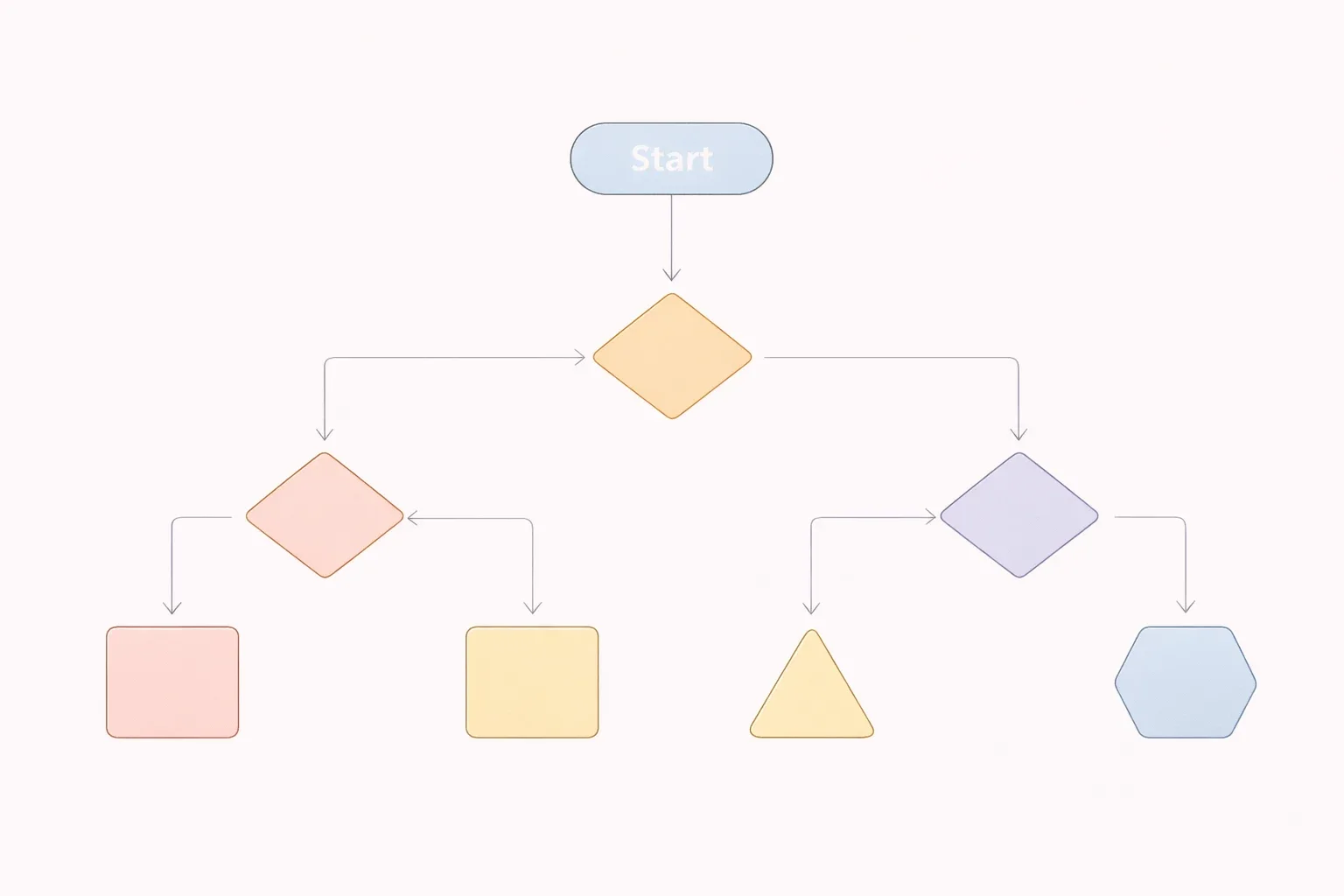
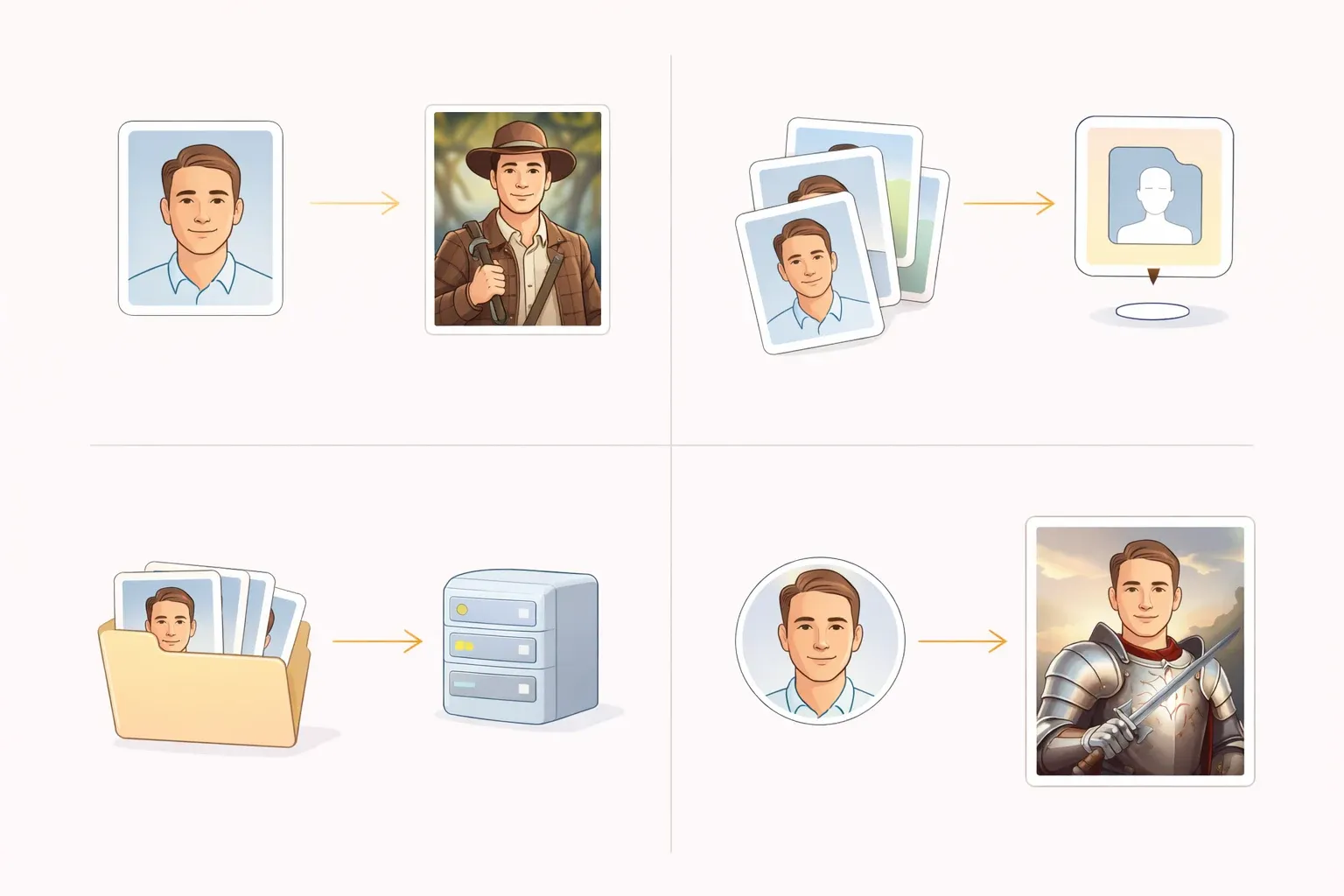
When people search for how to incorporate yourself in an AI image generator, they mean one of four things:
- I want to generate a picture where the person looks vaguely like me.
- I want to show the AI a photo of me and have it do something stylised.
- I want a model that actually learns my face and can generate me in any scene.
- I want my face on a specific image that already exists.
Each requires a different tool, different effort, and different money. Most articles pick one and pretend the others don't exist. This one won't.
The Four Methods, Side by Side
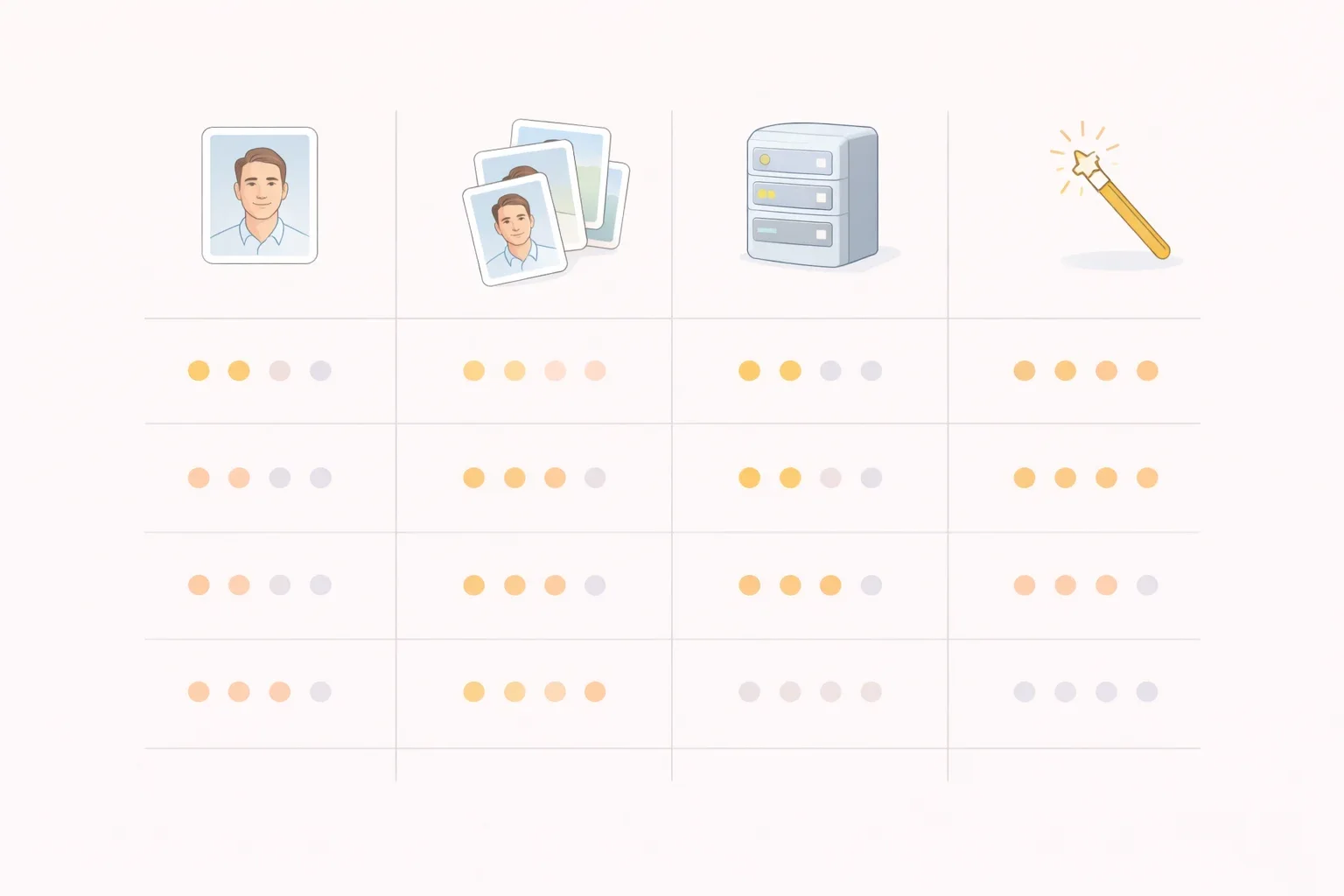
Here's the whole map on one table. We'll break each one down in the next sections.
| Method | What you need | Quality | Time | Cost | Privacy risk |
|---|---|---|---|---|---|
| 1 — Describe yourself in the prompt | One selfie (optional) | Low | 30 sec | Free | Low |
| 2 — Upload a photo as reference | 1–5 photos | Medium | 2 min | Free–$10/mo | Medium |
| 3 — Train a LoRA on yourself | 10–20 photos | High | 10–60 min | $3–$15 | Medium–High |
| 4 — Face swap onto an image | Target image + selfie | Medium | 10 sec | Free | Low |

Pick wrong and you'll waste an afternoon. Pick right and you're done in minutes.
Method 1 — Just Describe Yourself in the Prompt
The simplest method. No upload, no training, no account creation. You type what you look like and the model generates someone who fits the description.
How to write a "self-portrait prompt"
Use the same 4-part structure that works for any AI image — subject, setting, style, quality — but your subject line becomes a precise description of you.
a 32-year-old man with short dark hair, warm brown eyes, light stubble,
wearing a navy wool coat, walking through a snowy Brooklyn street at dusk,
shot on Fujifilm X-T5, 35mm, shallow depth of field, natural colorsThe more specific you are, the closer the output will feel. Height, build, skin tone, hair length and texture, glasses, beard, distinguishing features — every word narrows the guess. Vague prompts give you a stranger who happens to share your hair colour.
For a full walkthrough of the 4-part prompt formula, see our guide on how to generate images from text with AI.
The limits of this method
It won't actually look like you. It'll look like someone who matches your description, which is a very different thing. Twins, triplets, whole families that aren't yours.
That's a feature, not a bug, when:
- You want a hero image for a blog post where the "author" is illustrative, not specifically you.
- You're drafting mood boards or concept art and the face doesn't matter.
- You're keeping zero personal data on third-party servers.
It's the wrong tool when you need the same person to appear consistently across ten images, or when the image will be captioned with your name.
Best tools for this approach
Anyscene, Midjourney, Meta AI, and Microsoft Copilot all handle this method well. Meta AI is unique in that adding the word me to a prompt triggers a subtle bias toward your profile photo — useful if you're already logged in. Try this method in Anyscene with a plain-English prompt to see how close you can get.
Method 2 — Upload a Photo as Reference
One step up in fidelity. You give the model one or more photos of yourself, plus a prompt describing the scene you want to appear in. The model uses the photo as visual guidance rather than training a new weight file.
How vision-guided generation works
The model runs your photo through a vision encoder, extracts an embedding that represents your face, then conditions the generation on that embedding. No training happens. The embedding lives only for that generation — or for a short session, depending on the tool.
Think of it like handing a sketch artist a reference photo for twenty minutes, then taking the reference back.
Step-by-step walkthrough
The flow is almost identical across tools:
- Upload one photo (or up to five, on services that support it). Face clearly visible, no sunglasses, decent light.
- Write a prompt for the scene you want — same 4-part formula as Method 1, but without the self-description, because the photo carries that.
- Pick a style or aspect ratio.
- Generate. Wait thirty seconds to two minutes.
Tools worth trying: Photo AI, Starryai, ImagineMe, and Flux Kontext (Flux's own reference-image feature).
When to choose this method
It's the middle ground. Better likeness than Method 1, much less effort than Method 3. Use it when:
- You need a single great image, not a batch of twenty.
- You don't want to hand over 20 photos to a training service.
- You're okay with the face drifting slightly from image to image.
Accuracy varies wildly by angle. Your photo is a front-facing studio shot? Results will usually be recognisable. You need a 3/4 angle or a side profile? The output starts to morph.
Method 3 — Train a Personalized Model (LoRA)
The highest-quality, highest-effort option. You train a small model — a LoRA — that learns what you look like, then plug it into a base model like Flux or Stable Diffusion. After training, every generation includes you.
What LoRA is, in plain English
LoRA stands for Low-Rank Adaptation. It's a small file (roughly 5 MB) that sits on top of a base model and nudges the weights toward a specific concept — in this case, your face.
You're not training a new AI from scratch. You're teaching an existing one a new word. The training takes fifteen minutes to an hour on rented GPU time. The resulting file works with any prompt that references the token you chose during training.
The photos you need
Quality beats quantity, but you still need variety.
- Count: 10–20 photos. Below 10 the model undertrains; above 20 you rarely see improvement.
- Angles: A mix of front, 3/4, and profile. Otherwise the model can't generate you from side views.
- Expressions: Neutral, smiling, serious. A monotone set will lock you in that expression.
- Lighting: Varied. Indoor, outdoor, soft, hard. Monotone lighting teaches the model that your face only exists under one kind of light.
- Cropping: Mostly face and shoulders. Close-ups for detail; two or three medium shots for context.
- No: Sunglasses, heavy filters, group photos, duplicate shots from the same session.
Where to train in 2026 (with prices)
Four reliable options as of this writing. Prices are per model, one-time.
| Service | Model | Training time | Price |
|---|---|---|---|
| Replicate (ostris/flux-dev-lora-trainer) | Flux Dev | 15–25 min | ~$3 |
| fal.ai | Flux or SDXL | 10–20 min | ~$4 |
| Astria | SDXL | 30–60 min | $8–$12 |
| Hugging Face AutoTrain (self-hosted) | Flux or SDXL | 20–40 min | GPU time only |
Run the generation afterward on the same platform, or download the LoRA file and run it locally if you have a GPU.
One more decision: Flux or SDXL as the base. In 2026, Flux wins for faces and realistic skin; SDXL wins for stylised output and has a larger LoRA ecosystem. If you're training your first model and plan to generate realistic photos of yourself, use Flux. If you want anime, illustration, or heavily stylised output, SDXL has more community LoRAs you can stack on top of your own. Avoid SD 1.5 in 2026 — it's cheap but the output quality is two model generations behind.
Troubleshooting: uncanny valley, identity drift
LoRA training is where things go subtly wrong in ways that look fine at first glance, then wrong after three seconds.
- Waxwork skin. Training data was over-filtered or your base model over-smooths. Add
film grain, natural skin texture, pores visibleto the prompt and drop CFG to 6. - Identity drift across a batch. Same seed, same prompt, faces all slightly different. Add the token word twice and include
consistent characterin the prompt. - Looks like you from the front only. Training set was too front-heavy. Retrain with 3/4 and profile shots added.
- Wrong skin tone. Base model bias. Specify ethnicity and tone in the prompt explicitly.
- Feature exaggeration over generations. Happens when LoRA strength is too high. Drop strength from 1.0 to 0.75.
Method 4 — Face Swap onto an Existing Image
Sometimes you don't want a new image. You want a specific existing image with your face replacing whoever's in it. That's face swap, and it's a different pipeline entirely.
Flux Pro + inpainting
The cleanest approach in 2026. Mask the face in the source image, upload a reference selfie, and let Flux inpaint. Ten seconds, one generation, no training. Preserves the scene, lighting, and composition — only the face changes.
Works best when the source face is at a similar angle to your selfie. Mismatched angles produce obvious seams.
Dedicated face swap tools
If you don't want to set up Flux, dedicated services handle the masking automatically.
- Pincel — upload the target image and one selfie, get the swap in under a minute.
- Remaker — free tier, basic but functional.
- InsightFace-powered tools — open source, runs locally if you have a GPU.
When swap beats training
Swap wins when:
- You have one specific image you want to be in (a magazine cover, a painting, a meme format).
- You don't want to wait for training.
- The target scene is more important than perfect likeness.
Training wins when you need twenty different images of yourself, all consistent. Swap wins when you need one image, now.
Which Method Should You Choose?

The quick decision table:
| If you want to... | Use | Because |
|---|---|---|
| Try once with zero commitment | Method 1 | Free, no upload, no account |
| Get a decent headshot in under two minutes | Method 2 | Best balance of quality and effort |
| Generate 20+ consistent images of yourself | Method 3 (LoRA) | Only method that actually learns your face |
| Put your face on one specific existing image | Method 4 | Preserves the scene, swaps the face |
| Keep your biometric data off third-party servers | Method 1 | Nothing leaves your device |
| Have a budget of zero | Method 1 or 4 | Both have free tiers |
Most people overshoot. They train a LoRA for a use case that Method 2 would have solved in two minutes. Pick the simplest method that answers your actual need.
Common Failures and How to Fix Them
Every method has its own way of going wrong. This table is the one thing most guides leave out.
| Problem | Why it happens | Fix |
|---|---|---|
| Output looks like a stranger | Prompt too vague (Method 1) | Add age, build, skin tone, hair, distinguishing features |
| Face morphs between generations | No learned representation (Method 1 or 2) | Switch to Method 3 (LoRA) if you need consistency |
| Looks like a waxwork | Over-smoothed skin | Add film grain, natural skin texture; drop CFG to 6 |
| Doesn't look like you from the side | Training photos all front-facing | Retrain with 3/4 and profile shots |
| Wrong skin tone | Base model bias | Specify ethnicity and tone explicitly in the prompt |
| Identity drifts across a batch | LoRA rank too low, or seed reused | Retrain at rank 16+, or fix seed and add consistent character |
| Face floats, doesn't match scene lighting | No light direction in prompt | Add matching ambient light or specify the source |
| Face swap has visible seams | Angle mismatch | Use a selfie that matches the target face angle |
| Features exaggerate after a few generations | LoRA strength too high | Drop strength from 1.0 to 0.75 |
Save this table. You will come back to it.
Privacy, Consent, and the Legal Stuff
This section is short because the rules are simple — and most guides skip it entirely.
Your photos are biometric data. Under GDPR in the EU, CCPA in California, and several similar laws, your face is protected personal information. Uploading 15 selfies to a training service means you're sharing biometric data with that service. Read their retention policy. Some delete after training; some keep photos indefinitely for "model improvement."
You can only train on yourself. Training a model on someone else's photos without consent is, at minimum, a privacy violation. In several jurisdictions it's also defamation or impersonation if you generate content. Don't train on your ex, your boss, or a celebrity.
Commercial use of AI images of yourself is usually fine if the tool's license permits it. Using them as your LinkedIn headshot, in ads for your own business, or on your website is generally allowed. The complication comes when the images include AI-generated backgrounds that could imply endorsement (a fake restaurant, a fake product). Check the license page of whatever tool you used.
Some platforms now require AI disclosure for advertising or editorial use. France, the EU AI Act, and several US state laws all have rules coming into force through 2026. If you're publishing AI images of yourself in a commercial context, check local requirements before you hit publish.
Frequently Asked Questions
Can I do this for free? Yes. Methods 1 and 4 have fully free paths. Method 2 has free tiers on most tools. Only Method 3 (LoRA training) requires paying for GPU time — typically $3 to $15 one-time per model.
How many photos do I need? Method 1: zero. Method 2: one to five. Method 3: ten to twenty. Method 4: one target image plus one selfie.
Will it look exactly like me? Method 1 will look like someone matching your description. Method 2 will look close. Method 3, trained well, is often indistinguishable in front-facing shots. Method 4 preserves the source image's scene and replaces the face — accuracy depends on angle match.
Is it legal to use AI photos of myself commercially? On most paid tiers, yes. Verify the specific tool's license page. Free-tier outputs often have use restrictions.
What if I use a photo of someone else? Don't. Training a likeness model on someone without consent violates privacy law in most jurisdictions, and can constitute defamation or impersonation if you generate harmful content.
Does Google have a feature for this? Google's Gemini lets you upload a reference photo and transform the scene around it — closest to Method 2. It doesn't offer LoRA training.
How long does LoRA training take in 2026? Ten to sixty minutes on Replicate, fal.ai, or Astria. Locally on a consumer GPU, thirty to ninety minutes.
What's the cheapest way to try? Method 1. Type yourself into a prompt in any free tool — Anyscene, Meta AI, Copilot. Zero cost, thirty seconds.
Do I need a GPU to train a LoRA? No, if you use a hosted service like Replicate, fal.ai, or Astria — they rent you GPU time and charge by the minute. Yes, if you want to train locally. A consumer GPU with 12 GB of VRAM (RTX 3060 and up) can handle Flux LoRA training in about an hour.
Can I combine methods? Yes, and it's often the best result. Train a LoRA on yourself (Method 3), then use face swap (Method 4) to put the LoRA output onto a very specific source image. Or use your LoRA together with style LoRAs from the community to get yourself in a particular art style.
Will the AI model remember me forever? Only if you train a LoRA. Methods 1, 2, and 4 don't persist your face anywhere after the generation finishes. Method 3 creates a file that exists until you delete it, either on the training platform or on your own disk.
The best method is almost never the hardest one. Start with Method 1, move to Method 2 only if the result isn't good enough, and only go to LoRA training if you need the same face across twenty images.
Next read: How to Generate Images from Text with AI: A Complete Guide →